Home workers in shared spaces
If household activity or nearby conversations reach other participants, examine the microphone’s outgoing-noise features. Active noise cancellation (ANC) for listening addresses a different part of the call.


For calls mainly from one computer, a wired USB headset avoids charging; Bluetooth is worth considering when you also take calls on a phone, while a wireless model with a USB receiver offers a separate connection route for PC calls. If mute controls or a Teams or Zoom button matter, check certification for the exact headset edition and connection method. Noise reduction for your ears is different from noise reduction at the microphone, so assess them separately when other people are nearby.
The connection you use and the noise around your calls determine which headset features deserve attention.
If household activity or nearby conversations reach other participants, examine the microphone’s outgoing-noise features. Active noise cancellation (ANC) for listening addresses a different part of the call.
Check how the headset connects to each device. Direct Bluetooth, a USB receiver and a wired USB connection place different demands on your laptop’s ports, Bluetooth setup and charging routine.
If you use headset buttons to mute or manage calls, check the exact model and connection method. Microsoft describes call-control functions for certified Teams peripherals, while Zoom identifies certified hardware by product model.
Start with the devices you call from, then check outgoing sound, platform controls and how long you wear the headset.
Consider it: Most calls are at one computer and you would rather not charge a headset.
Trade-off: The cable limits how far you can move, and the plug must suit your computer or adapter.
Consider it: You take calls on both a computer and phone and want to move without a cable.
Trade-off: You need to manage charging and check the computer’s Bluetooth and platform requirements.
Consider it: Most calls are on a PC, but you want cordless movement and a connection route through a dedicated receiver.
Trade-off: The receiver uses a USB port and needs to travel with the headset; charging still matters.
| Priority | What to check | Your needs |
|---|---|---|
| Outgoing voice | Check whether a noise-reduction claim applies to the microphone rather than only to ANC for listening. Check the microphone design on the exact model. | People near me may be talking while I’m on a call; I want to focus on what other participants hear from my microphone. |
| Device connection | Check laptop ports, phone compatibility and whether a USB receiver or adapter is included. If you need two active device connections, check the model’s multipoint support. | Some days I call from my laptop; on others, I need to answer on my phone without changing headsets. |
| Meeting controls | Compare the exact edition and connection method with Microsoft’s Teams device information or Zoom’s certified-hardware information. Check operating-system and app conditions as well as the buttons you need. | I rely on the headset’s mute or answer button during meetings, so basic audio compatibility alone is not enough. |
| Long call days | For wireless models, compare stated talk time under relevant ANC and status-indicator settings; HP Support, for example, quotes different Voyager Focus 2 figures with those features on and off. Check wearing style and whether the exact model supports USB audio by cable. | Calls can run back to back. I need a fit I can assess for myself and, if I choose wireless, a charging routine that suits my working day. |
ANC for listening does not, by itself, establish how well the microphone handles nearby voices or household activity.
Check for an explicit outgoing-microphone feature on the exact headset rather than treating an ANC label as a microphone specification.
Microsoft describes native-Bluetooth Teams functions within specific desktop-client and device conditions. A headset that plays meeting audio may not provide the button or mute behaviour you expect through every connection route.
Check the headset edition, operating system and whether you intend to use native Bluetooth or a USB receiver.
HP Support quotes up to 25 hours of talk time for the Voyager Focus 2 with ANC and the online indicator off, and up to 16 hours with both on. A figure without its operating conditions is a poor basis for planning a call-heavy day.
Compare figures at settings you would use and check whether the exact model can carry audio over USB if its battery runs low.
Teams and UC editions, receivers and software conditions can differ. Microsoft and Zoom describe certification for specific devices or models, not an unrestricted promise for similarly named variants.
Match the full product name and included connection hardware to the relevant platform documentation before relying on particular call controls.
These examples illustrate connection and certification questions to ask; a brand name alone does not establish the features of a particular listing.
Its Zone range includes wired USB and wireless business-call headsets.
The Voyager Focus 2 is a Bluetooth business headset with a USB-adapter connection route and corded-use option described in HP’s product information.
The WH64 is a business-call option for people considering DECT and Bluetooth connections across their work devices.
These work-call headsets cover wired USB, Bluetooth and wireless USB-adapter buying scenarios. Choose by the connection and equipment you will actually use, then check any platform-specific functions on the exact model.
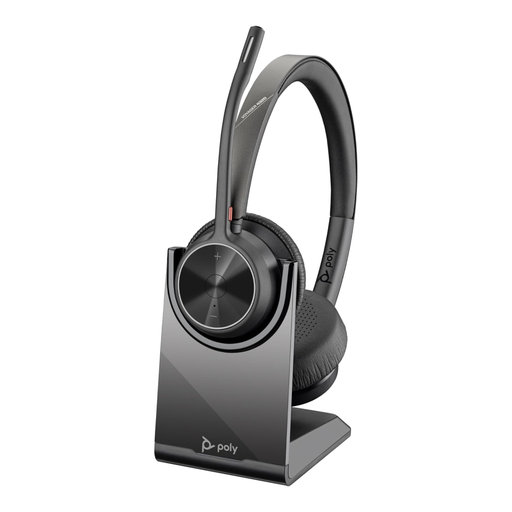 No image available
Consider this wireless model if you make PC calls but also need a Bluetooth connection for another device. The product name specifies USB Type-A and a charging stand; check the exact edition’s Teams controls and talk-time conditions against your working setup.
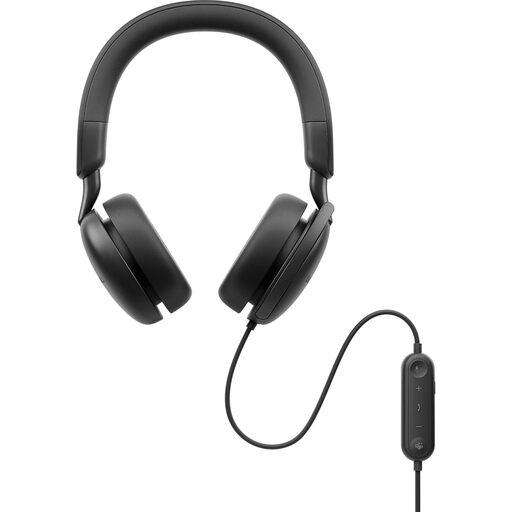 No image available
A wired headset suits desk-based calls when you do not want to manage headset charging. ANC in the product name does not establish outgoing-microphone behaviour; check that separately, along with the connection and any Teams or Zoom functions you require.
 No image available
This wired option is relevant if most calls happen at a computer and a USB-C connection suits your setup. The product name includes a USB-C/A adapter; check the adapter against your available port and confirm any meeting-platform controls you depend on.
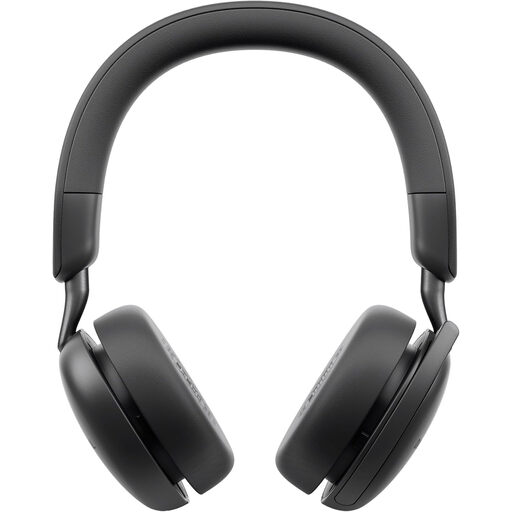 No image available
If you switch between computer and phone calls, check whether this wireless model’s device connections fit both. Its name identifies ANC, which should not be confused with outgoing-microphone noise reduction; also confirm any required USB receiver, platform controls and battery runtime.
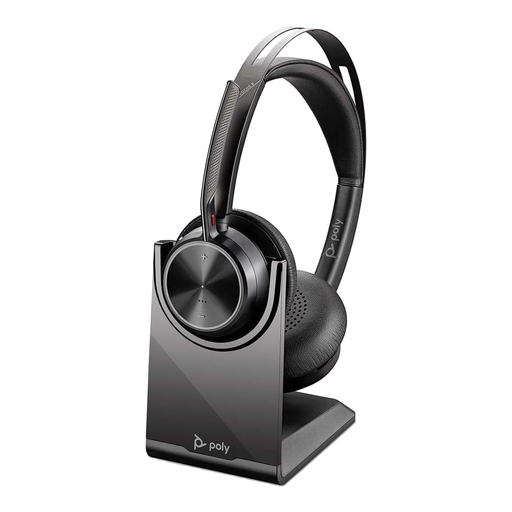 No image available
For wireless PC calls, check whether the included receiver and adapter match the ports you use at each work location. The product name identifies a charging stand and USB-C/A adapter; confirm the exact version, bundle, talk-time conditions and platform controls before relying on them.
No. ANC primarily concerns sound heard by the person wearing the headset. For a shared or noisy room, check the exact headset’s microphone design and outgoing-noise claim separately.
Check the exact headset edition, connection method, operating system and Teams client. Microsoft describes mute synchronisation and Teams-button functions for certified native-Bluetooth peripherals within its desktop-client scope; its documented native-Bluetooth experience has Windows 11 conditions and does not currently support macOS.
Do not assume so. Zoom says its certification programme includes testing at a Zoom-approved third-party lab and additional Zoom testing; check the exact model against its certified-hardware information rather than relying on a shared product-family name.
Some models support USB audio by cable, but check the exact version and bundle. Logitech describes USB audio for Zone Wireless 2, and HP describes corded use for Voyager Focus 2; neither feature should be assumed for a different wireless headset.