What to prioritise when replacing a work monitor
Check the existing computer and desk first, then decide whether laptop docking or integrated audio would solve a real need. The percentages below describe the relative priorities represented by these everyday-work scenarios, not survey results.
| Concern |
What to check when buying |
Who this matters to |
| Connection to your computer |
Match the computer’s video output to the monitor’s video input, and confirm the required cable. Check whether USB-C carries video, data or charging; Dell UK specifies the P2425H’s downstream USB-C port as data-only. |
If I am keeping my desktop PC, I want the screen to connect without relying on an extra hub I do not need. About 28% of consumers put compatibility with their existing computer first. |
| Document workspace |
Compare native resolution and screen size with your desk and preferred text scaling. Philips UK specifies 27 inches and 2560 × 1440 for the 27E1N1600AE/00; Dell UK lists 23.8 inches and 1920 × 1080 for the P2425H. |
When I work with documents or spreadsheets, I want a readable screen area at a text size that suits me. About 22% of consumers prioritise document workspace. |
| Desk fit and positioning |
Measure desk width and depth, including space for the stand and cables. Compare the exact model’s adjustments; HSE guidance suggests positioning the screen with its top around eye level and about an arm’s length away. |
If desk space is limited, I want the complete screen and stand to fit while allowing a workable viewing position. About 22% of consumers put desk fit and screen positioning first. |
| Laptop docking |
Confirm the laptop’s USB-C connection supports video, then compare the monitor’s stated power delivery and ports with your laptop and peripherals. BenQ UK specifies 65 W power delivery and two USB-A ports for the GW2486TC. |
When I reconnect a laptop regularly, I want one compatible setup for the display and the peripherals I use. About 17% of consumers prioritise laptop docking. |
| Everyday audio |
Check whether the exact model has speakers and how audio will reach them. BenQ UK says the GW2486TC’s integrated microphone works with external PCs when connected by USB-C. |
If I mainly need ordinary work audio, I would rather avoid separate equipment when the monitor’s audio suits my setup. About 11% of consumers put audio simplicity first. |
Joybuy monitor options for everyday work
These Joybuy options relate to replacing a monitor for everyday PC and office work. Compare each model’s stated connections and dimensions with your computer and desk before choosing.
 No image available
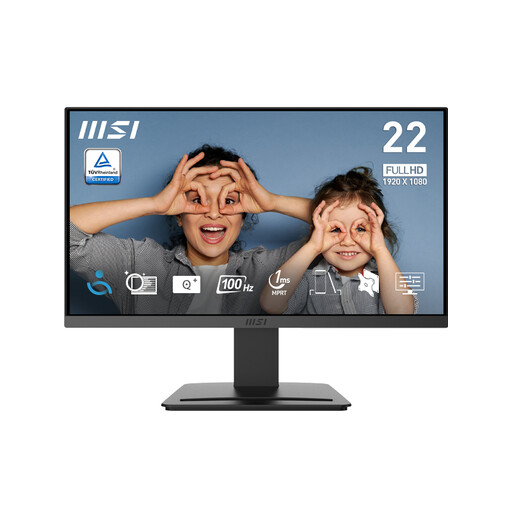
MSI PRO MP223 E2 21.45-inch Full HD Office Monitor
Its stated HDMI and DisplayPort inputs may suit an existing PC with a matching video output.
21.45-inch display; 1920 × 1080 resolution; 100 Hz; tilt-adjustable stand; HDMI 1.4b and DisplayPort 1.2a.
Joybuy
 No image available
KOORUI E2412F 24-inch FHD Business Monitor
Its listed HDMI and DisplayPort inputs are relevant if they match the video outputs on your computer.
24-inch 1920 × 1080 IPS display; tilt adjustment; HDMI and DisplayPort inputs.
Joybuy
 No image available
Dell P2425 24-inch Monitor
The listed 16:10 display and stand adjustments may be relevant for document-focused desk work; check the full dimensions before buying.
24-inch 1920 × 1200 display; HDMI, DisplayPort and VGA inputs; USB hub; height, tilt, swivel and pivot adjustments.
Joybuy
 No image available
iiyama ProLite XB2492HSU 24-inch Full HD Monitor
Built-in speakers and several stand adjustments may suit a desk setup where those features are useful; confirm the audio connection and available space.
24-inch Full HD display; HDMI and DisplayPort inputs; USB ports; built-in speakers; height, tilt, swivel and pivot adjustments.
Joybuy
 No image available
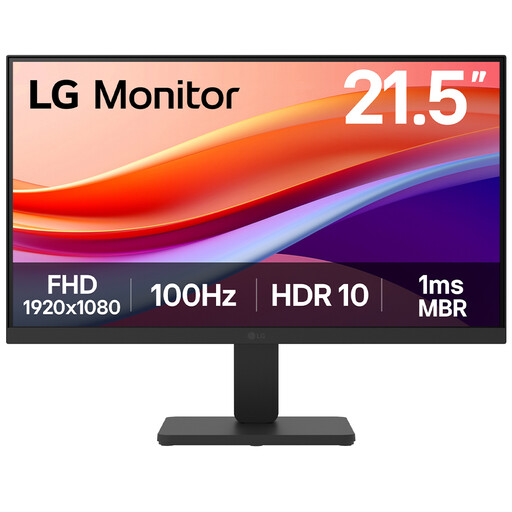
LG 22U401A-B 22-inch VA Full HD Monitor
The 22-inch screen and HDMI or VGA inputs may suit a compact desk and a computer with a matching output.
22-inch 1920 × 1080 display; 100 Hz; tilt adjustment; HDMI and VGA inputs; VESA mounting compatibility.
Joybuy
Frequently asked questions
Will a USB-C socket on my computer or monitor give me a one-cable display?
Not necessarily. Confirm that the computer’s USB-C connection supports video and that the monitor’s port provides the functions you need, including suitable power delivery if you want to charge a laptop. Dell UK specifies the P2425H’s downstream USB-C port as data-only.
How should I position a replacement work screen?
HSE guidance suggests placing the screen directly in front of you, with its top around eye level and the display about an arm’s length away. Measure your desk and check the exact stand adjustments before choosing a model; this is guidance, not a monitor specification.
Do I need a monitor with built-in speakers?
Choose built-in speakers if they suit your everyday audio needs and you want to avoid separate equipment. Otherwise, check how your computer connects to existing or separate speakers; do not assume that every monitor has speakers simply because its video connection can carry audio.
What should I check before replacing an old monitor?
Check the computer’s video output, the monitor’s matching input, the desk space needed for the screen and stand, and any audio or laptop-charging requirements. For an old household screen, ask about electrical-equipment take-back or a local recycling route rather than assuming it belongs in ordinary rubbish.


