Screen-heavy fixed-desk workers
If you regularly compare documents, spreadsheets or applications at a stable home desk, usable display space and straightforward peripheral connections may matter more than keeping the desk setup portable.


A laptop alone can suit document work and occasional calls if it runs your required work software and its built-in equipment meets your needs. Multi-window tasks, frequent meetings or a fixed desk with several connections give you more reason to consider a monitor, headset or dock; check the laptop’s display output, charging needs and workplace device rules before buying.
If you regularly compare documents, spreadsheets or applications at a stable home desk, usable display space and straightforward peripheral connections may matter more than keeping the desk setup portable.
If calls occupy much of your working week, check the camera, microphone, headset connection and compatibility with the meeting platform your organisation uses.
If your workplace manages the laptop, software or peripherals, confirm its operating-system and device rules before choosing a dock, camera or headset. For a dock, the laptop’s USB-C video capability also matters.
Start with the applications and workplace requirements your computer must meet. Then decide whether screen space, calls or a quick transition between desks is the main reason to add equipment.
| Concern | What to check | Who this matters to |
|---|---|---|
| Screen space | Check the computer’s supported display arrangement, the monitor connection and available desk space. A dock’s display outputs do not establish what the laptop can drive. | When I compare spreadsheets and documents throughout the day, I want room to see them together; roughly 31% of consumers put screen space first. |
| Meeting audio | Check the work device’s audio connection and whether your employer requires a particular headset or meeting-platform variant. | If calls are frequent or my workspace is noisy, I want a microphone setup suited to those calls; around 25% of consumers prioritise meeting clarity. |
| Moving between desks | Check what must be reconnected at home and, if considering a dock, whether the laptop supports its video protocol and charging arrangement. | When I take the same laptop between home and another workplace, I want to reconnect without rebuilding my desk setup; about 25% of consumers make portability and simplicity their primary concern. |
| Work compatibility | Confirm required applications, operating-system support and any restrictions on peripheral drivers or approved devices. | If my employer manages my device or requires particular software, I need it to work before considering extra conveniences; roughly 19% of consumers put compatibility first. |
Lenovo explains that its USB-C docks require a suitable video protocol and that actual display output depends on the connected computer. The connector’s shape does not settle the question.
Check the exact laptop model’s USB-C or Thunderbolt support and intended display count and resolution against the dock before ordering.
A convenient wired or wireless connection does not establish that the exact headset variant meets workplace requirements. Jabra, for example, distinguishes devices intended for Microsoft Teams from other variants.
Confirm your meeting platform, permitted connection type and any employer requirement for a certified variant.
For regular home or hybrid work, the Health and Safety Executive says display screen equipment rules can apply. Equipment needs should not be decided solely by assuming that every worker requires the same home setup.
Ask your employer about its display screen equipment assessment and equipment arrangements before making a personal purchase.
A laptop’s general specifications do not establish support for the current desktop applications your employer uses. Microsoft Learn and Zoom Support publish requirements for their respective meeting clients.
Check the required applications’ current operating-system and hardware requirements, along with your employer’s device rules, against the exact laptop.
Lenovo’s documented USB-C docks are relevant to a fixed laptop desk with displays and peripherals.
Dell’s Pro Dock WD25 is a reference point for a laptop desk where charging requirements matter.
Logitech offers separate keyboard, mouse, webcam and USB-headset options for a home-work desk.
Jabra’s collaboration-device range is relevant when an organisation specifies a meeting-platform variant.
These options cover a laptop-led setup and individual additions for a fixed desk or calls. Choose the computer around your work applications first, then check each accessory against the device it will connect to.
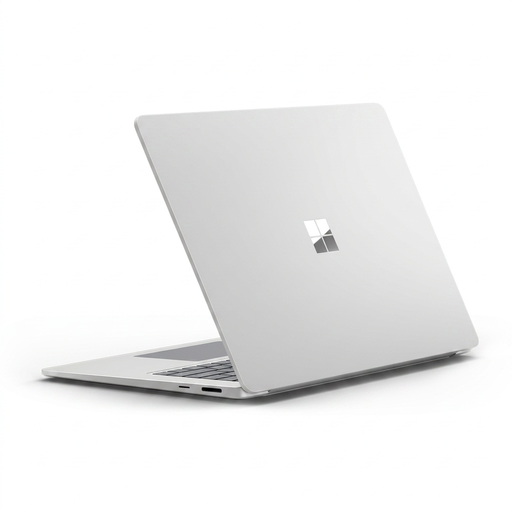 No image available
Consider this laptop-led option if the required work applications support its Snapdragon-based system.
The listed variant has a touchscreen and 16GB RAM. Check employer software compatibility and supported external displays before planning a monitor or dock around it.
 No image available
Consider this dock for a fixed desk if your laptop supports the connection and intended displays.
Its named variant has dual HDMI outputs and 100W power-delivery pass-through. Confirm the laptop’s video and charging requirements, and whether the required power adapter is included.
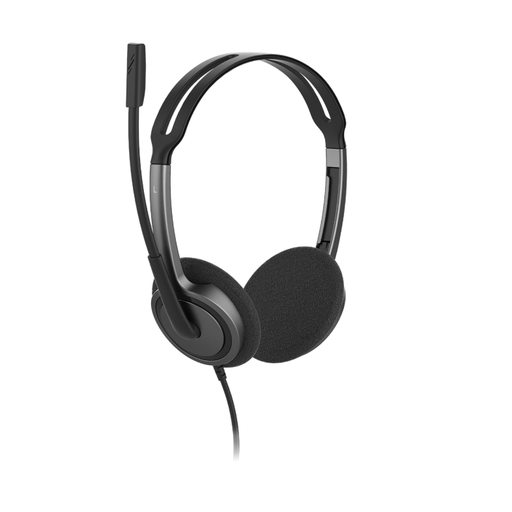 No image available
Consider this wired headset for desk-based calls if your work device accepts its 3.5 mm connection.
The named variant has an adjustable headband and a rotating, noise-cancelling microphone. Check any meeting-platform or employer requirement for a specific headset variant.
 No image available
Consider this external screen if you work across several windows and have room for a 31.5-inch monitor.
The named model has an IPS panel and built-in speakers. Check the computer’s display output and the cable needed for your intended connection.
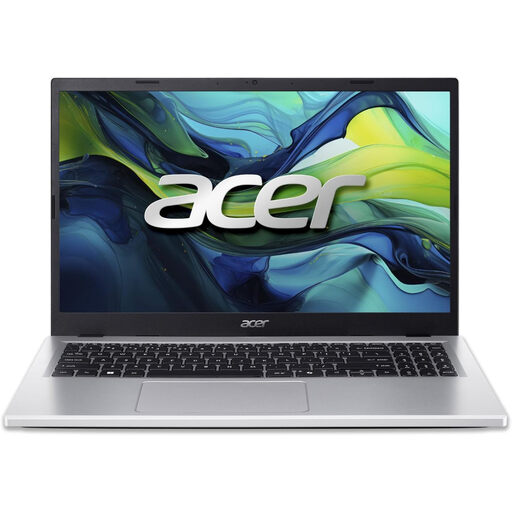 No image available
Consider this laptop for a laptop-led desk if its specifications meet your work applications’ requirements.
The listed variant has a 15.6-inch Full HD screen and Windows 11 Home. Check whether 8GB RAM and 256GB storage suit your workload; if you plan to use a dock, confirm the required external-display connection.
No: the equipment needed depends on your tasks and setup. For regular home or hybrid display-screen work, the Health and Safety Executive advises using an assessment to decide whether additional equipment is needed; discuss that with your employer rather than assuming every home desk needs the same devices.
No: a USB-C connector alone does not establish two-monitor support. Lenovo says its docks need a compatible video protocol and that actual output depends on the host computer, so check the exact laptop and dock combination for your intended displays.
Check the requirements for the client and version your employer uses, then confirm its device-management rules. Microsoft Learn lists Teams client hardware requirements, while Zoom Support specifies the connection, audio equipment and camera needed for Zoom calls; neither set of general requirements replaces a check of your particular work applications.