What to check before buying
Check screen positioning at both desk heights, then choose the workspace and laptop connections your booking tasks actually require.
| Concern |
What to check |
Who this matters to |
| Screen position |
Compare the stand’s height range or an arm’s travel with your seated and standing eye heights. Check tilt and pivot if you need them. |
If I change posture during booking work, I need to reposition the display rather than strain to see it; around 33% of consumers put screen position first. |
| Readable workspace |
Compare screen size and native resolution with your desk depth and preferred text scaling. |
When I read detailed booking grids or spreadsheets, I want enough room for the information without making text uncomfortable to read. Readable workspace is the primary need for around 25% of consumers. |
| Laptop connection |
Check USB-C video support and compare the monitor’s power delivery with the laptop’s charging requirement; check hub ports if needed. |
If I connect the same work laptop each day, I want fewer separate display, charging and peripheral cables; around 25% of consumers chiefly prioritise that connection. |
| Desk space |
Measure the available width and depth. For a clamp mount, check the desk edge, permitted thickness and cable reach at full height. |
When I keep booking and communication windows visible together, I need more screen area without obstructing the moving desk. That is the main concern for around 17% of consumers. |
Joybuy monitor choices
These monitors offer different screen formats for booking work, from a compact USB-C model to large 4K and ultrawide displays. Choose by the space and positioning your desk allows, then check the intended laptop connection; their gaming, creative or portable features do not by themselves make them better suited to booking administration.
 No image available
Dahua 32-inch 4K Curved OLED Monitor
Consider this large display if detailed booking records or several windows are a priority and the desk has room for it.
The listed variant has a 3840 × 2160 OLED panel, 165Hz refresh rate, USB hub and Type-C connection with 65W power delivery. Check whether your laptop supports the intended video connection and whether 65W meets its charging requirement; confirm that the stand can reach your seated and standing viewing positions.
View on Joybuy
 No image available
ASUS ProArt Display PA32UCG-K 32-inch 4K Monitor
This larger 4K option is worth comparing if detailed schedules take precedence over a compact desk footprint.
The product name identifies an IPS Mini LED panel and Thunderbolt 3 connection. Check the available desk depth, the stand’s positioning range and the exact laptop video and charging functions before planning a single-cable setup.
View on Joybuy
 No image available
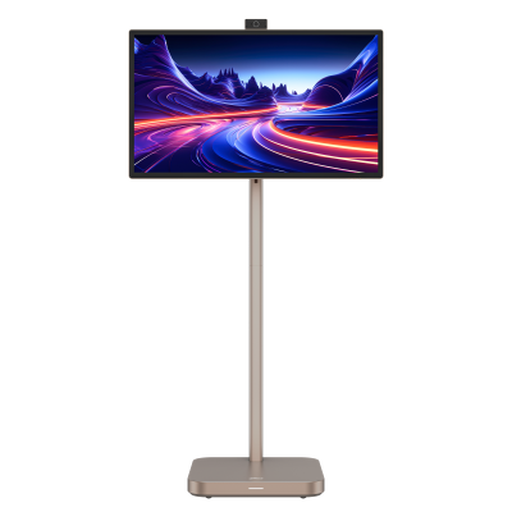
Dahua 31.5-inch 4K Explorer Portable Smart Monitor
Its large display may suit a workstation where several booking records need to remain visible, provided the desk can support and accommodate it.
This IPS smart-monitor variant lists Android 11, 8GB+128GB storage and a built-in battery with up to four hours of battery life. Check the desk’s load capacity and whether the intended connection carries laptop video or charging.
View on Joybuy
 No image available
CRUA 49-inch Curved Ultrawide Gaming Monitor
The ultrawide format is an option if you want a booking calendar beside other windows and have space for a 49-inch display.
The listed variant specifies 5120 × 1440 resolution, a 165Hz refresh rate, HDMI 2.1 and DisplayPort 1.4 connections. Although the title describes it as height-adjustable, check the stand’s actual height range, desk dimensions and support before buying.
View on Joybuy
 No image available
ASUS ZenScreen MB249C IPS USB-C Monitor
Consider this model if a more compact or movable workstation matters more to you than the workspace of a large display.
The product name specifies an IPS screen and USB-C connection. If you intend to use a clamp arm or connect a laptop with one cable, check the mount’s seated-to-standing positioning range, laptop video compatibility and charging requirement.
View on Joybuy
Frequently asked questions
When should I ask about a standing-desk workstation assessment?
Ask your employer if you use display screen equipment daily for continuous periods of an hour or more: the Health and Safety Executive says the UK Display Screen Equipment Regulations apply to workers in that situation. A move between seated and standing work is a practical reason to discuss the whole workstation, not just the monitor.
Where should the screen sit when I raise the desk?
The Health and Safety Executive advises keeping the top of the screen around eye level, about an arm’s length away, with the display in front of you. Recheck its position after changing desk height and adjust the keyboard and desk together rather than relying on monitor height alone.
Will any USB-C monitor charge my work laptop?
No: check the laptop’s connection and charging requirements against the monitor’s stated functions. For instance, BenQ specifies 65W power delivery for the GW2790QT, while Dell specifies up to 90W for the P2725QE; neither figure alone confirms that a particular laptop will work as intended.
Is a larger screen necessary for workshop bookings?
Not necessarily. A larger screen may be useful when booking software, attendance records and messages need to stay visible together, but it also needs suitable desk depth and positioning. If you mainly alternate between a calendar, browser and email, compare an adjustable 27-inch QHD or 4K monitor with the available space before moving to a 31.5-inch display.


