What to check when choosing
For a short-story writing desk with limited sockets, check the laptop connection and charging requirement first. Then decide how much room the screen needs and whether extra ports would replace accessories you already use.
| Concern |
What to check |
Who this matters to |
| Laptop charging |
Confirm USB-C DisplayPort Alt Mode or Thunderbolt video output, USB-C charging support and enough monitor power delivery for the laptop. |
With only one socket free for the monitor, I want to leave my laptop charger out of the desk setup. Around 50% of consumers put replacing that separate charger first. |
| Desk fit and positioning |
Check the stand’s adjustments, the screen’s footprint and whether your preferred text size works with its resolution and scaling. |
For a long drafting session at a small desk, I need a screen I can position comfortably without crowding my notes. Roughly 30% of consumers make desk fit and positioning their primary concern. |
| Accessory connections |
Check whether the exact model has the Ethernet and peripheral ports you would use, and whether it could replace your current dock. |
My wired accessories need somewhere practical to connect without adding another adapter to the desk. About 20% of consumers chiefly want to consolidate those connections. |
Joybuy monitor choices
These USB-C monitors offer different screen sizes and desk setups for writing. Before choosing one to replace a separate laptop charger, check your laptop’s video and charging support against that monitor’s port specification and stated power output.
 No image available
BenQ MA270UP Nano Glossy 27-inch 4K USB-C monitor
Consider this model if a height-adjustable screen and a USB-C connection suit your writing desk.
The product name specifies an IPS 4K UHD display and a height-adjustable stand. Check laptop video support and whether the monitor’s charging output meets your needs; it still requires mains power.
View on Joybuy
 No image available
Dahua 32-inch 4K curved OLED monitor with USB-C 65W and USB hub
Consider the hub if you have wired accessories, but check that this 32-inch curved screen fits your writing desk.
The product name specifies a 4K OLED display, 165Hz refresh rate and Type-C 65W connection. Confirm laptop video compatibility and whether 65W meets its charging requirement; the monitor needs its own mains connection.
View on Joybuy
 No image available
MSI MD272UPSW 27-inch 4K USB-C Smart Monitor with Google TV
This is a 27-inch option if you also want the Smart Monitor functions named for this model.
The product name specifies an IPS display, Dolby Audio and USB-C 65W. Check that your laptop supports video and charging through the connection and that 65W is sufficient; confirm the available ports if you need wired accessories.
View on Joybuy
 No image available
Acer X Predator X49X 49-inch curved ultrawide QD-OLED monitor
Consider this wide-screen format only if your desk has room for it and you want space for writing alongside other windows.
The product name specifies a 32:9 screen, 1800R curve and USB-C connection. Check desk depth and support, plus the laptop’s video and charging requirements, before treating USB-C as a replacement for its charger.
View on Joybuy
 No image available
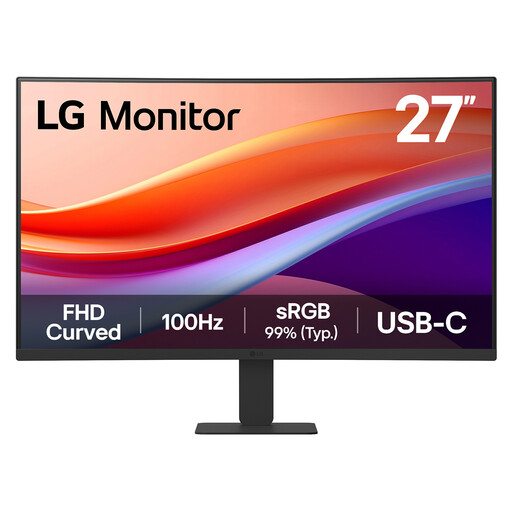
LG 27U421A 27-inch curved Full HD USB-C monitor
This model offers a curved 27-inch screen for a desk where that format fits your viewing position.
The product name specifies a VA display, 1080p resolution, 100Hz refresh rate, USB-C and HDMI. Confirm the USB-C charging wattage and your laptop’s video and charging support before expecting to leave its charger unplugged.
View on Joybuy
Common questions
Can a USB-C monitor free up a wall socket?
It can free the socket used by your laptop charger if the laptop supports video and charging through USB-C and the monitor supplies sufficient power. The monitor itself still needs a mains connection; the single cable runs between the monitor and laptop.
What should I check before relying on one USB-C cable?
Check your laptop’s specifications for DisplayPort Alt Mode or Thunderbolt video output, USB-C charging support and its charging requirement. Compare these with the exact monitor’s USB-C port functions and power-delivery output; the connector shape alone does not confirm compatibility.
Does stand adjustment matter for a short writing project?
It matters if you expect to spend extended periods drafting or editing and need to position the screen for your desk and chair. The Health and Safety Executive notes that prolonged display-screen use and poorly designed workstations can contribute to fatigue and discomfort.
Can I use an extension lead when sockets are scarce?
You can use one within its marked current rating, provided the combined load of connected appliances does not exceed it. Electrical Safety First warns that overloading an extension lead, cable reel or block adaptor can cause overheating and a fire risk.


