Writers short of sockets and USB ports
If your laptop is already using its available connections, the choice between Bluetooth and a USB receiver matters as much as the choice between charging and replacing batteries.


For a writing setup with few plug sockets, choose the mouse’s connection and power arrangement separately: Bluetooth can leave a computer USB port free if your device supports it, but a rechargeable mouse still needs charging access. Replaceable batteries avoid charging during a session, while a stationary trackball is worth considering when desk space is the tighter constraint. Check hand fit and operating-system compatibility before deciding.
If your laptop is already using its available connections, the choice between Bluetooth and a USB receiver matters as much as the choice between charging and replacing batteries.
Moving between a draft, notes and research makes hand fit and scrolling worth checking, even when most of the work happens at the keyboard.
When notebooks or reference books occupy the space beside your keyboard, a stationary trackball offers cursor control without moving the device across the desk.
Check whether the writing device supports Bluetooth and which USB ports are free. Then decide how you will power the mouse and whether its shape fits your hand and workspace.
| Concern | What to check | Who this matters to |
|---|---|---|
| Power and ports | Confirm compatible Bluetooth support, spare USB ports and whether you can charge the mouse or keep replacement batteries available. | If my laptop has little room for another connection and I cannot count on a socket, I need a mouse I can keep using without tying up a scarce port. Around 42% of consumers would put power and port independence first. |
| Hand fit and navigation | Compare the maker’s hand-size guidance and the shape and scroll controls of the exact model or variant. | When I spend a long session moving between my draft and reference material, I want a shape that fits my hand and scrolling I can manage comfortably. Hand fit and navigation would come first for around 33% of consumers. |
| Desk space | Assess the clear surface beside your keyboard and whether you would prefer to move a conventional mouse or try a stationary trackball. | With notes spread across a small table, I may have nowhere convenient to move a mouse. For around 25% of consumers, the space needed for cursor control would be the primary concern. |
Bluetooth can avoid a USB receiver, but it does not eliminate the need to charge a rechargeable mouse. Conversely, a battery-powered receiver mouse need not use a wall socket, yet its receiver occupies a computer port.
Check both constraints separately. Confirm that your writing device supports the mouse’s Bluetooth connection before relying on it to keep a USB port free.
A quoted battery duration depends on use, and a mouse that runs low still needs access to its charging connection.
Check the connector, whether a suitable cable is included and whether the exact model can be used while charging. If charging access is unreliable, compare a replaceable-battery option.
You may also need a compatible cable or another way to supply USB charging power if your existing equipment cannot do so.
A small body may suit a crowded setup without suiting every hand. A conventional mouse also needs clear surface area to move, however compact it is.
Consult the maker’s hand-size guidance where available. If movement space is the problem, compare a stationary trackball as well as conventional mouse shapes.
GOV.UK guidance says batteries and electrical products should not go in household rubbish when they no longer work or are no longer wanted.
Use an appropriate battery or electrical-waste collection point, separating removable batteries from the old mouse for recycling.
Its relevant range includes conventional Bluetooth mice, rechargeable models and a stationary trackball.
A compact Bluetooth mouse option to assess for a compatible Windows laptop.
A rechargeable mouse option for users of compatible Mac or iPad models who want Apple’s multi-touch controls.
These mice offer Bluetooth as a connection option for a writing device that supports it. The first two have replaceable-battery arrangements; the HP and Logitech models are rechargeable. Compare their power requirements, shape and available connections against your own setup.
 No image available
Consider its vertical shape if you want a different hand position while navigating a draft; check that the grip suits you rather than assuming an ergonomic benefit.
The title specifies Bluetooth and 2.4GHz modes, six buttons and an adjustable 1600 DPI sensor. Bluetooth needs a compatible writing device, while the 2.4GHz receiver mode uses a USB port. Plan for a compatible spare AA battery.
 No image available
This is an option if you want to use Bluetooth rather than occupy a USB port with a receiver, and prefer replaceable-battery power to routine charging.
The title specifies an adjustable DPI setting and a 1×AA battery arrangement. Check Bluetooth compatibility, hand fit and the expected battery-replacement interval for your use.
 No image available
Consider a rechargeable mouse if you can arrange periodic charging without depending on a free wall socket during every writing session.
Check that your device supports its Bluetooth connection and that you have a suitable USB-C charging connection. Confirm the charging time you need to plan for and whether the mouse can be used while charging.
 No image available
Its shape and document-navigation controls are worth comparing if you regularly move between a draft and reference material; check how it fits your hand.
Using Bluetooth depends on a compatible computer; using the receiver takes a USB port instead. Its rechargeable arrangement requires periodic USB-C access, so confirm when and how you can charge it.
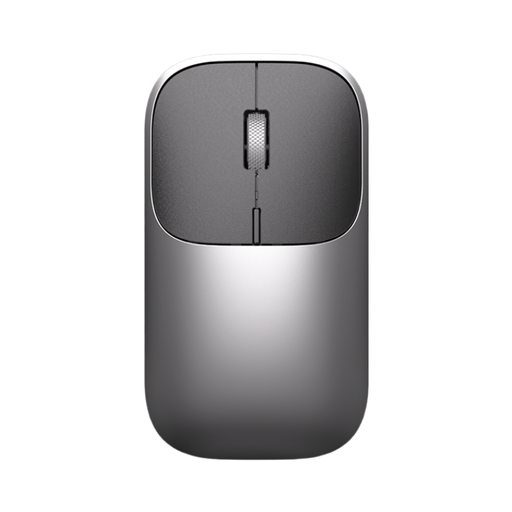 No image available
Consider its Bluetooth option if a spare USB port is hard to find, provided your writing device supports the stated connection.
The title specifies Bluetooth 5.0, 2.4GHz and adjustable DPI. Check the power arrangement and how you would charge it or replace its batteries before choosing it for a socket-constrained setup.
Bluetooth can save a computer USB port, but it does not create a wall socket or remove a rechargeable mouse’s need for power. If charging access is unreliable, compare a compatible replaceable-battery model and keep spare cells available; first confirm that your writing device supports the mouse’s Bluetooth connection.
You can where the exact mouse supports charging through a connection your laptop provides. Logitech says MX Anywhere 3S charges through its included USB-C cable, while Apple specifies USB-C charging for Magic Mouse with a compatible Mac; check the connector, cable and available port for the model you intend to buy.
No, if you have a spare compatible USB port or a suitable hub. A receiver does occupy a connection, though, so compare the exact model’s Bluetooth option if that port is needed for another device.
Take an unwanted mouse to an appropriate electrical-waste collection point rather than putting it in household rubbish. GOV.UK guidance also says to recycle removable batteries separately through a suitable battery collection point.
Confirm connection compatibility, battery or charging arrangements, and whether the exact bundle contains any receiver or cable you need. Check the seller’s current return terms separately from the model’s stated warranty and contents; neither a rechargeable design nor Bluetooth alone tells you which accessories are included.