
24/7 Customer Support

Free returns

Same-day & Next-day Delivery

Quality Guaranteed

Unlock Your Welcome Offers: FREE Delivery | Up to 80% OFF | Free 30-day JoyPlus trial
Download the APP
Buying an Xbox controller can seem straightforward until the differences between models start affecting comfort, compatibility and long-term value. A low-priced pad may lack the features you need, while a premium model can add adjustments that are unnecessary for casual play.
This guide from the Joybuy Product Recommendation Officer focuses on practical specifications rather than promotional wording, helping UK shoppers compare Xbox Series X|S, Xbox One and PC-compatible options.
A wireless Xbox controller may connect through Xbox Wireless, Bluetooth or a dedicated 2.4GHz USB transmitter. These systems are not interchangeable in every setup. Check whether your PC has compatible Bluetooth, whether a wireless dongle is included and whether the controller supports Xbox consoles as well as Windows.
Also consider power. Some models use AA batteries, while others have an integrated rechargeable battery. A controller that appears inexpensive may cost more over time if you regularly replace disposable batteries.
An RGB Xbox controller can add colour and customisation to a gaming setup, but lighting does not automatically improve input response. If you are comparing RGB models, first check for useful features such as mappable buttons, adjustable triggers, audio controls and a sufficiently long cable.
Lighting can also consume power on wireless models. Wired options avoid this issue, but they require suitable cable placement around your desk or sofa.
Back buttons, short trigger stops and sensitive thumbsticks can help in shooters or competitive games, but they may feel less natural in racing, adventure or flight titles. A controller with four rear buttons also tends to be heavier and more complex than a standard gamepad.
Likewise, an Xbox controller with Hall Effect sticks can reduce reliance on traditional potentiometer contact sensors, but it is not a reason to ignore grip shape, button layout or software compatibility.
For Xbox Series X controller and Xbox Series S controller purchases, look for explicit compatibility with Xbox Series X|S and Xbox One. PC players should confirm support for Windows 10 or Windows 11, along with the connection type required.
Officially licensed products can provide clearer console integration, but always check the individual listing. Some specialist products, such as Xbox-compatible flight controls and an Xbox fighting stick, are designed for particular genres rather than general gamepad use.
A wired Xbox controller is powered through USB and does not require pairing or batteries. It can be a practical choice for competitive play, provided the cable is long enough. Cables measuring around 2.4 to 3 metres offer more flexibility for sofa gaming, but should be routed safely to reduce trip hazards.
A wireless Xbox controller offers a cleaner setup. Check battery type, stated battery life, charging options and whether a receiver is needed for PC use. If the controller uses AA batteries, an Xbox controller charging kit can reduce ongoing battery waste and interruptions.
Competitive players may want adjustable trigger stops, remappable rear buttons or stored profiles. For example, four profiles can allow different layouts for shooters, racing games and role-playing titles.
Hall Effect sticks and triggers use magnetic sensing rather than conventional physical contact for position detection. This can be a useful design consideration for shoppers concerned about stick wear, but it should be assessed alongside warranty terms and general build quality.
For fighting games, a dedicated Xbox fighting stick with an arcade lever and button layout may provide more suitable control than a standard pad. Flight simulation fans should look for an Xbox-compatible flight controls bundle with throttle, stick and aircraft-style controls rather than relying on analogue thumbsticks.
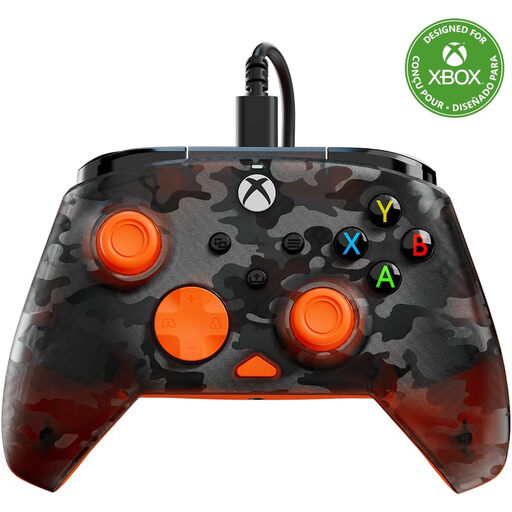
Why This Fits Their Persona: This wired model offers straightforward plug-and-play use for Xbox and Windows PC gaming without battery purchases or wireless setup.
The 2.4-metre USB-C cable makes the wired limitation clear, while dedicated audio controls provide useful functionality beyond decorative styling.
USB-C wired connection, 3.5mm headset jack, impulse triggers and D-pad volume, chat-mix and mute controls.
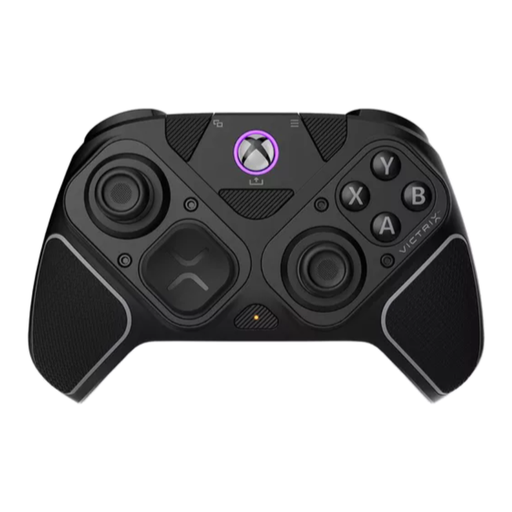
Why This Fits Their Persona: A modular choice for players who move between Xbox, PC, fighting games and shooters and want one adaptable controller.
Its interchangeable modules make the specialist layout intentional rather than relying on unsuitable standard controls for every genre.
Hall Effect thumbsticks and triggers, four mappable back buttons, 2.4GHz wireless, Bluetooth and USB-C wired modes.
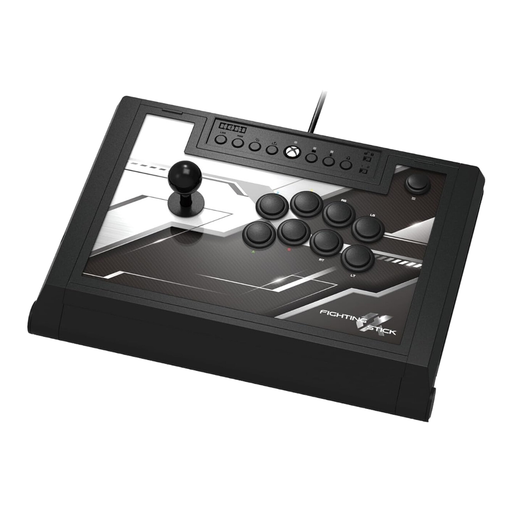
Why This Fits Their Persona: Fighting game enthusiasts who want an arcade-style layout and a stable wired setup for Xbox or Windows PC matches.
The 3-metre wired connection avoids battery management, while the easy-open chassis supports maintenance and component adjustments.
Hayabusa lever, matte-finished arcade buttons, four custom profiles and replaceable top-panel artwork.
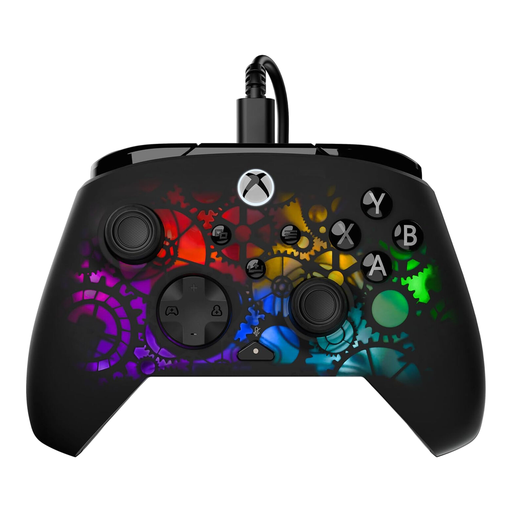
Why This Fits Their Persona: Suitable for Xbox and PC players who want visible lighting, wired reliability and practical control customisation.
Its RGB is paired with two mappable back buttons, adjustable Hall Effect hair triggers and app-based configuration.
Seven RGB lighting zones, two trigger stops, 3.5mm headset support and a 3-metre USB-C cable.
We have compiled a complete, real-time list of products that fully satisfy these strict selection criteria and UK safety regulations.
Many are compatible with Windows 10 and Windows 11, but connection methods differ. A USB controller usually offers the simplest setup. Wireless models may use Bluetooth, Xbox Wireless or a USB transmitter, so check the product specification before ordering.
It depends on the power system. AA-powered controllers require replacement batteries unless paired with a rechargeable pack. An integrated-battery controller avoids disposable batteries but eventually requires battery servicing or replacement. A wired Xbox controller has no controller battery to recharge, although it needs a free USB port.
Lifespan depends on usage, storage, cleaning and handling. Avoid moisture, excessive force and sharply bending cables. Hall Effect components and replaceable parts may be useful design considerations for frequent players, but no controller should be treated as immune to wear. Check the retailer’s warranty and returns information before purchasing.