What matters when buying
Identify the problem that most often interrupts play at home, then check the hardware needed for that particular route.
| Concern |
What to check |
Who this matters to |
| Private audio and voice chat |
Match the headset variant and its wired or wireless connection to your device; check how quickly you can mute the microphone. |
When I play while others are nearby, I need game sound off the room speakers and a way to manage my voice chat. About 42% of consumers put private audio and communication first. |
| Local connection quality |
Establish whether the problem repeats locally, then check the available network port and a safe cable route to the router, gateway or modem. |
If my connection repeatedly drops, I want to know whether a direct cable is practical before buying one. For about 25% of consumers, a repeatable local connection problem is the primary concern. |
| Screen and input access |
Decide whether you need a separate screen or another compatible input device. For advanced display features, check the console, cable, display input and game. |
Sharing the television or waiting for a controller can limit when I play, even if chat and connectivity work. Access to a suitable screen or input device comes first for about 33% of consumers. |
Joybuy product selections
These headsets address personal game audio and voice chat; the monitor offers a separate screen when the household television is shared. Choose by the connection or display problem you actually need to solve.
 No image available
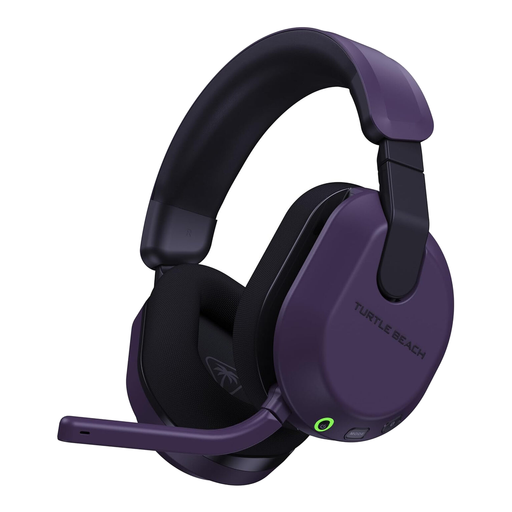
Turtle Beach Stealth 600 Gen3 Wireless, Purple
Consider this headset if you want personal audio without a cable at your gaming seat. The listed variant is for Xbox Series X|S, Xbox One and PC; confirm its connection setup for the device you intend to use and plan for charging.
View on Joybuy
 No image available
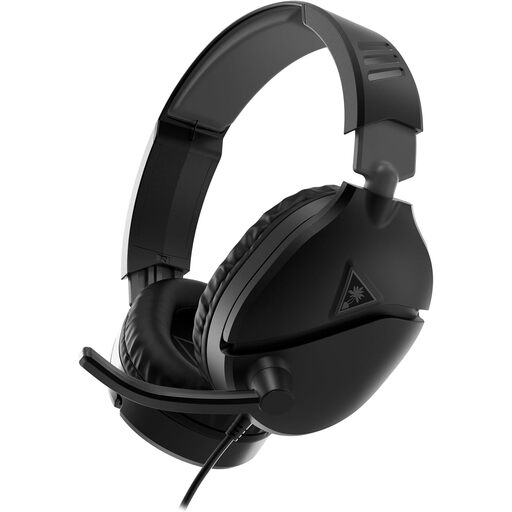
Turtle Beach Recon 70 Headset, Black
This PC and PS5 headset is a wired option for a fixed gaming seat. Check that your device's audio and microphone connection suits the headset, and route its cable clear of people walking past.
View on Joybuy
 No image available
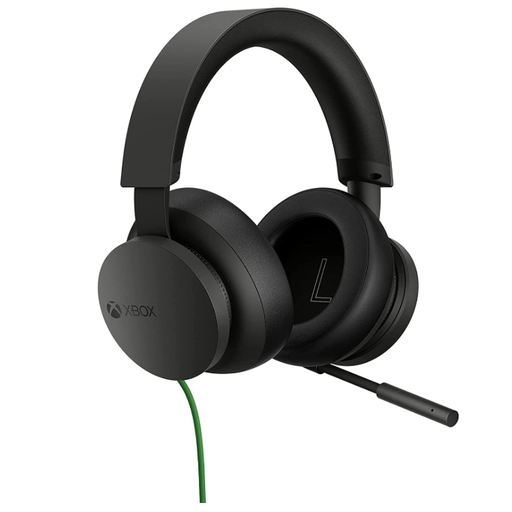
Official Xbox Stereo Wired Headset, Black
Consider this wired headset for an Xbox gaming seat where you want audio away from the room speakers. Confirm that your intended controller has the compatible headset connection and that the cable will not restrict movement.
View on Joybuy
 No image available
LOGITECH ASTRO A10 Gen 2 Wired Headset, White
This wired headset suits a seated setup where charging a headset would be inconvenient. Check the audio and microphone connections on your controller or PC, particularly if the PC uses separate ports.
View on Joybuy
 No image available
LG UltraGear G8 27G850A 27-inch 4K Monitor
A separate monitor could free a shared television if you have space for a personal screen. This 27-inch Nano IPS model is listed with 4K UHD, HDMI 2.1 and dual-mode 240 Hz/480 Hz operation; check which modes your device, cable and games can use. Confirm the supplied cable and UK power connection before purchase.
View on Joybuy
Frequently asked questions
Will any Bluetooth gaming headset work with Xbox?
No: Turtle Beach states that Xbox does not support standard Bluetooth audio. For wireless game audio, check that the exact headset variant supports Xbox Wireless or an Xbox-compatible transmitter. A wired headset is another option if your controller and headset have compatible 3.5 mm connections.
Does Discord voice chat on a console need account linking?
Yes, for the Xbox and PS5 routes described by Xbox Support and PlayStation Support. Link the relevant console and Discord accounts before relying on that chat route; their guidance also says Discord voice chat cannot run at the same time as the console's party voice chat.
When is a 4K 120 Hz or VRR display worth considering?
Consider those features when your console, cable, display and games can use the output you want. Xbox Support specifies an Xbox Series X, an Ultra High Speed HDMI cable and an HDMI 2.1 TV for 4K gaming at 120 frames per second. PlayStation specifies an HDMI 2.1 VRR-compatible TV or monitor for PS5 VRR and notes that results vary with the game and display setup.
What should I check when buying a powered gaming monitor?
Check the seller information, power specification and plug supplied with the exact monitor. For Great Britain, the Office for Product Safety and Standards says the Electrical Equipment (Safety) Regulations 2016 set requirements for electrical equipment placed on the market; a product image alone does not establish that an individual listing meets them.


