Choose an Xbox Series X|S Storage Expansion Card if you need Optimised games to stay directly playable from added storage: Xbox Support says they must run from the console’s internal SSD or a Storage Expansion Card. A qualifying USB drive can hold and transfer those games, but you must move them back before playing; if the shortage is occasional, check whether removing unused games or add-ons frees enough space first.
Who each approach suits
Owners who keep Optimised games ready to play
If you regularly switch between Optimised Xbox Series X|S games, a Storage Expansion Card adds space without requiring you to move those games back to the internal SSD before play. Xbox Support sets out this storage-location requirement.
Players with a large game archive
If you can move an Optimised game before playing it, a qualifying USB drive can hold titles until you need them. Xbox Support also distinguishes this use from playing compatible older-generation games directly from USB storage.
Owners with an occasional space shortage
If the console is full because you have games or downloaded add-ons you no longer use, review what is installed before adding storage. Removing selected content may create the space you need, though reinstalling it later takes time.
What matters when choosing
For an Xbox Series X|S that has run out of installed-game space, decide which games must remain playable, which can wait in an archive and whether clearing existing content is enough.
| Concern |
What to check |
Who this matters to |
| Direct play of Optimised games |
Check whether a game is Optimised for Xbox Series X|S and how much added, directly playable space your installed games require. Xbox Support says these games must run from the internal SSD or a Storage Expansion Card. |
If I switch between Optimised games, I want them ready to launch without moving one from a USB archive. Around 50% of consumers put that direct-play need first. |
| Archive space |
For Xbox game storage, Xbox Support specifies a USB 3.0 connection, at least 128GB of capacity and a partition; no more than three storage devices can be connected. Optimised games need moving back to playable storage before use. |
When my installed library grows, I want space to hold games I am not playing and can accept moving an Optimised title later. Roughly 33% of consumers prioritise that archive need. |
| Freeing existing space |
Review installed games and downloaded add-ons to see what you can remove. Check the actual installed content rather than assuming every listed add-on occupies local space. |
If I only run short of space now and then, I would rather remove content I no longer use and reinstall it if needed. About 17% of consumers make reclaiming existing space their primary concern. |
Mistakes to avoid
-
Expecting a USB SSD to play every Series X|S game directly
A USB drive’s advertised speed does not change where an Optimised Xbox Series X|S game must be installed to play. Xbox Support permits USB storage and transfer for these titles, not direct play from USB.
Check whether the games you want ready to launch are Optimised for Series X|S; use the internal SSD or a Storage Expansion Card for those games.
Keeping them on USB means allowing time to move them back before play.
-
Assuming any USB drive can store Xbox games
Xbox Support specifies USB 3.0, at least 128GB, a partition and a limit of three connected storage devices for external game storage.
Check the drive’s connection and capacity before choosing it, then follow the console’s game-storage setup requirements.
A drive that does not meet those requirements may be usable for media rather than game and app storage.
Relevant brands to consider
Seagate
Seagate has Xbox Storage Expansion Cards and USB Game Drives for different storage uses.
- Its Storage Expansion Card is an option for keeping Optimised Series X|S games directly playable; Xbox Support identifies the card as the alternative to internal SSD storage.
- A Seagate USB Game Drive can serve as an archive for Optimised games, but those games must be moved to playable storage before launch.
SanDisk / WD_BLACK
SanDisk presents the WD_BLACK C50 Xbox Storage Expansion Card under the SANDISK Optimus GX C50 name.
- SanDisk lists 512GB, 1TB and 2TB versions of this dedicated expansion-card line.
- Check the exact model name and capacity when comparing listings during the branding change; a C50 expansion card uses the Xbox expansion-card slot, not USB.
Samsung
Samsung’s portable SSDs are relevant to the USB storage route, not as substitutes for an Xbox Series X|S Storage Expansion Card.
- Samsung UK lists portable SSDs in several capacities, giving consumers models to assess for archive use.
- Check the particular drive against Xbox Support’s USB game-storage requirements. A USB SSD cannot directly play Optimised Series X|S games.
USB drives for game archives
These WD_BLACK P10 drives are choices for keeping an Xbox game archive on USB storage. For Optimised Series X|S games, plan to move a title to the console’s internal SSD or a Storage Expansion Card before playing it.
 Image unavailable
Western Digital WD_BLACK P10 Game Drive 6TB, black
For holding an archive of Optimised Series X|S games; move a game to the internal SSD or a Storage Expansion Card before playing it.
Advertised capacity: 6TB. Check the Xbox game-storage setup and partition requirements before use.
View on Joybuy
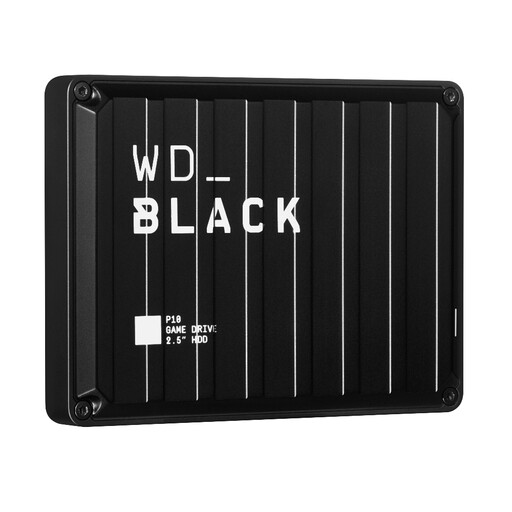 Image unavailable
Western Digital WD_BLACK P10 Game Drive 5TB
For an Xbox game archive, including Optimised Series X|S titles that you can move back to playable storage when needed.
Advertised capacity: 5TB. Check the Xbox game-storage setup and partition requirements before use.
View on Joybuy
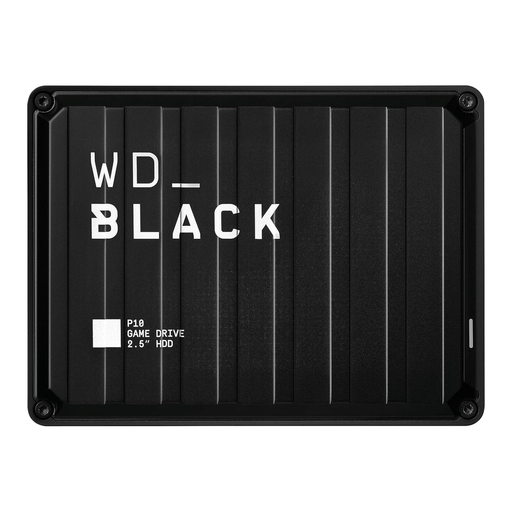 Image unavailable
Western Digital WD_BLACK P10 Game Drive 2TB
For keeping games on a USB archive when they do not all need to stay ready to play. Optimised Series X|S titles must be moved to internal storage or a Storage Expansion Card before launch.
Advertised capacity: 2TB. Check the Xbox game-storage setup and partition requirements before use.
View on Joybuy
Common questions
Can I play an Optimised Xbox Series X|S game from a USB drive?
No. Xbox Support says an Optimised Series X|S game must be installed on the console’s internal SSD or a Storage Expansion Card to play. You can keep it on a qualifying USB drive until you are ready to move it back.
What does a USB drive need for Xbox game storage?
Xbox Support specifies a USB 3.0 connection, at least 128GB of capacity and a partition, with no more than three storage devices connected at once. Check those requirements for the particular drive and follow the console’s setup prompts.
Will uninstalling an Xbox game delete my saved progress?
Xbox Support says saved games and preferences sync online when you are signed in and return when you reinstall the game or app. Check that your data has synced before removing a game, and remember that the game itself will need reinstalling later.


