Choose an Xbox Series X|S Storage Expansion Card if you want several Optimised games installed and ready to play without moving them first. A compatible USB drive suits storing games you can transfer back before play, while keeping a smaller installed library suits players willing to remove and reinstall inactive games. Xbox Support says Optimised titles generally need internal storage or a Storage Expansion Card for direct play, although it identifies exceptions for select games on USB.
Who each approach suits
Players who want Optimised games ready to launch
If you switch between several Optimised Xbox Series X|S games, an Expansion Card lets you keep more of them installed on direct-play storage. Xbox Support says the card performs like the console’s internal SSD.
Players keeping a larger game archive
If you can move an Optimised game before playing it, compatible USB storage can hold games and apps while they are inactive. Xbox Support distinguishes this storage-and-transfer use from playing most Optimised titles directly.
Players with a small rotating library
If you concentrate on a few games at once, removing inactive installations may leave enough space for the games you currently play. Xbox Support says saves sync online when you sign in, so check that synchronisation is available before relying on reinstalling later.
What matters when choosing storage
Decide which Optimised games need to remain playable at the same time before choosing between added direct-play storage, a USB archive and a smaller installed library.
| Concern | What to check | Who this matters to |
|---|
| Playing Optimised games directly |
Check each game’s Optimised status and whether the added storage is specifically an Xbox Series X|S Storage Expansion Card. |
If I switch between several Optimised games, I want to launch them without moving files first. Around 50% of consumers put that ready-to-play need first. |
| Keeping games in an archive |
For Xbox game and app storage, Xbox Support specifies a USB 3.0 drive of at least 128 GB; check the cable and the games you expect to play from USB. |
I want to keep inactive games available to transfer back, rather than download them again. This is the primary need for around 30% of consumers. |
| Managing existing space |
Check available internal space, installed game sizes and whether the games offer selective installation. |
If I usually play only a few titles, I can remove inactive installations and accept reinstalling them later. Around 20% of consumers prioritise managing their existing space. |
Storage mistakes to avoid
-
Assuming a fast USB SSD works like an Expansion Card
Advertised USB transfer speed does not change where most Optimised Xbox Series X|S games must be installed to play, according to Xbox Support.
Count the Optimised games you want ready to launch. If they exceed your available internal space, consider a Storage Expansion Card rather than choosing by USB speed alone.
Using a USB archive can mean moving a game back before you play.
-
Assuming a game’s USB playability never changes
Xbox Support says Smart Delivery can replace a backward-compatible installation with an Optimised version. That can change the storage needed to play it.
Check the game’s current Optimised status in My games & apps or its store listing before relying on USB direct play.
-
Choosing a USB drive by its capacity alone
Xbox Support specifies USB 3.0 and at least 128 GB for a drive used to hold Xbox games and apps, and notes that cable condition can affect performance.
Confirm the drive’s USB standard, capacity, cable and power requirements before purchase.
Relevant brands to consider
Seagate
Seagate offers dedicated Xbox Series X|S Storage Expansion Cards as well as separate USB storage products.
- Seagate lists 1 TB, 2 TB and 4 TB Expansion Cards. Xbox Support says a Storage Expansion Card performs like the console’s internal SSD.
- Check that the chosen item is an Expansion Card: Seagate USB drives follow Xbox’s separate USB playability rules.
WD_BLACK
The WD_BLACK C50 is a Storage Expansion Card for Xbox Series X|S, listed by SanDisk in capacities up to 2 TB.
- The C50 provides the dedicated Expansion Card route for installing Optimised games on added direct-play storage.
- Confirm the C50 model and capacity; other WD_BLACK drives, including USB models, are not interchangeable with the C50.
Samsung
Samsung’s T7 range includes portable USB SSDs for storage and file transfers across supported devices.
- Samsung lists game-console compatibility for the T7 range.
- A T7 is not an Xbox Storage Expansion Card. Check the exact drive and intended game use against Xbox’s USB storage requirements.
USB drives for keeping a game archive
These WD_BLACK P10 drives are choices for keeping games in a USB archive, including Optimised Xbox Series X|S titles that you are willing to move back before play. Choose capacity around the games you want to retain; these drives are not the Expansion Card route for direct play.
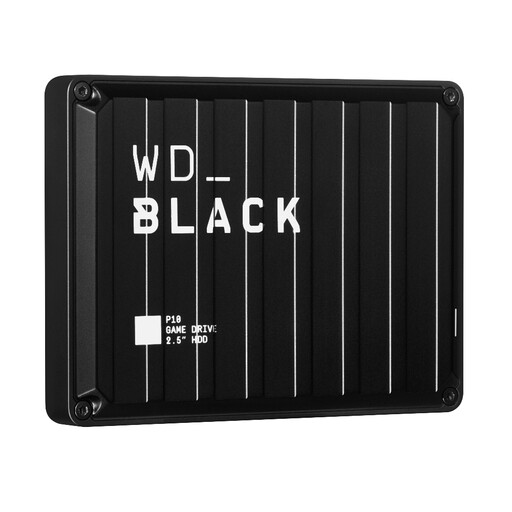 Image unavailable
Western Digital WD_BLACK P10 Game Drive 5 TB
For keeping Xbox Series X|S games in a USB archive when you can move an Optimised title back before playing it.
Stated capacity: 5 TB. The number of games it holds depends on their sizes.
View on Joybuy
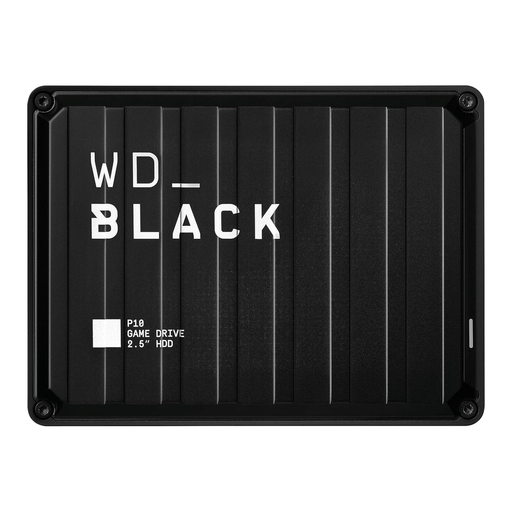 Image unavailable
Western Digital WD_BLACK P10 Game Drive 2 TB
For keeping Xbox Series X|S games in a USB archive when you can move an Optimised title back before playing it.
Stated capacity: 2 TB. The number of games it holds depends on their sizes.
View on Joybuy
 Image unavailable
Western Digital WD_BLACK P10 Game Drive 6 TB, black
For keeping Xbox Series X|S games in a USB archive when you can move an Optimised title back before playing it.
Stated capacity: 6 TB. The number of games it holds depends on their sizes.
View on Joybuy
Common questions
Can I play every Optimised Xbox Series X|S game from a USB SSD?
No. Xbox Support says Optimised titles generally need to be installed on internal storage or a Storage Expansion Card to play, although select next-generation-optimised games can be played from USB. Check the individual game before relying on USB direct play.
What does a USB drive need for Xbox game storage?
Xbox Support specifies USB 3.0 and a capacity of at least 128 GB to hold Xbox games and apps. Check that the cable meets the required USB standard and is in good condition.
Can I remove an inactive game and keep my saved progress?
Xbox Support says saved games sync online when you sign in and return when you reinstall. Check that your saves have synchronised before removing a game, and allow for the time and data needed to reinstall it.


