
24/7 Customer Support

Free returns

Same-day & Next-day Delivery

Quality Guaranteed

Unlock Your Welcome Offers: FREE Delivery | Up to 80% OFF | Free 30-day JoyPlus trial
Download the APP
How do I return an item for a refund?
Once you’ve received your parcel and the order status shows Delivered or Completed, you can submit a return or refund request by following these steps:
1. Go to your order details page and click the button next to a specific product to request service for that item, or click the button on the order to request service for some or all items in the order.
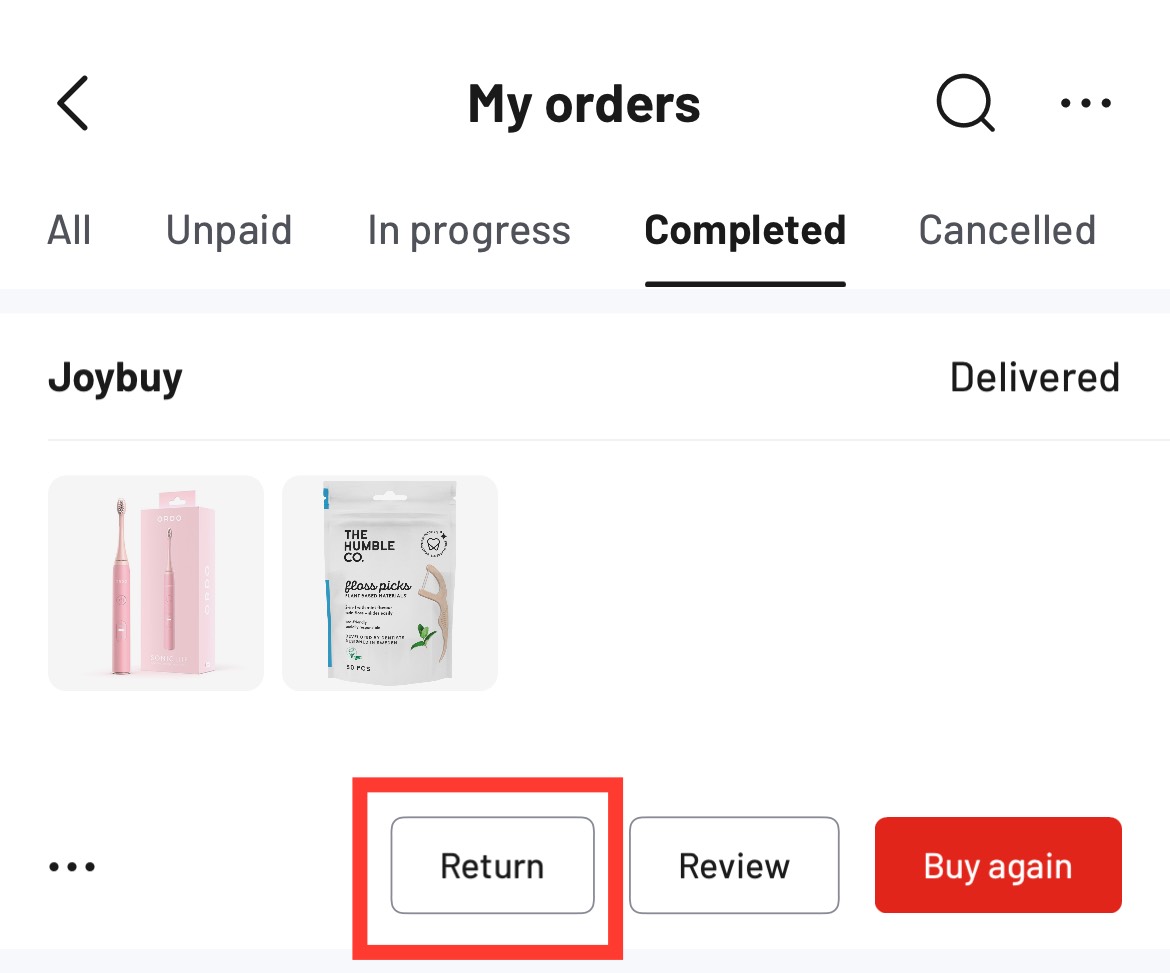
If your product is faulty, damaged, or not working as expected, please select the affected item and submit a request as soon as possible so we can review your case and advise on the next steps. To help us assess your request more quickly, please upload clear photos or videos showing the issue, the product packaging, or any visible damage, along with the serial number (SN) found on the outer box, if applicable.
After submission, we’ll complete the review within 24 hours. Once your return is approved and, if applicable, the item is received in eligible condition, the refund will be processed automatically.
2. Choose a return method
Drop off your item at any authorized return carrier location or arrange collection by our logistics partner at your preferred time slot.
3. You can check the status of your request in the Joybuy app → Me → Returns
If you don’t see available drop‑off locations or need to rearrange your collection, please contact the Joybuy customer service team for assistance.
Browse by categories
My Orders
Delivery & Tracking
Returns & Refunds
Pickup Service
Installation & Recycling
Checkout & Payments
Promotions & Deals
Account Settings