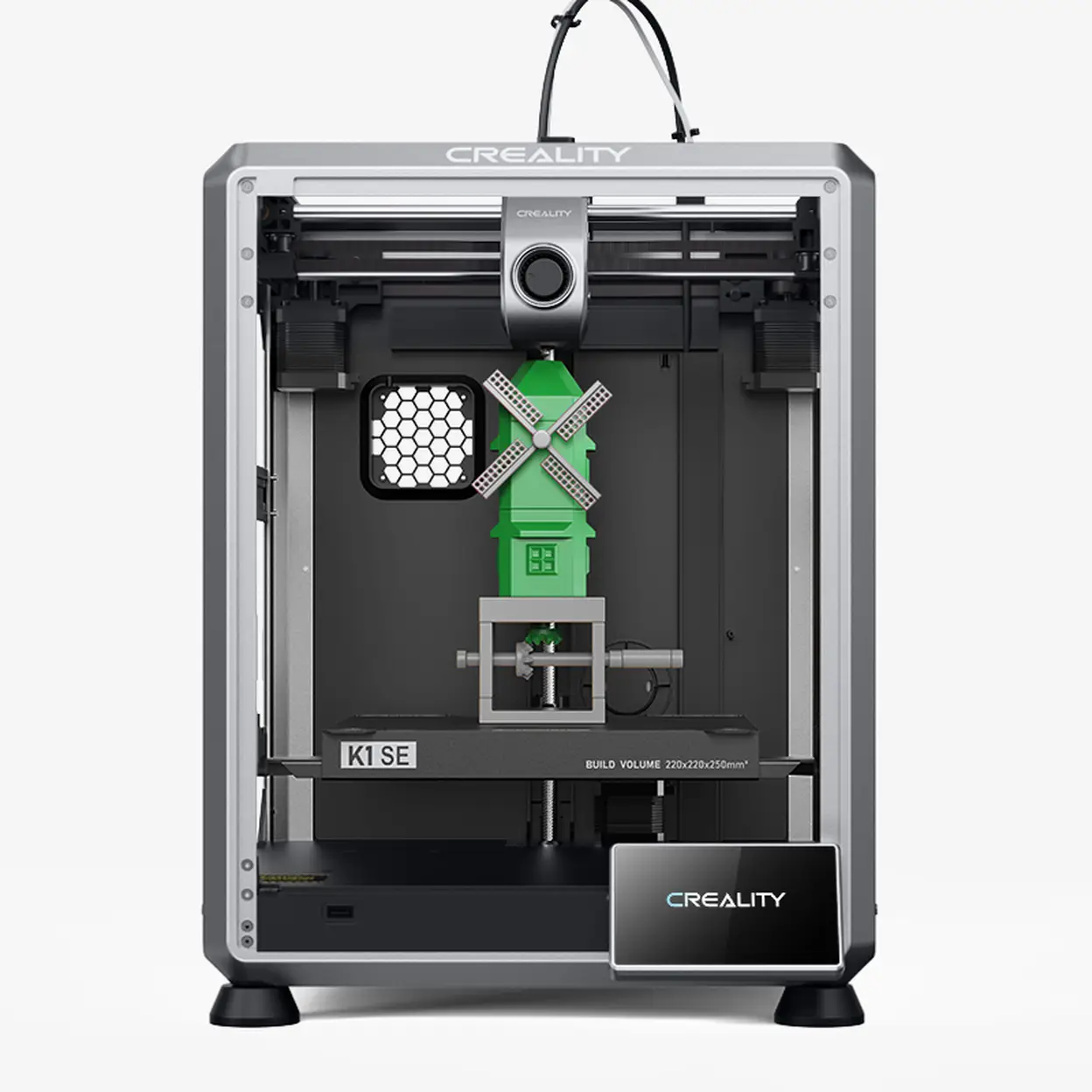
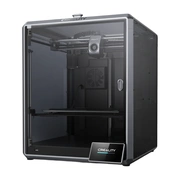
Creality K1 SE 3D Printer 600mm/s CoreXY High-Speed Printing Auto Leveling One-Tap Calibration Direct Drive Extruder 300°C Tri-Metal Quick-Swap Nozzle Rigid Aluminum Frame 2025 Model



Delivery option

order before 11:00

Guarantee
30 Days Free Returns
24/7 Customer Support
Product Description


Important Information
- 【Ultra-Fast CoreXY Printing】 Experience next-level speed with the K1 SE 3D printer, powered by a lightweight CoreXY motion system. It reaches up to 600mm/s and 20000mm/s² acceleration, delivering up to 12x faster printing than standard printers without compromising on accuracy.
- 【Upgraded Direct Drive Extruder】 The K1 SE adopts an advanced direct extruder for precise filament handling. Featuring reinforced tension with a side spring and ball plunger, it ensures consistent feeding for multiple materials, including flexible TPU and other specialty filaments.
- 【High-Performance Nozzle and Rapid Heating】 Equipped with a tri-metal nozzle—steel tip, copper body, and titanium alloy heatbreak—the K1 SE guarantees durability and smooth extrusion. Combined with a ceramic heating element, it heats to 300℃ in seconds, ideal for ABS, PETG, and carbon fiber composites.
- 【Rigid Structure for Stable Printing】 Built from die-cast aluminum components, the K1 SE’s reinforced frame reduces vibrations during high-speed operation. Added crossbeam support ensures dimensional accuracy and clean surface finishes, even with large models.
- 【Smart Auto Calibration Made Easy】 Forget manual adjustments—K1 SE offers one-click auto-leveling and Z-offset calibration. This intelligent system saves time and ensures flawless first layers, making every print reliable from the start.
Country of Origin: Manufactured in China
Safety Warnings
· Keep away from children and flammable materials. Place on a stable, heat‑resistant surface.
· Do not touch the nozzle (max. 260°C) or heated bed (max. 120°C) during operation to prevent burns.
· Use in a well‑ventilated area. Always use the original power cord to avoid electrical hazards.
· Use only compatible FDM filaments (PLA/ABS/PETG, etc.). Store filaments in dry, sealed containers.
Instructions for Use
Basic Components
Main Body, Control Panel, Extruder (Nozzle), Heated Print Bed, Filament Spool Holder, X/Y/Z Axes
Quick Operation Steps
· Unpack and place the printer on a stable surface. Connect the original power adapter.
· Level the print bed (auto or manual) to set the proper nozzle height.
· Load filament: Heat the nozzle to the recommended temperature, insert filament into the extruder until extrusion occurs.
· Import model files via USB/SD card/Wi‑Fi, then start printing.
· After printing, allow the nozzle and bed to cool before removing the model.
Daily Maintenance
· Clean the nozzle and print bed regularly to prevent residue buildup.
· Unload filament if the printer will not be used for a long period; keep filaments dry.
· Unplug the power cord when not in use. Avoid humid environments.
Common Troubleshooting
· Poor model adhesion: Re‑level the bed or increase bed temperature.
· No filament extrusion: Check filament feeding or clean the nozzle.
· Abnormal noise: Turn off the power and check for loose components.
UK REP
· Name: APEX CE SPECIALISTS LIMITED
· Address: 6f East Union Street, Manchester, England, M16 9AE
· Contact: Wells Yan
· Tel: +44 161 637 1080
· E‑mail: info@apex-ce.com
Manufacturer:Shenzhen Creality 3D Technology Co., Ltd.
Manufacturer Address:18th Floor, Jinxiu Hongdu Building, Meilong Avenue, Xinniu Community, Minzhi Sub-district, Longhua District, Shenzhen City, Guangdong Province, China
Email:cs@creality.com
Reviews