Players who put card text first
You want a larger view of cards, rules and the game interface, and you care more about available display detail than the highest refresh-rate figure.


Choose a large 4K monitor if fine card text and a dense game interface matter most: at a similar screen size, 3840 × 2160 provides more pixels than QHD. A 32-inch QHD high-refresh monitor is worth considering if you also play faster games and accept less fine detail. Check your device’s supported display modes, the monitor’s inputs and its fit on your desk before deciding.
You want a larger view of cards, rules and the game interface, and you care more about available display detail than the highest refresh-rate figure.
You play deck-builders alongside faster games, so both resolution and refresh rate affect your choice.
You need the monitor’s inputs and your devices’ supported display modes to work together, as well as a screen that fits your desk.
Choose it when: Fine card text and a crowded interface are your main reasons for moving to a large screen.
Bear in mind: Running demanding games at native 4K can ask more of a gaming PC than QHD.
Choose it when: You also play motion-heavy games and want to prioritise a high refresh rate.
Bear in mind: At a similar screen size, 2560 × 1440 offers fewer pixels for small text than 3840 × 2160.
| Concern | What to check | Who this matters to |
|---|---|---|
| Card text and interface detail | Compare native resolution, not screen size alone: Dell UK lists the 31.5-inch S3225QS at 3840 × 2160, while LG UK lists the 31.5-inch 32GS75QN-B at 2560 × 1440. | If small rules text and several interface panels share my screen, I want enough detail to read them comfortably. Roughly 42% of consumers put text and interface detail first. |
| Smoother mixed gaming | Check the stated refresh rate and how response time is measured; GTG and MPRT figures should not be treated as interchangeable. | When I switch from card games to faster titles, smooth motion matters more to me than maximising pixels. Around 33% of consumers make mixed-game smoothness their main concern. |
| Connections and desk fit | Match the monitor’s inputs to your device’s supported resolution and refresh rate, then measure the stand’s footprint or check mounting compatibility. | I use more than one device or have limited desk space, so a good panel is not enough unless the setup works. About 25% of consumers prioritise connection and physical fit. |
Similarly sized monitors can have different native resolutions. Dell UK specifies 3840 × 2160 for the S3225QS, while LG UK specifies 2560 × 1440 for the 32GS75QN-B.
Compare resolution before choosing on refresh rate alone, particularly if small card text prompted the purchase.
LG UK specifies 1ms GTG for the 32GS75QN-B; the research specifications for the BenQ EX3210U give both GTG and MPRT figures. The numbers do not describe an identical measurement.
Read the metric and stated mode alongside the figure, and keep resolution and input fit in the decision.
BenQ UK specifies the EX3210U at 269.9mm deep with its stand. That footprint matters on a shallow desk even if the screen size looks suitable.
Measure available desk depth and viewing distance. If you plan to use an arm, check the monitor’s VESA pattern and the arm’s supported weight.
Energy information, the seller’s returns process and arrangements for an old monitor can affect an online purchase.
Check the new monitor’s energy label and product information sheet, read the seller’s return instructions, and ask about electrical-equipment take-back if you are replacing a monitor.
Dell UK lists the S3225QS as a 31.5-inch flat VA monitor with 3840 × 2160 resolution and a 120Hz refresh rate: a large 4K route for text-led play and mixed use.
LG UK lists the UltraGear 32GS75QN-B as a 31.5-inch QHD IPS gaming monitor with a 180Hz refresh rate.
BenQ UK specifies the MOBIUZ EX3210U as a 32-inch 3840 × 2160 IPS gaming monitor operating at up to 144Hz.
These choices include 4K screens for detail-led play, QHD screens for mixed gaming and a wider-format option. Compare each monitor’s shape, resolution and connection needs with your own setup.
 No image available
Consider this 4K option if large-screen card detail matters and you also want a gaming-focused display. Its title states Dual Mode with a maximum of 330Hz; confirm the resolution available in the mode you intend to use. The listing warns against leaving static images on its OLED screen for long periods, which matters for games with a persistent interface.
 No image available
This is another large 4K choice for card detail, with a curved format to assess at your usual viewing position. The product name specifies 3840 × 2160, 165Hz, a Type-C connection rated at 65W and a USB hub. Confirm the display mode your device can deliver and measure the space available for the curve and stand.
 No image available
Consider this large QHD screen if high-refresh mixed gaming matters more to you than 4K pixel detail. Its title specifies 2560 × 1440, HDMI and DisplayPort inputs, and VESA 100 × 100mm mounting. Check the refresh rate available through your intended connection; the product information notes that HDMI may limit it compared with DisplayPort.
 No image available
This wider-format option is worth considering if a broad game layout matters more than following the 32-inch 4K route. The product name specifies 3440 × 1440, a VA panel, 200Hz and DisplayPort 1.4 inputs. Check that your game and device suit the ultrawide format, and measure the available desk width.
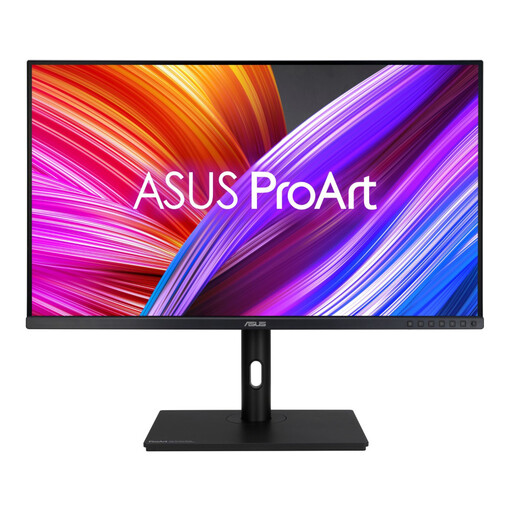 No image available
Consider this large QHD display if desktop positioning and card-game use matter more than a high-refresh specification. Its product information lists a 75Hz refresh rate, so compare that limit with your needs if you also play faster games. Confirm the display modes supported by your device.
Choose 4K if fine card text and dense interfaces are your priority; choose QHD if you also want to prioritise high-refresh gaming and accept fewer pixels at a similar size. Check native resolution rather than assuming screen size determines detail.
No particular refresh-rate threshold follows from playing deck-builders alone. A higher rate becomes more relevant if you also play faster games; if small text drives your purchase, compare native resolution before choosing by refresh rate.
Match the device’s output and supported resolution-and-refresh combinations to the monitor’s inputs. For example, BenQ UK specifies two HDMI 2.1 ports and one DisplayPort 1.4 port on the EX3210U, but those ports alone do not establish which modes your particular device can output.
For a qualifying UK online sales contract, the normal cancellation period ends 14 days after the consumer, or a nominated recipient other than the carrier, takes physical possession of the goods, subject to applicable exceptions. That period comes from the Consumer Contracts Regulations 2013, regulation 30, published by legislation.gov.uk; check the seller’s return procedure separately. Remedies for faulty, damaged or misdescribed goods are a different matter.
Look for the energy label and product information sheet for an in-scope electronic display. GOV.UK’s energy-information guidance says the label must be displayed at the point of sale, including on a website, and the product must be accompanied by an information sheet.