What matters when choosing
Decide whether the wider workspace fits your desk and testing workflow, then check the display and connection details of the model you would buy.
| Concern |
What to check |
Who this matters to |
| Mobile-menu testing workflow |
Check that your desktop layout leaves room for code, DevTools and a responsive preview. Plan a final check on a real phone. |
If I need to inspect breakpoints without continually swapping windows, I want room for the tools without mistaking emulation for a phone test. Around 33% of consumers put this testing workflow first. |
| Desktop detail and readability |
Compare the exact resolution and panel specifications; treat refresh rate as a separate consideration from menu correctness. |
When reviewing labels, spacing and CSS alongside other work, I care most about how much detail I can keep visible. That is the primary concern for around 27% of consumers. |
| Desk fit and viewing position |
Measure width and depth with the stand, and check available adjustment. Ergotron advises at least 51 cm between eyes and screen, with more distance for larger displays. |
On a shallow desk, I need to sit far enough back and position the screen comfortably before a wider workspace is useful. Roughly 20% of consumers put desk fit first. |
| Laptop connection |
Confirm USB-C video support, the monitor’s stated power delivery and your laptop’s charging requirement if you want one-cable use. |
If my laptop is the centre of the setup, I want fewer display and charging cables across the desk. For around 20% of consumers, that connection need comes first. |
34-inch ultrawides on Joybuy
These 34-inch ultrawides are options for keeping desktop work visible beside a responsive preview. Compare each model’s desk footprint and connections with your own setup, and use a real phone for final menu checks.
 No image available
LG UltraGear 34GX900A-B 34-inch OLED WQHD monitor
Consider this 34-inch WQHD display if you want a wide desktop for menu checks and other work. Its listed 240 Hz refresh rate is separate from whether a menu works on a phone; for prolonged static study content, consider the stated OLED burn-in risk. Check the stand footprint and laptop connections for your setup.
View on Joybuy
 No image available
Dahua 34-inch curved UWQHD VA monitor
Consider this curved display for a 3440 × 1440 desktop workspace. Its title specifies 200 Hz, two HDMI inputs and two DisplayPort 1.4 inputs; check the full footprint of the stand and the connection your computer needs.
View on Joybuy
 No image available
Lenovo R34w-30 34-inch UWQHD monitor
Consider this UWQHD model if a wide desktop is your priority. Compare its exact dimensions with your desk and check the connections required by your computer before choosing it for a laptop setup.
View on Joybuy
 No image available
Philips Evnia 6000 34M2C6500 34-inch WQHD monitor
Consider this 3440 × 1440 display when you want room for several desktop windows. The title lists height, swivel and tilt adjustment, with refresh rates of 175 Hz via DisplayPort and 100 Hz via HDMI; check its footprint and your computer’s connection.
View on Joybuy
 No image available
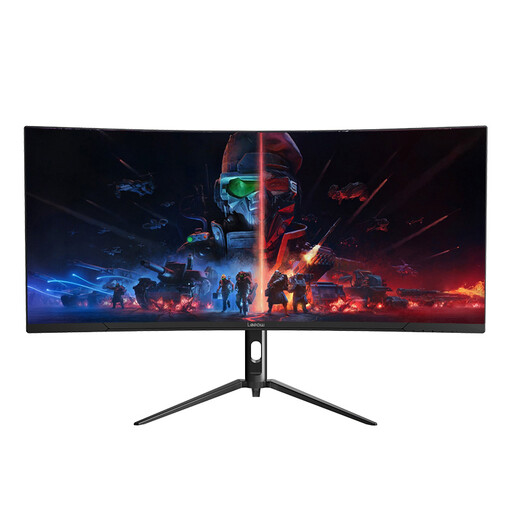
Lepow HC-SJ34MZ5 34-inch curved ultrawide monitor
Consider this 3440 × 1440 display for keeping desktop applications alongside a browser preview. Its title lists a 165 Hz refresh rate; check the monitor and stand dimensions against your desk before buying.
View on Joybuy
Common questions
Can an ultrawide monitor test a mobile menu by itself?
No. It can keep code, Chrome DevTools and a responsive preview visible together, but Chrome for Developers describes Device Mode as an approximation. Check the menu on a real target phone as well; remote debugging can help with compatible Android devices.
How can I tell whether a 34-inch ultrawide will fit my desk?
Measure usable desk width and depth, then compare them with the exact monitor’s dimensions including its stand. The LG 34WR50QK-B is listed at 80.9 cm wide and 22.32 cm deep with its stand, but other models need their own measurements. Ergotron advises a viewing distance of at least 51 cm, with more distance for larger screens.
Do I need USB-C to develop a mobile menu?
No. HDMI or DisplayPort can carry the display signal; USB-C may simplify a compatible laptop setup if the monitor also supplies suitable power. Check the laptop’s USB-C video capability and charging requirement against the exact monitor’s specification.
Which conformity marking should I check when buying in Great Britain?
Check which product rules apply to the exact monitor rather than relying on a marking alone. GOV.UK guidance from the Department for Business and Trade, dated 21 August 2026, says CE marking continues to be recognised alongside or instead of UKCA marking for relevant products placed on the market in England, Scotland and Wales. Northern Ireland has different placement processes, so confirm the applicable information with the seller there.
What should I do with an old monitor?
Check the available reuse or electrical-equipment collection options before disposing of it. GOV.UK guidance from the Office for Product Safety and Standards describes electrical and electronic equipment as covered by the WEEE framework; local-authority services and retailer arrangements can vary.


