Colour-critical artwork reviewers
If you compare or approve artwork on screen, repeatable colour and a suitable calibration workflow matter alongside your ability to see the image near the window.


Choose a 4K monitor by considering its screen surface, stated typical brightness and colour-management features together, then judging how those features fit your window position. If artwork decisions depend on repeatable colour, calibration matters alongside visibility; if the monitor also serves a laptop-led desk, connections and physical fit deserve attention too.
If you compare or approve artwork on screen, repeatable colour and a suitable calibration workflow matter alongside your ability to see the image near the window.
If the monitor normally sits beside a bright window, consider where reflections fall on the screen and whether artwork remains comfortable to view from your working position.
If you keep reference artwork open beside creative applications, check whether the monitor’s connections, charging capability and size suit your laptop and desk.
Start with reflections at your intended screen position, then decide how precisely you need to manage colour and whether the monitor must also connect and charge a laptop. The proportions below describe consumers by their main deciding need, even when several concerns apply to the same person.
| Concern | What to check | Who this matters to |
|---|---|---|
| Window-side visibility | Compare stated typical brightness and screen coatings, then assess reflections from the intended desk position; neither specification guarantees a clear image in direct sunlight. | I need to see artwork clearly without a window reflection covering it. Around 42% of consumers put visibility and reflection control first. |
| Colour reliability | Check the colour spaces your work uses and whether the exact monitor offers factory information, hardware calibration or a built-in calibration sensor. | When I approve colour-sensitive artwork, I need a repeatable way to judge its colours, not just a sharp image. For around 33% of consumers, colour reliability is the primary concern. |
| Desk and laptop fit | Check screen size, stand or mount fit, the laptop’s video connection and the power delivery it requires. | My reference screen also has to fit the desk and work with my laptop. Desk integration is the leading need for around 25% of consumers. |
ASUS lists 600 cd/m² typical brightness and 1,200 cd/m² HDR peak brightness for the ProArt PA32UCX-PK. These describe different conditions, so the peak figure should not stand in for brightness during ordinary artwork viewing.
Compare typical brightness on a like-for-like basis where it is stated, then consider the screen surface and reflections at your desk.
BenQ describes factory calibration for the PD3225U, while EIZO describes a built-in sensor that can calibrate the CG2700X at scheduled times. Those features serve different stages of a colour-managed workflow.
Decide whether your work requires repeatable calibration over time and check the exact monitor’s sensor, hardware and software capabilities.
Depending on the workflow, calibration without a built-in sensor may require a separate device.
ASUS states an 18.3 kg net weight and a 100 × 100 mm VESA mount pattern for the PA32UCX-PK. A suitable mount pattern alone does not establish that a desk arm can carry it.
Measure the available desk space and check the arm’s load rating and the exact variant’s dimensions before ordering.
EIZO’s ColorEdge CG2700X is a 27-inch 4K example for colour-managed work. EIZO specifies 500 cd/m² brightness and a built-in calibration sensor.
BenQ’s DesignVue PD3225U is a 31.5-inch 4K creator monitor with a matte screen and Thunderbolt connectivity.
Dell’s UltraSharp U3225QE is a 31.5-inch 4K option for a laptop-centred desk that also needs hub connectivity.
The ASUS ProArt PA32UCX-PK is a 32-inch 4K Mini-LED creator display with an anti-glare surface and hardware-calibration capability.
These 4K monitors include creator-oriented, gaming-oriented and general desk options for viewing reference artwork. For each one, weigh its stated features against the reflections, colour requirements and space at your own desk.
 No image available
Consider this creator display if you need a large artwork canvas and hardware calibration; confirm its typical brightness and the brightness specification for this exact variant before judging window-side suitability.
The product name also specifies 120 Hz, Thunderbolt 3 and HDMI 2.1. Check that its size and weight suit your desk or monitor arm.
 No image available
This 27-inch option may suit a desk where a smaller artwork screen is easier to position. Check its typical brightness and how the screen looks beside your window before relying on a peak-brightness figure.
The product name identifies a 4K UHD OLED display; check the colour-management features needed for your work.
 No image available
Consider the curved format only if it suits the way you compare reference images. Check the screen coating and typical brightness for your window position rather than treating its gaming specifications as evidence of reflection control.
The product name specifies 99% DCI-P3 coverage, USB-C with 65 W power delivery and a USB hub; confirm laptop compatibility if you plan to use those connections.
 No image available
This is a 27-inch option to assess if you want 4K detail at a smaller desk. Before using it beside a bright window, check its screen coating, typical brightness and any calibration features your artwork requires.
The product name specifies a 4K UHD LED monitor; “Matte Black” describes its finish, not a confirmed anti-glare screen coating.
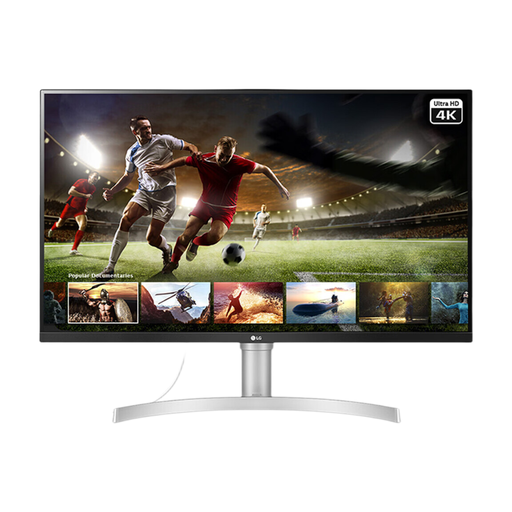 No image available
This larger screen may suit an sRGB-oriented artwork desk. Check its screen coating and the colour-management options you need, as the screen size alone cannot establish how it will look beside your window.
The product name specifies 95% sRGB coverage, HDMI and DisplayPort connections.
No. Resolution describes image detail, while screen reflections, colour modes and calibration also affect how useful a monitor is for artwork. Match those features to your window position and the colour decisions you make.
Not on that figure alone. Compare typical brightness rather than treating HDR peak brightness as an everyday value, and consider the screen surface and angle to the window. Even a stated brightness specification cannot guarantee a clear view in direct sunlight.
Confirm that your laptop supports video through the monitor’s required USB-C or Thunderbolt connection and that the monitor’s power delivery meets the laptop’s needs. Also check which data and display functions the exact connection supports.
For an in-scope electronic display, look for an energy label on the online listing and a product information sheet. GOV.UK guidance from the Department for Energy Security and Net Zero and the Office for Product Safety and Standards says these accompany products within the applicable energy-labelling rules.