
24/7 Customer Support

Free returns

Same-day & Next-day Delivery

Quality Guaranteed

Unlock Your Welcome Offers: FREE Delivery | Up to 80% OFF | Free 30-day JoyPlus trial
Download the APP
A 4K monitor can make text sharper, images more detailed and large projects easier to manage. However, buying by resolution alone can lead to disappointment. A display may advertise 4K UHD but still lack the colour coverage, ports or ergonomic adjustment needed for your desk and daily tasks.
There are also sensible alternatives. A QHD monitor can offer more screen space than Full HD at a lower cost, while a high-refresh-rate gaming monitor may be more suitable for fast movement than a 60Hz 4K display. The right choice depends on how you work, play and connect your devices.
A resolution of 3840 × 2160 describes the number of pixels, not how faithfully colours are displayed. For graphic design, photography or video editing, check the stated colour gamut, such as sRGB coverage, as well as the panel type.
An IPS panel is often selected for creative and office work because it offers broad viewing angles and generally consistent colours across the screen. A listed value such as 95% or 100% sRGB is useful information, but it does not replace proper colour calibration for professional workflows.
A 27-inch 4K monitor provides high pixel density and crisp text, but menus and interface elements may appear small without display scaling. A 32-inch 4K monitor gives more physical space for timelines, spreadsheets and editing panels, though it takes up more desk depth.
Before buying, measure your desk and consider your normal viewing distance. A very large display placed close to your face may be less comfortable than a smaller screen positioned correctly.
A monitor’s maximum refresh rate depends on the connection, cable and graphics output of your computer or console. A 60Hz 4K UHD monitor is suitable for office work, design and streaming, but competitive gaming may benefit from a higher refresh rate at QHD resolution.
Also check whether the monitor includes the ports you need. An HDMI DisplayPort monitor may work with a desktop, laptop or console, but older systems may require an adaptor. Built-in speakers are convenient for calls and casual viewing, although they may not replace dedicated speakers or headphones.
For a monitor for content creation or monitor for graphic design, compare resolution with colour coverage and calibration features rather than relying on pixel count alone.
Most 4K productivity displays operate at 60Hz, which is adequate for documents, coding, editing and video playback. Gaming monitors may offer 75Hz, 100Hz or higher for smoother movement. Adaptive-Sync technologies can help reduce visible tearing when supported by the connected graphics hardware.
Response-time figures should be read carefully because manufacturers may quote different measurement methods. Consider the complete combination of refresh rate, connection standard and graphics performance.
A useful ergonomic computer monitor may include tilt, height, swivel and pivot adjustment. These features help position the top of the screen near eye level and reduce awkward neck movement.
A VESA mount monitor is suitable for a compatible arm or wall bracket, but check the exact pattern, such as 100 × 100mm. Flicker-reduction and low-blue-light modes can be useful for long sessions, although regular breaks, suitable lighting and correct positioning remain important.
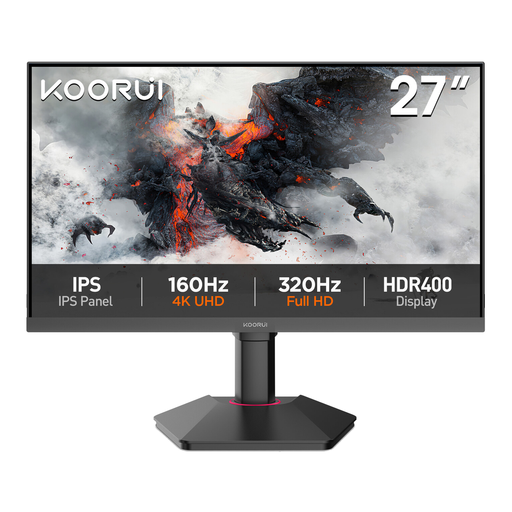
Why This Fits Their Persona: A practical choice for UK home-office users and new creative hobbyists who want sharper-than-Full-HD detail without moving to 4K pricing.
Its 27-inch QHD resolution avoids the low pixel density of larger Full HD screens, while 99% sRGB is clearly specified for everyday design work.
IPS panel, 75Hz refresh rate, Adaptive-Sync, HDMI, DisplayPort and VESA 100 × 100mm support.
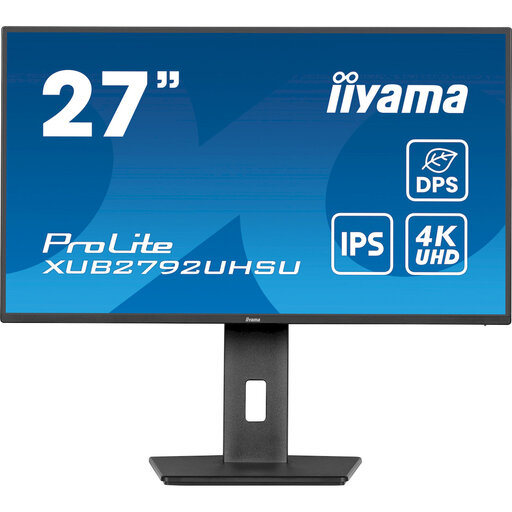
Why This Fits Their Persona: Suits photographers, designers and office users who value fine detail, colour coverage and flexible positioning at a compact 27-inch size.
The specification lists 100% sRGB and 4K UHD resolution, rather than relying on a vague “professional colour” description.
150mm height adjustment, pivot, swivel and tilt, plus USB-C, HDMI, DisplayPort and a USB hub.
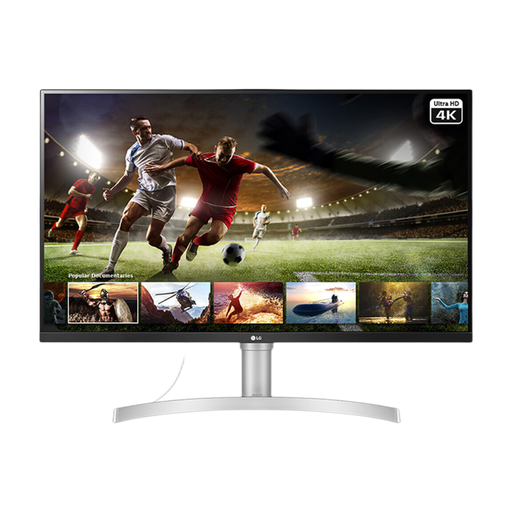
Why This Fits Their Persona: Its larger panel suits video editors, multitaskers and entertainment-focused users who need room for timelines, documents and high-resolution content.
It combines a stated 95% sRGB gamut with IPS viewing angles, HDR10 support and 350-nit typical brightness, giving shoppers measurable details to compare.
Two HDMI ports, DisplayPort, built-in stereo speakers, AMD FreeSync and VESA 100 × 100mm compatibility.
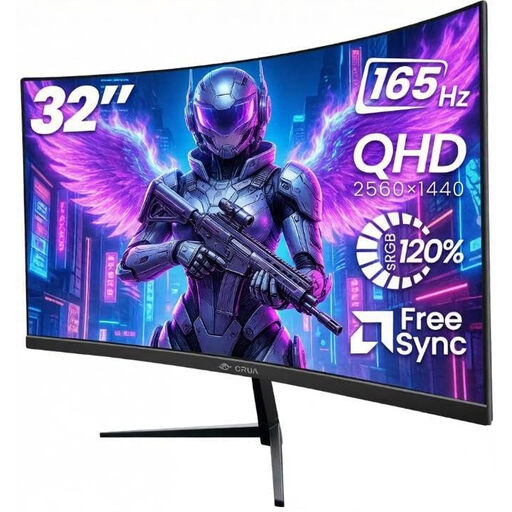
Why This Fits Their Persona: Designed for gamers and users who prioritise fluid movement, a wide screen and a more immersive curved viewing format.
The listed 165Hz refresh rate is paired with Adaptive Sync, while the product information specifies that DisplayPort may be needed for maximum performance.
32-inch QHD resolution, 1500R curvature, 100% sRGB listed coverage, dual HDMI, dual DisplayPort and VESA mounting.
We have compiled a complete, real-time list of products that fully satisfy these strict selection criteria and UK safety regulations.
Before placing an order, confirm the following:
It can be useful for spreadsheets, documents and multitasking because the higher pixel count provides more workspace and sharper text. At 27 or 32 inches, display scaling may be needed to keep menus comfortable to read. A QHD office monitor can be a more economical option if your work mainly involves email and web browsing.
A monitor’s usable lifespan depends on operating hours, ventilation, power conditions and component quality. Keeping brightness at a sensible level, avoiding moisture and using a surge-protected socket can help maintain the display. Check the manufacturer’s warranty and return terms before purchase, as coverage varies by product.
Power consumption varies by screen size, brightness and features such as HDR. Larger screens generally require more power than compact models. Look for the listed typical or maximum wattage, enable power-saving settings and switch the display off when it is not required.