Shared-desk drawing reviewers
Two seated colleagues inspecting plans, elevations and mark-ups on one screen need to consider how the drawing looks from each seat, as well as reflections and where the monitor can stand.


For two people comparing architectural drawings at one desk, start with a flat 31.5–32-inch 4K screen that can be positioned for both seats and kept clear of distracting reflections. Choose a specialist design display when colour-managed work or switching between computers calls for its particular features; otherwise, check desk fit, viewing position and connections before paying for those extras.
Two seated colleagues inspecting plans, elevations and mark-ups on one screen need to consider how the drawing looks from each seat, as well as reflections and where the monitor can stand.
Reviewers moving between a workstation and laptop, or comparing files from two computers, need to check the available inputs and whether switching or simultaneous display works for their setup.
Studios using the same screen for drawing review and client-facing visual material may need defined colour spaces and a documented calibration workflow, rather than resolution alone.
Start with what both viewers must be able to read from their usual seats. Then check the drawing workflow, connected computers and space available on the desk.
| Concern | What to check | Who this matters to |
|---|---|---|
| Shared viewing | Check a flat 4K panel, its surface finish and typical drawings from both seating positions; a quoted viewing angle cannot guarantee the same appearance from each seat. | If we inspect annotations together, the colleague sitting to one side must still be able to follow the drawing without moving into my seat. Around 31% of consumers put shared viewing clarity first. |
| Drawing and colour workflow | Check whether the exact model offers the colour spaces, calibration documentation or CAD mode your project requires. | When drawings are reviewed alongside colour-managed renders or presentations, I need the display to fit that established workflow. Colour and CAD requirements come first for around 25% of consumers. |
| Computer connections | Check video inputs, laptop charging requirements and whether KVM or picture-by-picture is needed; USB-C alone does not establish those functions. | If a workstation and laptop share the desk, changing sources should fit the way we compare files. Around 25% of consumers prioritise connecting and switching between computers. |
| Desk fit and glare | Measure desk depth and stand footprint, and check adjustment options against the seating and lighting layout. | With two people and their working space at one desk, I need room to position the screen without awkward viewing or reflections. Desk fit and glare control are the primary concern for around 19% of consumers. |
The second reviewer may see the screen from an angle or under different lighting. Resolution does not tell you whether reflections or placement will make fine annotations difficult to inspect together.
Try a typical drawing at the intended scale from both seats, and check the screen surface and available positioning adjustments.
A USB-C socket does not, by itself, establish video support, sufficient laptop charging or control of two computers.
Match each computer's video and charging requirements to the monitor and cable, then check KVM or picture-by-picture separately if the workflow needs them.
Calibration features and wide colour-space claims have a clearer purpose for managed renders and presentations than for comparing ordinary linework.
Identify the project's colour requirements before choosing those features; otherwise, give shared readability, positioning and connections priority.
Even an adjustable monitor needs enough desk depth and a workable position for both reviewers. The Health and Safety Executive's display-screen guidance addresses posture and screen placement as parts of the workstation.
Measure the stand footprint, consider lighting and check whether the supplied adjustments—or a suitably rated mount—allow the intended position.
These examples describe particular monitor lines and models, not every display made by each brand.
The DesignVue PD3225U is a 31.5-inch 4K design monitor aimed at desks that combine drawing review with colour-managed work and multiple computer sources.
The UltraSharp U3225QE is a 31.5-inch 4K IPS Black hub monitor for a desk where screen adjustment and laptop connectivity matter.
ASUS positions the ProArt PA32UCX-PK as a specialist 32-inch 4K display for colour-focused collaborative viewing.
The 32U850SA is a general-purpose 32-inch 4K IPS option for drawing review where laptop connection and stand adjustment take priority.
These 4K monitors offer different starting points for a shared drawing-review desk. Compare their screen surfaces, positioning and connection requirements against your own seating and computer setup; the specialist and general-purpose models serve different priorities.
 No image available
Consider this model if drawing review shares a desk with a specialist HDR or colour workflow. Its name identifies a 32-inch 4K IPS Mini LED display with hardware calibration and Thunderbolt 3; check the exact brightness specification before relying on it, as the product information gives conflicting peak-brightness figures. Confirm KVM or picture-by-picture support if switching between two computers is essential.
 No image available
This flat-screen option suits a desk where two people mainly need space to inspect detailed drawings and a USB-C connection. Check the screen finish under your lighting and confirm the laptop's required charging level, as well as KVM or picture-by-picture support if two-computer use matters.
 No image available
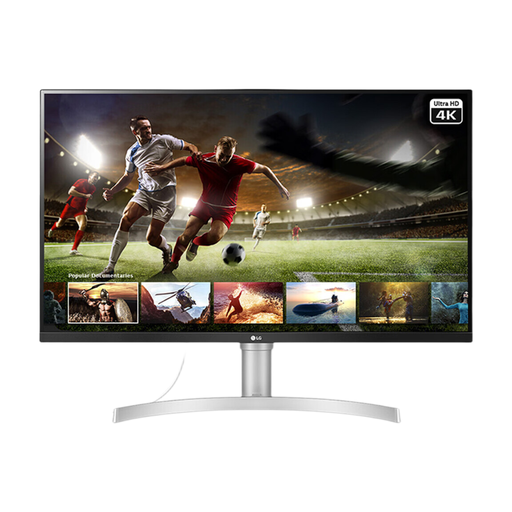
Consider this model for 4K drawing review when its HDMI and DisplayPort connections suit the computers at the desk. Its product name lists a 60 Hz IPS display; check whether the tilt-adjustable stand places the screen appropriately for both viewers, and confirm the surface finish and any switching features you need.
 No image available
This OLED gaming model is an alternative only if its other uses matter alongside drawing review. Its name specifies 4K and a dual mode with a maximum of 330 Hz, not that the maximum applies at 4K. Check the view from both seats, and account for the product's warning against leaving static images on its OLED screen for long periods.
 No image available
Consider this USB-C model if its Mac-oriented setup matches the computers used for drawing review. Its Nano Glossy surface makes reflections an important check at the shared desk; confirm behaviour with the actual computers and verify KVM or picture-by-picture support if required.
It can be a practical starting point if both people can see typical plans and annotations comfortably from their seats. Check the screen's reflections, drawing scale and available adjustment at the actual desk; the Health and Safety Executive advises placing the top of a display at eye level and about an arm's length from the primary user.
Not automatically: a documented colour workflow matters more when the same screen is used for colour-critical renders or presentations. BenQ and ASUS list calibration-related features for the PD3225U and PA32UCX-PK respectively, but the project's requirements should determine whether those features are useful.
It can handle the intended connection only if the computer, monitor and cable support the required video and charging functions. Check each laptop's capabilities and the monitor's stated power delivery; if two computers must be controlled or shown together, check KVM and picture-by-picture separately.
The UK Display Screen Equipment Regulations 1992 do not prescribe a particular 4K model or size. For covered workstations, the regulations require employers to carry out a suitable and sufficient workstation analysis and address matters including screen adjustment, reflections and workspace, so assess the shared desk as a whole.