For detailed maps beside a bright window, start with a 4K screen whose surface and normal-use brightness suit the room, then check whether you can position it away from reflections. A 27-inch model takes up less desk space; a 31.5- or 32-inch model provides a larger physical map area but needs more room. A headline HDR peak figure cannot tell you how readable the screen will be in everyday daylight.
Who needs to consider these factors?
Map readers working near daylight
If a nearby window creates distracting reflections, consider the screen finish, normal-use brightness and where the display can sit. The Health and Safety Executive also identifies repositioning a screen or using blinds as ways to avoid glare.
People inspecting fine map detail
When labels, contours or several map panes need to remain visible, compare native 4K resolution and physical screen size alongside your viewing distance and available desk space.
Laptop users building a desk setup
If the monitor must also connect peripherals or charge a laptop, check that the laptop's video output, the monitor's input and any required USB-C or Thunderbolt power delivery are compatible.
What should you check before buying?
Check the window's reflection path before comparing brightness figures, then choose a screen size that fits both the maps and the desk.
| Concern | What to check | Who this matters to |
|---|
| Reflections and visibility |
Compare matte or anti-glare finishes and typical brightness; check whether the screen can face away from reflected window light. |
When the window appears in the screen, I need map labels to remain readable without relying on an HDR peak figure. Around 42% of consumers put reflection control and everyday visibility first. |
| Map detail and workspace |
Confirm native 3840 × 2160 resolution and choose between a 27-inch and 31.5- or 32-inch screen according to viewing distance and desk space. |
If I keep several map panes open, I want enough physical area to inspect them without crowding the desk. Roughly 33% of consumers prioritise map workspace and detail. |
| Desk fit and connections |
Measure the stand footprint and check the laptop's video output, monitor input and any required charging capability. |
For a laptop-based workstation, I need the display to fit where I can adjust it and connect it as intended. About 25% of consumers make setup and connectivity their primary concern. |
Mistakes to avoid
-
Using HDR peak brightness as an everyday figure
Peak and typical brightness describe different conditions. ASUS lists 1,200 cd/m² HDR peak brightness but 600 cd/m² typical brightness for the ProArt PA32UCX-PK.
Compare typical figures on the same basis, then consider where the screen will sit relative to the window.
-
Expecting an anti-glare surface to fix the room layout
A screen finish does not eliminate every direct reflection. The Health and Safety Executive identifies screen repositioning and blinds as ways to avoid glare.
Check the reflection path at your desk and whether you can change the screen angle or control the incoming light.
-
Choosing a larger screen without measuring the desk
A larger panel also needs space for its stand and a suitable viewing position. BenQ lists the PD3225U at 714.8 mm wide and 273.3 mm deep with its stand.
Measure the usable width and depth, and check any monitor arm's load limit if you plan to use one.
If the supplied stand cannot be positioned clear of reflections, you may need to rearrange the desk or consider a compatible mount.
-
Comparing resolution but overlooking energy information
Two monitors with the same headline resolution need not have the same energy information.
Compare the energy labels and product information sheets for the exact models you are considering.
Relevant monitor brands
Dell
Dell's UltraSharp U2725QE is a 27-inch 4K monitor with an anti-glare, anti-reflective surface, an adjustable stand and Thunderbolt hub functions.
- Its 27-inch format is worth considering where a closer-viewing desk has limited space.
- It offers less physical map area than a 31.5- or 32-inch screen, and its surface treatment does not remove the need to manage window reflections.
BenQ
BenQ lists the 31.5-inch 4K PD3225U with a matte finish, 400-nit typical brightness and 150 mm of height adjustment.
- Its larger physical screen area may suit a desk where several map panes need room.
- Check space for its approximately 715 mm width and 273 mm depth with stand; the brightness specification cannot guarantee readability in every sunlit position.
ASUS ProArt
ASUS lists the 32-inch 4K PA32UCX-PK with an anti-glare surface, 600 cd/m² typical brightness and colour-calibration features.
- Its stated typical brightness gives buyers a normal-use figure to compare when daylight remains difficult to manage.
- It weighs 18.3 kg with its stand. Its 1,200 cd/m² HDR peak figure is not its typical brightness, and its professional features may be unnecessary for map reading alone.
Joybuy monitors for map work
These 4K monitors offer 27-inch or larger-screen options for inspecting maps. For a bright-window desk, compare their screen finish and normal-use brightness where specified, as well as the space needed to position them away from reflections.
 No image available
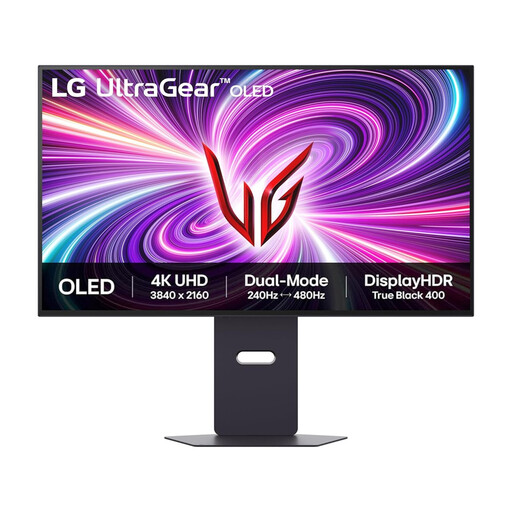
LG UltraGear 32GS95UV-B 32-inch 4K OLED monitor
Consider this larger 4K screen if you want more physical room for maps and can accommodate it on your desk.
The product title lists dual 4K 240 Hz and FHD 480 Hz modes, plus DisplayPort and HDMI 2.1. Assess the intended screen position rather than assuming those display modes will resolve window reflections.
Joybuy
 No image available
ASUS ProArt Display PA32UCG-K 32-inch 4K monitor
This 32-inch option suits a map workstation with room for a larger display; check its fit and everyday visibility in the intended position.
Its title identifies an IPS Mini LED display, Thunderbolt 3 and HDMI 2.1. Confirm the applicable typical brightness rather than using a headline HDR figure as a normal-use measure.
Joybuy
 No image available
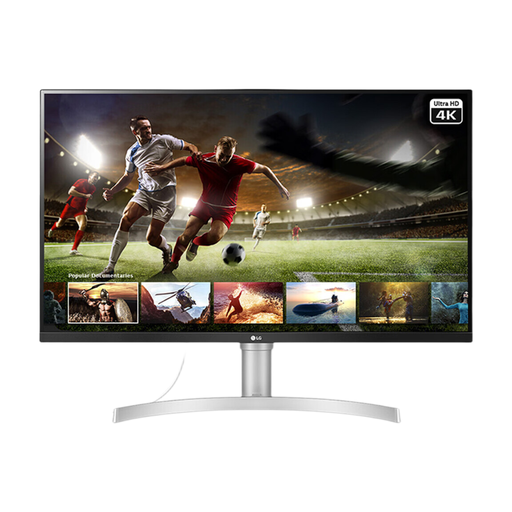
LG UHD 32UN650K 32-inch 4K IPS monitor
Consider its larger 4K screen when physical map area matters and the desk has room for it.
The title lists HDMI and DisplayPort. Check the screen finish before choosing it for a position near a bright window.
Joybuy
 No image available
ASUS ProArt PA27DCE-K 4K OLED monitor
Consider this 4K model for a desk where a smaller screen format is preferable to a 32-inch display.
Check its physical dimensions and typical brightness for your setup; a peak-brightness figure is not a substitute for the normal-use specification.
Joybuy
 No image available
LG UHD 27UP650K 27-inch 4K IPS monitor
The 27-inch format is worth considering when you want 4K map detail on a desk with less room for the display.
The title lists HDMI and DisplayPort. For a bright-window position, confirm the screen finish and typical brightness rather than treating an 'up to' brightness figure as an everyday one.
Joybuy
Common questions
Is HDR peak brightness enough to judge a monitor beside a bright window?
No: compare typical brightness for normal use and consider reflections separately. ASUS lists 600 cd/m² typical brightness and 1,200 cd/m² HDR peak brightness for the PA32UCX-PK; the Health and Safety Executive also identifies repositioning the screen or using blinds as ways to avoid glare.
Should I choose a 27-inch or a 32-inch 4K screen for maps?
Choose a 27-inch 4K screen if desk space is tight and you view it from relatively close; consider a 31.5- or 32-inch 4K screen if you want a larger physical map area and have room for its stand. Measure the actual model rather than relying on the diagonal size alone.
Can an anti-glare screen replace changes to the desk layout?
Not necessarily: check whether the window still reflects in the screen at your intended viewing position. The Health and Safety Executive identifies repositioning a screen or using blinds as possible responses to glare.
What energy information should I compare between monitors?
Compare the energy label and product information sheet for each exact model you are considering, rather than assuming that monitors with the same resolution use energy alike. UK government energy-information guidance covers electronic displays.


