Colour-conscious video reviewers
If you review grades or client previews, documented colour-space support and a repeatable calibration workflow matter more than vivid colour alone. Adobe advises using a colorimeter for objectively accurate colour.


Choose a 4K monitor whose stand or compatible mount can place the top of the screen around eye level when you are standing; panel size alone will not solve a positioning problem. If you assess colour as well as review cuts, check the display’s Rec.709 information and your calibration workflow. A one-cable laptop connection is useful only if both the monitor and laptop support the video output and charging you need.
If you review grades or client previews, documented colour-space support and a repeatable calibration workflow matter more than vivid colour alone. Adobe advises using a colorimeter for objectively accurate colour.
If you review timelines while standing or change posture during the day, check whether the stand or a compatible mount can put the screen at a suitable height and distance. The Health and Safety Executive advises placing the top of the screen level with your eyes and the display about an arm’s length away.
If you want video, peripherals and charging through one display connection, check the capabilities of both the monitor and your laptop before planning the desk around a single cable.
Start with the screen position you can achieve at your standing desk, then check colour requirements for your video work and the connection your computer needs.
| Concern | What to check | Who this matters to |
|---|---|---|
| Colour confidence | Check for documented Rec.709 coverage or a Rec.709 mode if you review Rec.709/SDR work, plus calibration information suited to your workflow. | If I judge footage colour or show clients a preview, I need a reference I can calibrate rather than relying on a vivid-looking image. Around 39% of consumers put colour confidence first. |
| Standing position | Check the stand’s height range or VESA compatibility against your eye height, available desk depth and intended mount. | When I switch between sitting and standing, I need the screen to reach a comfortable position in both postures. Comfortable positioning comes first for around 38% of consumers. |
| Laptop connection | Check video support on the laptop’s USB-C or Thunderbolt port and compare the monitor’s power delivery with the laptop’s charging requirement. | If I bring a laptop to the desk, I want to connect the display and charge the computer without rebuilding the cable setup. Around 23% of consumers prioritise that connection. |
Resolution does not determine where the screen sits. The Health and Safety Executive advises positioning its top level with your eyes, about an arm’s length away.
Measure your standing eye height and desk depth, then check the stand’s adjustment range. If you plan to use an arm, confirm the monitor’s mount pattern and the arm’s supported weight.
You may need a compatible arm, riser or replacement stand to achieve the position.
A gamut or HDR label does not establish accuracy in your room or for your intended delivery format. Adobe advises using a colorimeter for objectively accurate colour.
Check the relevant colour space and calibration documentation, then plan calibration under your usual working light if you make colour-critical decisions.
That workflow may also call for a colorimeter and calibration software.
Video support and charging power depend on the particular ports and devices; a USB-C connector by itself establishes neither.
Check the monitor’s power-delivery rating, the laptop’s charging requirement and whether its port carries video before relying on one cable.
You may still need the laptop’s power adapter or a suitable docking setup.
Citizens Advice explains that warranties and guarantees add to legal rights; warranty terms do not replace those rights.
Keep proof of purchase and the warranty paperwork, and check whether the seller or manufacturer handles the relevant claim.
The Dell UltraSharp U3225QE is a 31.5-inch 4K option to examine if stand adjustment, an integrated hub and laptop charging matter to your desk setup.
The BenQ PD3225U is a colour-focused 4K option for reviewers who need documented video-relevant colour specifications and flexible positioning.
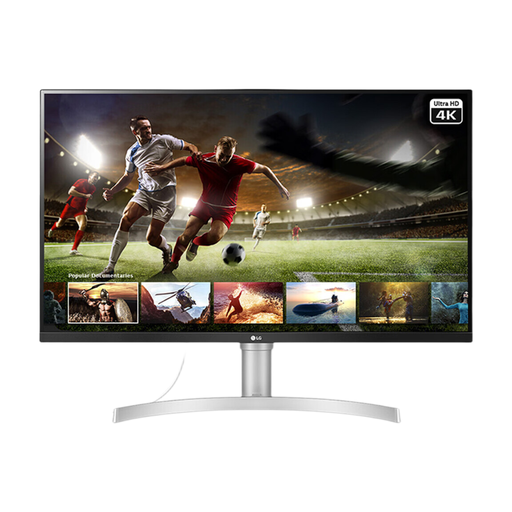
The LG UltraFine 32U720A is a 31.5-inch 4K USB-C option to compare if laptop charging and timeline space are priorities.
These 4K monitors offer different approaches to positioning, colour review and laptop connection at a standing desk. Check the particular model against the requirements that matter to your workflow.
 No image available
Consider this adjustable 4K display if your timeline review includes colour work, but check its Rec.709 support and calibration requirements for your intended output.
The listing states 100% DCI-P3 coverage and height, tilt, swivel and pivot adjustment. Check the height range against your standing position, and confirm laptop video and charging capabilities before planning a one-cable setup.
 No image available
This model suits a compatible Mac laptop desk setup where a 4K display connection and charging through USB-C are priorities.
The listing states 90 W USB-C power delivery and height adjustment of up to 11.5 cm. Check whether that range reaches your standing position; verify Rec.709 support and calibration provisions before relying on it for colour-critical delivery.
 No image available
Its adjustable stand makes this 4K model worth assessing for a standing desk, provided its positioning range works for you.
The listing states 110 mm of height adjustment and 98.5% DCI-P3 coverage. It also warns of OLED image-retention risk with prolonged static images, which matters if your timeline and interface remain on screen for long periods. Check Rec.709 and calibration provisions for colour-critical work.
 No image available
Consider this 4K display if you can use a compatible mount to place the screen at the right standing height.
The listing states 100 × 100 mm VESA compatibility and a tilt-adjustable included stand; it does not establish height adjustment for that stand. Check the mount and desk arrangement, and verify Rec.709 and calibration provisions if you assess final colour.
 No image available
This 27-inch 4K option may suit a standing-desk setup if its screen size and adjustment range fit the way you review a timeline.
The listing states up to 130 mm of height adjustment and 90% DCI-P3 coverage. The gamut figure does not establish accuracy for a video delivery format; check Rec.709 support and calibration provisions before colour-critical use.
Place it directly in front of you, with a stand or compatible arm that reaches your standing eye height. The Health and Safety Executive advises keeping the top of the screen level with your eyes and the display about an arm’s length away; check the position again if you also use the desk seated.
Treat factory calibration as a starting point, not a guarantee of accuracy in your workspace. Adobe advises using a colorimeter for objectively accurate colour and calibrating under lighting similar to that used for colour adjustments; also check that the monitor supports your intended delivery colour space.
It can if the laptop’s port supports video output and the monitor provides compatible video input and enough charging power for that laptop. Check both devices’ specifications: BenQ UK lists 85 W Thunderbolt power delivery for the PD3225U, LG UK lists 90 W USB-C power delivery for the 32U720A, and Dell UK lists up to 140 W for the U3225QE.
Keep your proof of purchase, model details, warranty paperwork and a record of the fault. Citizens Advice explains that a warranty or guarantee adds to legal rights rather than replacing them; check the applicable guidance and the seller’s process for the remedy you are seeking.