
24/7 Customer Support

Free returns

Same-day & Next-day Delivery

Quality Guaranteed

Unlock Your Welcome Offers: FREE Delivery | Up to 80% OFF | Free 30-day JoyPlus trial
Download the APP
A 4K OLED gaming monitor can combine detailed images, deep contrast and fast motion in one premium display. However, high headline specifications do not automatically mean the monitor will suit your desk, console or creative workflow.
UK buyers should look beyond terms such as “165Hz”, “0.03ms” and “HDR”. The panel type, connection standards, brightness, ergonomics and intended usage all affect the real-world experience. This guide explains the main buying traps and highlights our top recommendations for different types of user.
A quoted 0.03ms gaming monitor response time describes how quickly pixels can change under specified conditions. It does not, by itself, confirm low input lag, smooth frame delivery or perfect motion in every game.
For fast PC gaming, also check:
A 4K 165Hz monitor can display up to 165 frames per second, but your computer must generate enough frames to make full use of it.
HDR400 is a useful specification to identify, but it is not equivalent to the performance of more advanced HDR systems. Peak brightness, local dimming, black levels and tone mapping all influence the result.
OLED panels can produce individually controlled pixels, allowing dark areas to appear very deep. Even so, buyers should check the stated brightness and HDR format rather than assuming every OLED screen has identical HDR performance.
OLED technology is well suited to gaming and film because each pixel can switch off independently. Yet a desktop user who displays static windows, toolbars or editing interfaces for long periods should consider screen-care features and usage habits.
To reduce avoidable wear:
This does not make OLED unsuitable for office or creator work, but it is an important ownership consideration.
A 32-inch screen with 3840 × 2160 4K resolution offers a useful balance between workspace and pixel density. At around 138 pixels per inch, text, game interfaces and detailed footage can appear sharply defined when scaling is configured correctly.
A curved OLED monitor can make a wide 31.5-inch panel feel more immersive, but curvature is a personal preference. A 1,700R curve is noticeable without being extremely pronounced. Check your desk depth and viewing distance before choosing a curved design.
For photo editing, video work and design, look for stated colour-gamut coverage rather than general phrases such as “vivid colour”. A DCI-P3 99% monitor may be suitable for workflows that use the DCI-P3 colour space, while a monitor quoting ΔE<2 indicates a stated colour-accuracy specification.
Colour management still depends on calibration, software settings and the content standard being used. A wide gamut can also make unmanaged content appear more saturated, so accurate profiles and appropriate display modes remain important.
A HDMI 2.1 gaming monitor is particularly relevant for modern consoles and high-bandwidth 4K signals. DisplayPort 1.4 can support high-refresh PC gaming, while USB-C adds convenience for laptops and creator workstations.
A USB-C 65W monitor can potentially charge a compatible laptop while carrying video and USB data, reducing cable clutter. Confirm the laptop’s USB-C capabilities, as not every USB-C port supports display output or the same charging level.
Also check:
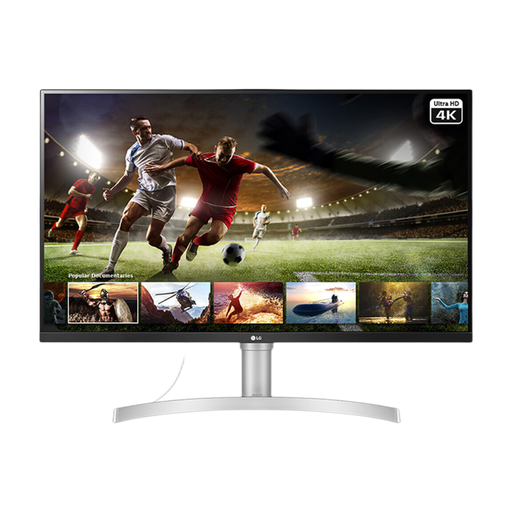
Why This Fits Their Persona: It suits users who prioritise 4K clarity, everyday productivity and entry-level creative work over high-refresh competitive gaming.
Its specification clearly states an IPS panel, 60Hz refresh rate and 5ms response time, making it less likely that buyers mistake it for a premium OLED esports display.
4K resolution, 32-inch IPS screen, HDR10 support, 95% sRGB coverage, built-in speakers and VESA compatibility.
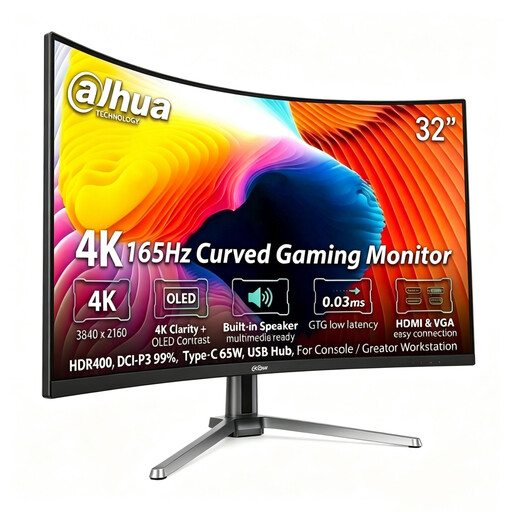
Why This Fits Their Persona: It is designed for users wanting one display for high-resolution PC gaming, console connection and a creator workstation.
The listed panel technology, refresh rate, ports and colour specifications are stated separately, so buyers can assess the complete specification rather than relying on one headline figure.
31.5-inch QD-OLED panel, 3840 × 2160 resolution, 165Hz, 0.03ms GTG, HDR400, 99% DCI-P3, HDMI 2.1 and USB-C 65W.
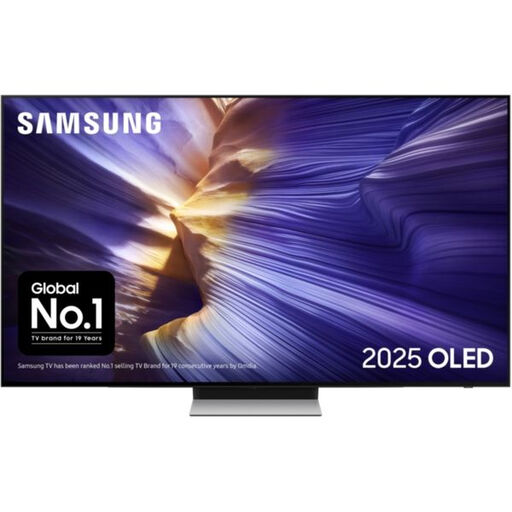
Why This Fits Their Persona: It suits console players who want a large OLED screen for lounge-room gaming, streaming and general entertainment rather than a desk-based monitor.
Its 55-inch size and TV format make its intended use clear, helping buyers avoid expecting desk ergonomics or the compact connectivity of a dedicated monitor.
4K OLED display, 144Hz supported refresh rate, four HDMI inputs, VRR, ALLM and FreeSync Premium Pro support.
We have compiled a complete, real-time list of products that fully satisfy these strict selection criteria and UK safety regulations.
Check for HDMI 2.1, 4K input support, 120Hz compatibility and VRR. A 165Hz monitor may accept a console signal at a lower refresh rate, as consoles commonly target up to 120Hz. Confirm the console, cable and monitor settings are compatible.
The service life depends on brightness, usage hours, static content and panel-care routines. Use the built-in care features, avoid unnecessary static images and follow the manufacturer’s guidance. No display technology should be treated as maintenance-free.
Power use varies with brightness, content and panel design. Bright white desktop screens can demand more power from OLED than darker game scenes, while the product’s stated typical and maximum consumption provide a more useful comparison than panel type alone.