Start with a flat 31.5- or 32-inch 4K monitor if placing small objects and reading management screens matter more than a panoramic view. An ultrawide suits consumers who prioritise horizontal space, while a 4K OLED retains the conventional screen shape for those who want OLED contrast and are prepared to follow panel-care guidance.
Who each screen suits
Detailed park builders
If you spend long sessions placing paths, scenery and buildings, a 31.5- or 32-inch 4K screen gives construction tools and management views a large, conventional 16:9 workspace. GIGABYTE specifies this size and resolution for its M32U.
Panoramic-view players
If surveying a finished park or riding its attractions matters more to you than a conventional desktop layout, consider a 21:9 ultrawide. LG specifies a 39-inch, 3440 × 1440 curved format for the 39GS95QE-W; check whether that shape fits your desk and preferred game view.
OLED-focused consumers
If OLED contrast is a priority, decide whether you also want a 4K 16:9 workspace or an ultrawide view. Persistent game-interface elements make the maker's panel-care instructions and the exact warranty terms part of that decision.
What matters when choosing
Choose the screen shape and resolution for building first; then weigh scenic presentation, refresh rate and the care required by the panel you prefer.
| Concern |
What to check |
Who this matters to |
| Construction workspace |
Compare a 31.5- or 32-inch 3840 × 2160, 16:9 screen with your current display; check its stand adjustment and the resolution supported by your PC connection. |
When I am placing paths and checking dense management screens, I want room to see fine details without changing to an ultrawide layout. Around 46% of consumers would put that construction workspace first. |
| Panoramic park views |
Check the aspect ratio, resolution, curve and available desk width; a 3440 × 1440 ultrawide is not a 4K screen. |
For rides and wide views across a park, I would accept a different screen shape to gain horizontal space. Roughly 27% of consumers would make that wider view their main priority. |
| Contrast and motion |
Check the stated HDR support, your PC's display connection, OLED panel-care instructions and model-specific warranty terms. |
If lighting and camera movement matter most to me, I would weigh OLED presentation and refresh rate against the upkeep of a screen showing persistent menus. Around 27% of consumers would prioritise those image and motion qualities. |
Buying pitfalls
-
Choosing by diagonal size alone
A 39-inch 3440 × 1440 ultrawide and a 32-inch 3840 × 2160 screen serve different preferences: the former has a wider 21:9 shape, while the latter has a conventional 16:9 4K layout. LG and GIGABYTE specify these respective formats for the 39GS95QE-W and M32U.
Decide whether detailed construction or a panoramic park view takes priority before comparing screen sizes.
-
Expecting the advertised refresh rate automatically
A monitor's maximum refresh rate is not a promise of the frame rate your PC will produce. Microsoft notes that the refresh rates available in Windows depend on the connected display setup.
Check the graphics output and cable for the mode you want, then select the supported refresh rate in Windows.
-
Assuming every OLED warranty is alike
LG advises that leaving the same image on an OLED monitor for a long time may cause faint marks. GIGABYTE states that the MO32U has a three-year warranty including panel burn-in coverage, subject to the applicable terms.
Read the terms for the exact model and follow its panel-protection instructions, especially if game menus stay on screen for long sessions.
-
Overlooking desk and mount fit
A large display, particularly an ultrawide, needs space for its screen and stand as well as your keyboard and usual viewing position.
Measure the available desk area; for an arm, check the monitor's mounting pattern and weight against the arm's rated limits.
A suitable monitor arm or a larger desk may be needed if the supplied stand does not fit your setup.
Relevant brands to consider
GIGABYTE
Its M32U and MO32U illustrate two 31.5-inch 4K choices: IPS and QD-OLED respectively.
- GIGABYTE specifies 144Hz and KVM for the M32U, and 165Hz for the MO32U.
- For the MO32U, check the applicable burn-in warranty terms and follow OLED panel-care guidance.
LG UltraGear
The 39GS95QE-W is a 39-inch, 3440 × 1440 curved OLED option for consumers considering a 21:9 view.
- LG specifies a 240Hz refresh rate for this model.
- Its ultrawide resolution is not 4K, and LG's OLED image-care guidance matters when static elements remain on screen.
Samsung Odyssey
The Odyssey G70D is a 32-inch 4K Fast IPS alternative in a conventional screen format.
- Samsung lists a 144Hz refresh rate for the G70D.
- Check the connections and included cables against the PC setup you intend to use.
BenQ MOBIUZ
The EX321UX offers a 32-inch 4K Mini LED route for consumers interested in HDR without choosing an OLED panel.
- BenQ specifies DisplayHDR 1000 and 1,152 local dimming zones for the EX321UX.
- Check how its size and HDR features fit your desk, PC and intended games rather than treating a certification as a promise of identical results in every scene.
Joybuy monitor choices
These monitors cover large 4K OLED screens and wider curved formats for building or viewing a theme park. Choose by screen shape first: the 32:9 option offers a different workspace from both 16:9 4K and 21:9 ultrawide.
 No image available
Dahua 32-inch 4K 165Hz curved OLED monitor
Consider this if you want a large 4K construction workspace with an OLED panel and prefer a curved screen.
The listed resolution is 3840 × 2160, with 165Hz, HDR400 and Type-C 65W stated in the title. Check that the curve suits your desk and read the model's OLED-care and warranty terms before ordering.
Joybuy
 No image available
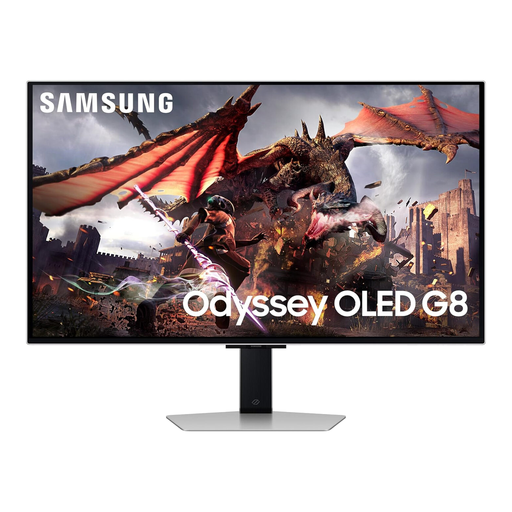
Samsung Odyssey Gaming OLED G8 LS32DG802SUXXU, 32-inch Ultra HD
This is a 32-inch Ultra HD OLED choice for consumers who want a large screen for park construction and value OLED presentation.
Confirm that your PC connection supports the resolution and refresh mode you intend to use, and check the OLED-care instructions and applicable warranty terms.
Joybuy
 No image available
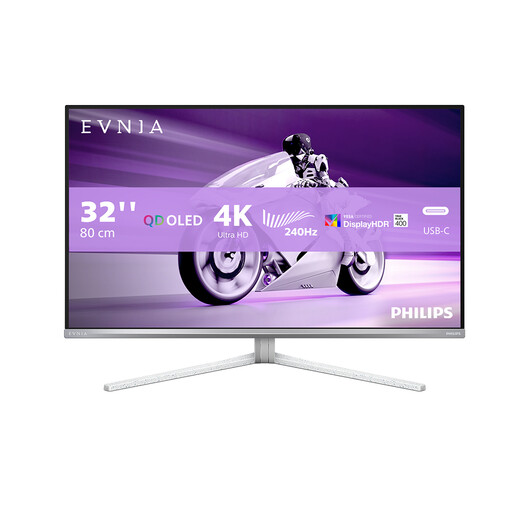
PHILIPS Evnia 32M2N8900, 32-inch UHD OLED monitor
Its 32-inch UHD OLED format fits a large, conventional workspace for theme-park building.
The listing gives conflicting 240Hz and 175Hz refresh-rate claims and differing model suffixes. Confirm the exact variant and refresh specification, then check its panel-care and warranty terms.
Joybuy
 No image available
Acer X Predator X49X, 49-inch 32:9 curved QD-OLED
Consider this screen if a very wide view across a park matters more than a conventional 4K layout.
The title specifies a 32:9 Double Quad HD format, an 1800R curve and 240Hz. Check desk or mount capacity for its size, and review the model's OLED-care and warranty terms.
Joybuy
 No image available
Dahua 34-inch UWQHD 200Hz curved VA monitor
This 3440 × 1440 ultrawide suits consumers who want a broader park view rather than a 4K construction workspace.
The title states a VA panel and 200Hz refresh rate. Check which refresh mode your chosen graphics output and cable support; the stated connection limits differ between HDMI 2.0 and DisplayPort 1.4.
Joybuy
Frequently asked questions
Do I need 240Hz for a theme-park simulator?
No: choose a refresh rate your PC and connection can use rather than making 240Hz the starting requirement. A 144Hz 4K monitor is also a high-refresh option; Microsoft notes that the rates available in Windows depend on the connected display setup.
How do I use HDR on a gaming monitor in Windows?
Your PC and display must meet the relevant HDR requirements. Microsoft advises selecting the HDR-capable display in Windows display settings and turning HDR on; check the monitor's stated support rather than assuming every HDR mode produces the same result.
Is OLED suitable when game menus stay on screen for hours?
OLED remains an option if you are willing to follow the exact monitor's panel-care instructions. LG warns that prolonged display of the same image may cause faint marks, while GIGABYTE advises against unplugging its OLED monitors during the Panel Protect routine.
What should I do with an old monitor?
Check your local authority's electrical-recycling arrangements or ask the retailer about a take-back service. A monitor is electrical equipment, so plan a suitable recycling route rather than placing it with ordinary household waste.


