
24/7 全天候客户支持

免费退货

当日/次日达

品质保障

开启新人专享福利: 全场免邮 | 低至 2 折 | 免费试用 30 天 JoyPlus 会员
下载 Joybuy
That dreaded "Storage Full" notification always seems to appear at the worst possible moment—right when you are about to capture a perfect photo, download a new game or save an important file. Whether you are a gamer tired of slow loading times on your Nintendo Switch, a content creator whose 4K video recording keeps stuttering or an Android user simply running out of space, a high-capacity memory card is no longer a luxury; it is a necessity.
Choosing the right 512GB microSD card can feel overwhelming with all the technical jargon like speed classes and performance ratings. This guide is designed to cut through the jargon. We will explain the key features to look for and provide some practical recommendations to help you find a card that fits your device and your needs.
Before you add a card to your basket, a little knowledge goes a long way. Focusing on these two points will ensure you get the performance you are paying for.
Not all cards are created equal, and the various letters and numbers on the packaging tell a crucial story about performance.
A high speed microSD card can only perform at its peak if the host device supports it. Most modern smartphones, cameras and consoles are compatible with the microSDXC 512GB format. However, it is always a good idea to check your device's manual or the manufacturer's website for its maximum supported capacity. Furthermore, newer standards like microSD Express offer incredible speeds but require a compatible device to unlock that potential. Fortunately, they are backwards-compatible, meaning they will still work in older devices, just at standard speeds.
Here are a few options that cater to different users, from casual smartphone owners to professional creators and dedicated gamers.
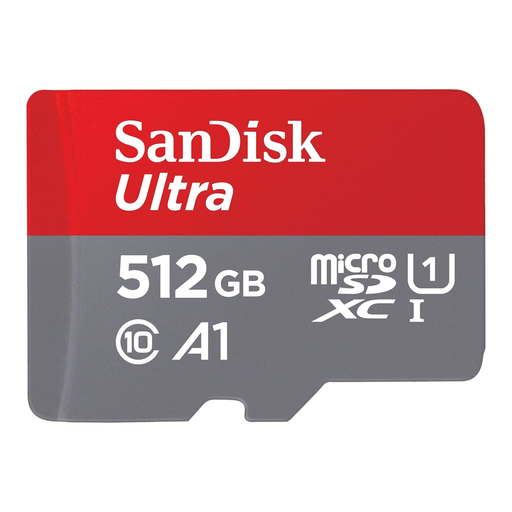
Why It Stands Out: The SanDisk Ultra is a dependable all-rounder that provides a significant storage boost for everyday devices. With transfer speeds of up to 120MB/s, moving photos and Full HD videos is quick and efficient. Its A1 rating ensures that apps run smoothly, making it a solid upgrade for any compatible Android device.
Pros:
Who is it for? This card is a great fit for casual users who need more space on their Android phone or tablet for photos, Full HD videos, music and general apps.
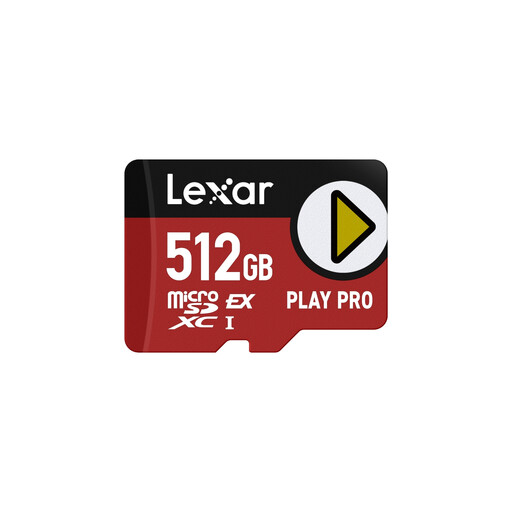
Why It Stands Out: This card is built for next-generation performance. Utilising microSD Express technology, it delivers read and write speeds that are several times faster than traditional UHS-I cards. While it requires a compatible device to reach its maximum potential of 900MB/s read and 600MB/s write, its A2 rating and backwards compatibility make it a powerful and future-proof choice for serious gamers.
Pros:
Who is it for? This is an excellent 512GB memory card for Switch users, portable PC gaming devices and tech enthusiasts who want to minimise loading screens and prepare for the next wave of high-speed portable devices.
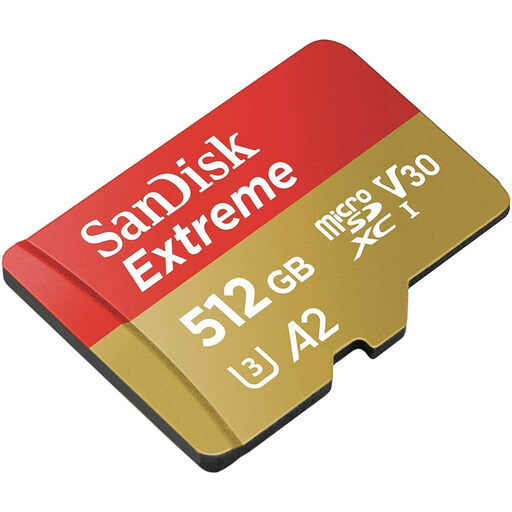
Why It Stands Out: The SanDisk Extreme is engineered for those who push their equipment to the limit. With high write speeds of up to 130MB/s and both U3 and V30 ratings, it handles continuous 4K UHD video recording without issue. Its rugged build provides peace of mind in challenging environments, while the A2 rating also delivers a premium experience for power users on Android.
Pros:
Who is it for? This card is aimed at content creators, drone pilots and action camera users who require a reliable and high speed microSD card that can keep up with demanding recording tasks.
If these specific models do not quite match what you are looking for, or if you are interested in different capacities or even higher performance tiers, there are many other choices available.
Explore our full range of Extreme high speed microSD card options to find the perfect match for your device and budget.
1. Is a 512GB microSD card good for the Nintendo Switch? Yes, a 512GB card is an excellent choice for the Nintendo Switch, providing enough space to store a large library of digital games. To reduce loading times, look for a card with at least an A1 Application Performance Class rating. An A2-rated card will offer even better loading performance.
2. What do the A1 and A2 ratings mean on a microSD card? The 'A' stands for Application Performance Class. This rating measures a card's ability to handle the small, random read and write operations typical of running an application. A card with an A1 or A2 rating will launch games and apps stored on it more quickly than a card without this rating. A2 offers a higher minimum performance threshold than A1, making it preferable for gaming and heavy app use.
3. Can I use any 512GB microSDXC card in my device? Most modern devices that have a microSD slot support the microSDXC 512GB format. However, it is always best practice to check your device's official specifications to confirm its maximum supported storage capacity. For performance, while any card will work, you will only achieve the advertised maximum speeds if your device supports that card's speed class (e.g., UHS-I, microSD Express).