Skaters reviewing tricks in slow motion
If you want to examine a landing, flip or grind, compare the resolution and frame rate of the actual slow-motion mode. Check separately whether stabilisation works in that mode.


If detailed slow-motion replays are your priority, choose an action camera with a documented 4K/120fps mode. For moving follow shots or filming alone, stabilisation, a secure mount and a screen you can see may matter more; check whether your chosen recording mode supports the features you want to use together.
Start with how you will capture the attempt: reviewing a fixed shot, following a moving skater and setting up a camera alone place different demands on it.
If you want to examine a landing, flip or grind, compare the resolution and frame rate of the actual slow-motion mode. Check separately whether stabilisation works in that mode.
Keeping the skater, board and obstacle in view while the filmer moves calls for attention to field of view, compatible stabilisation and a secure handheld or body-mounted setup.
When there is no separate filmer, a visible front display, flip screen or supported subject-centering mode can help you check the composition before another attempt.
Decide whether replay detail, a moving shot or independent setup is your main aim. Then check the recording mode and physical setup needed for that shot.
| Concern | What to check | Who this matters to |
|---|---|---|
| Slow-motion detail | Compare resolution at 120fps and check whether stabilisation works in the intended slow-motion mode. | If I want to inspect a flip or landing, I need a replay that shows the movement clearly. Around 42% of consumers put slow-motion detail first. |
| Moving-shot framing | Check the field of view, stabilisation in the chosen mode and compatibility with a secure mount. | Following a skater means I cannot easily redo a shot that cuts off the board or landing; around 33% of consumers primarily care about keeping moving action in frame. |
| Solo setup | Look for a usable front or flip display; check the resolution limits of any subject-tracking mode. | When I film alone, I want to check the view before repeating a trick. For around 25% of consumers, independent framing is the primary need. |
A moving follow shot may need a different setting from a slow-motion replay. DJI states that electronic image stabilisation is unavailable in the Osmo Action 5 Pro's Slow Motion mode.
Check the exact combination of frame rate, resolution, stabilisation, horizon levelling and tracking you plan to record with.
A handheld follow shot, chest-mounted view and low fixed angle need different arrangements. GoPro's skateboarding guidance describes several mounting positions, but a listed camera body does not by itself establish which accessories suit your shot.
Choose the angle, then check mount compatibility and security, what is included, and the camera maker's microSD card guidance.
A suitable high-speed card or secure mount may need to be obtained separately.
Insta360 lists separate ceilings for Ace Pro 2: 8K at up to 30fps, 4K at up to 120fps and Active HDR at up to 4K/60fps. Those figures do not describe a single recording mode.
Choose the mode according to the clip you need, then confirm which other features remain available in it.
These model-specific features offer different ways to film a trick; a brand's inclusion here does not establish that every product in its range has them.
HERO13 Black is worth considering if you expect to change between skateboarding camera angles and want optional lens and mounting choices.
Osmo Action 5 Pro brings a documented 155° view, 4K/120fps recording and front and rear displays to moving or self-framed shots.
Ace Pro 2 offers a flip-screen approach to checking composition when you position the camera yourself.
These action cameras cover several approaches to recording a skateboard trick, from high-frame-rate replay to lighter or screen-led setups. Compare the exact slow-motion mode and mounting arrangement before choosing a bundle.
 No image available
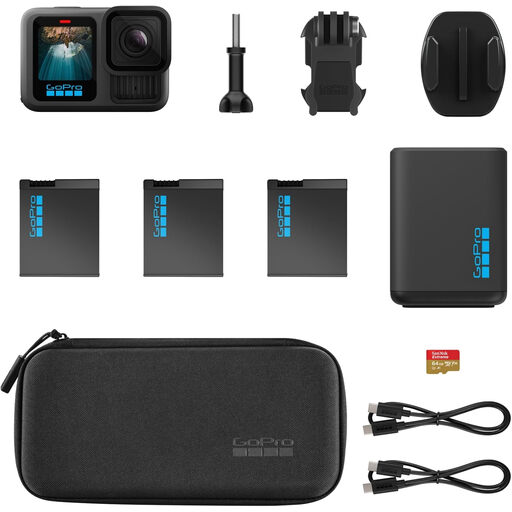
Consider this bundle if you plan to record repeated attempts or change camera positions during a session.
Check which mounts are included for your intended angle and whether stabilisation works in the high-frame-rate mode you want. Confirm the required microSD card separately.
 No image available
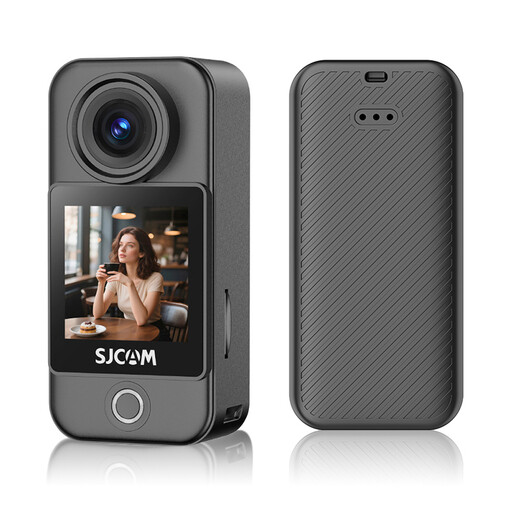
The compact C400 Pocket is an option if you want a small camera for positioning around a trick. Its title lists a 1.3-inch touchscreen and 6-axis stabilisation.
If replay resolution matters, note that its listed 120fps options are 1080p and 720p, not 4K. Check whether stabilisation operates in the slow-motion mode and whether your card and mount suit the setup.
 No image available
The flip screen gives solo skaters a way to check a fixed camera angle before an attempt; the product title also lists 6-axis electronic image stabilisation.
Its listed 120fps recording is at 1080p or 720p, rather than 4K. The advertised 437-minute runtime depends on a handle and auxiliary battery, so confirm whether both are included, along with the card and mount needed for your shot.
 No image available
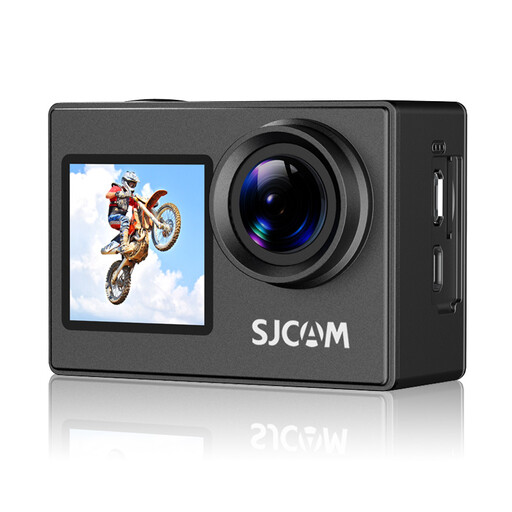
A front display can help you check the composition when the camera faces you. The product title lists a 170° lens alongside the dual-screen arrangement.
For slow-motion review, its listed 120fps mode is 720p; the 4K/30fps mode is described as interpolated, not 4K/120fps. Check electronic stabilisation at 720p/120fps and confirm card and mount suitability.
 No image available
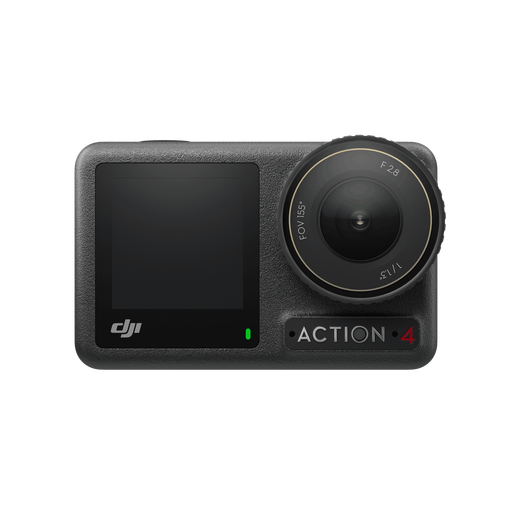
Consider this combo if you want the listed 4K/120fps recording option for trick replays or its 155° field of view for a close shot.
Check stabilisation in the exact 4K/120fps mode you intend to use. Confirm the microSD card requirement and whether a secure mount for your chosen angle is included or compatible.
Use a documented 4K/120fps mode if a detailed slow-motion replay is the priority; choose a compatible stabilised video mode if a smooth moving follow shot matters more. Check the combination on your camera: DJI says electronic image stabilisation is unavailable in the Osmo Action 5 Pro's Slow Motion mode.
Check the card guidance for the exact camera and recording mode before buying. DJI recommends specified U3/V30 cards for Osmo Action 5 Pro, while GoPro lists a V30 or UHS-3 rating for HERO13 Black Creator Edition; do not assume a card used in another camera will suit your chosen mode.
A flip screen can help you inspect a low or fixed camera angle before an attempt. Insta360 lists a 2.5-inch flip touchscreen for Ace Pro 2; DJI instead lists front and rear touchscreens for Osmo Action 5 Pro.
Check the operator's filming rules for the particular skatepark and ask participating skaters where practical; the camera you choose does not establish permission to film. The Information Commissioner's Office says UK GDPR and the Data Protection Act 2018 apply to organisations processing personal data in the UK, which is a separate consideration from a venue's rules.