What to check before choosing
Start with recovery: decide where a copy will live, how it is protected from the main device and account, and how you will restore it when needed.
| Priority |
What to check |
Your needs |
| Recoverable copies |
Check version history, the retention window and whether individual files or a whole library can be restored. Restore a representative photo folder and document to a different location. |
I want an earlier usable version if a file is overwritten, corrupted or deleted, not just confirmation that it was copied once. |
| Separate destinations |
Keep at least one copy offline or digitally disconnected when it is not being updated. Use a separate off-site drive or independently protected cloud destination. |
A computer problem, theft, fire or compromised account should not remove every available copy at once. |
| Access and account protection |
Confirm encryption and password support for the exact model and operating system. Set up account recovery information and two-factor verification before depending on cloud storage. |
I need to protect sensitive household records without losing the password, key or account access needed to recover the only usable copy. |
| Capacity and routine |
Calculate capacity from the full protected set and expected growth. Check automatic backup support, connectors, file-size limits and format coverage for the devices in use. |
The backup should cover the photo formats, document folders and devices we actually use, rather than stopping after a few manual transfers. |
Joybuy product options
These Joybuy options cover portable local copies for household photos and documents, plus one compact flash-storage option for a limited supplementary archive. They do not replace the need for a separate off-site copy and a tested restore routine.
 No image available
Lexar ES4 Portable SSD with Magnetic Set 1TB
A local-copy option for households moving files between computers and USB-C devices.
The listing states 1TB capacity, supplied USB-C and USB-A cables, read speeds up to 1050MB/s and write speeds up to 1000MB/s. It also states Lexar DataShield 256-bit AES encryption software; confirm operating-system support, backup scheduling and the restore workflow before relying on it.
Keep another copy elsewhere, as a portable local drive is not an independent off-site backup.
Joybuy
 No image available
Samsung T7 Shield Portable SSD 1TB
A portable local-copy option for photo and document transfers across Macs, PCs and Android devices.
The listing states USB 3.2 Gen 2 connectivity, 1TB capacity, read speeds up to 1050MB/s, write speeds up to 1000MB/s, and included USB-C-to-C and USB-C-to-A cables. Password and AES-256-bit hardware encryption are stated to use Samsung Portable SSD Software, so verify support on every intended device.
IP65 is stated for dust and water resistance, not immersion; disconnect the drive after backup and keep another copy elsewhere.
Joybuy
 No image available
SanDisk Portable SSD 2TB
A larger local destination for a growing family photo and document library.
The listing states 2TB capacity, read speeds up to 800MB/s, up to 2-metre drop protection, a supplied USB cable and a 0.04kg portable form factor. Confirm connector compatibility, backup software, password protection and encryption for your intended devices.
A single portable drive does not provide off-site resilience or multi-version recovery by itself.
Joybuy
 No image available
DigiEra LPS2000M-3 Magnetic Portable SSD 1TB
A local-copy option for USB-C devices and compatible phone-created media.
The listing states 1TB capacity, USB 3.2 Gen 2×2, read speeds up to 2000MB/s and write speeds up to 1800MB/s. Magnetic attachment is explicitly limited to iPhone 15 series and newer, so check device compatibility and confirm backup, encryption and scheduled-copy support separately.
Retain an independently protected off-site copy for irreplaceable files.
Joybuy
 No image available
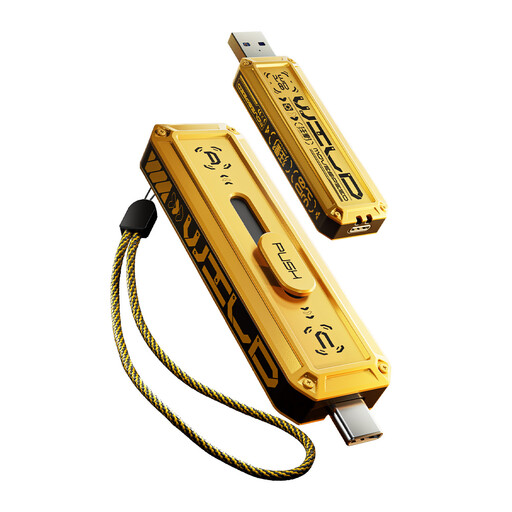
MOVESPEED YSUWD10-1TSY USB Flash Drive 1TB
A compact supplementary option for a small, clearly defined archive moved between compatible devices.
The listing states 1TB capacity, USB-A and Type-C interfaces, USB 3.2 Gen 2×1 and read and write speeds up to 1090MB/s and 1030MB/s. Check encryption, backup scheduling, version history and restore tools before using it for sensitive files.
Keep it separate from the main device and periodically open copied files; use it as a supplementary copy rather than the sole backup for a growing photo library.
Joybuy
Frequently asked questions
Is photo synchronisation the same as an independent backup?
Not necessarily. Apple states that deleting a photo or video from iCloud Photos also deletes it from devices using iCloud Photos, with a 30-day recovery period. A synchronised library can be useful, but keep a separate copy and understand the service's deletion and recovery rules before treating it as a long-term backup.
What should I test before trusting a new backup drive, NAS or cloud service?
Run a small restore test first: recover a photo folder and a document to a different location, open the files and check that their dates and contents are usable. Confirm that the expected folders are included and that you understand the recovery process; the National Cyber Security Centre stresses the importance of a recent offline copy for important files.
Does encryption make a backup safe if the drive is lost or stolen?
Encryption can reduce unauthorised-access risk, but it also creates a recovery responsibility. The Information Commissioner's Office notes that losing a private key can make encrypted material inaccessible, so confirm encryption support for the exact drive or service and store recovery information separately from the backup.
What account checks matter for cloud storage?
Check storage allowance, auto-renewal, inactivity rules, cancellation and export timing, payment failure handling and account-recovery options. GOV.UK advises that suspension or cancellation can remove access to data, while Microsoft recommends strong passwords, recovery information and two-factor verification for OneDrive accounts.


