Long-log and code readers
If you spend much of the day moving through logs, traces, terminals or documentation, a taller display is worth comparing with a conventional widescreen. BenQ UK specifies a 3:2 layout for its RD280U.


Choose a 27-inch 4K monitor if you want a conventional desktop layout for detailed text; consider a taller 3:2 display if reading long log histories matters most, or a 34-inch ultrawide if logs, terminals and dashboards need to stay visible side by side. Before deciding, check desk space, screen positioning and, if you use a laptop, whether its video and charging requirements match the monitor’s connections.
If you spend much of the day moving through logs, traces, terminals or documentation, a taller display is worth comparing with a conventional widescreen. BenQ UK specifies a 3:2 layout for its RD280U.
If live logs, a terminal, dashboards and a runbook need to remain open together, consider whether a wider screen would suit your window layout. LG UK specifies a 21:9 format for its 34WR55QK-B.
If you want to connect a laptop and desk peripherals through a monitor, check the laptop’s video and charging requirements alongside the monitor’s ports. Dell UK lists USB-C power delivery, USB ports and Ethernet for its P2725QE.
For server-log work, choose the screen layout around the task that occupies most of your day, then check whether the display fits your desk and laptop setup.
Choose it when: You want detailed text in a conventional 16:9 layout without moving to an ultrawide screen.
Trade-off: Dell UK’s 3840 × 2160 P2725QE has fewer vertical pixels than BenQ UK’s 3840 × 2560 RD280U and less horizontal space than LG UK’s 34-inch 21:9 option.
Choose it when: Long log histories, code and documents take priority over keeping several broad windows open.
Trade-off: BenQ UK’s 3840 × 2560 RD280U provides a taller layout, but not the horizontal spread of LG UK’s 34-inch 21:9 display.
Choose it when: You regularly arrange logs, a terminal and dashboards side by side.
Trade-off: LG UK’s 3440 × 1440 34WR55QK-B needs more desk width and has fewer vertical pixels than BenQ UK’s 3840 × 2560 RD280U.
| Concern | What to check | Who this matters to |
|---|---|---|
| Long logs and detailed text | Compare native resolution, aspect ratio and screen dimensions rather than relying on a 4K label. | If I spend most of my time reading timestamped lines, I want to see more of a log before scrolling. Around 36% of consumers may put vertical log reading and detailed text first. |
| Several visible panes | Check the available screen width and desk space. If you use two computers, check for picture-by-picture; ordinary windows on one computer do not require it. | During an incident, I need a log, terminal and dashboard in view without constantly changing windows. Keeping operational panes visible may come first for around 29% of consumers. |
| Laptop docking | Confirm USB-C video support on the laptop and compare its charging needs with the monitor’s power-delivery rating. | At my desk, I would rather connect a compatible work laptop through the monitor than manage separate display and peripheral connections. Around 21% of consumers may prioritise that docking need. |
| Screen positioning | Check stand adjustments, arm-mounting requirements and reflections from windows or lights. | For extended screen work, I need to place the display comfortably in my existing workspace. Positioning and reflection control may be the primary concern for around 14% of consumers. |
A USB-C connector alone does not establish whether a laptop can send video to the monitor or charge at the required rate. Dell UK specifies up to 90 W for the P2725QE, while LG UK specifies up to 65 W for the 34WR55QK-B.
Check the laptop manufacturer’s video-output and charging specifications against the monitor’s stated connection and power-delivery capabilities.
If the connection does not meet both needs, you may still need the laptop’s charger or a separate dock.
A wider layout can accommodate side-by-side windows, but a 34-inch screen also changes how much room remains for the rest of your workstation.
Measure usable desk width and depth, then decide whether wider panes matter more to you than the vertical space of a taller display.
The Health and Safety Executive identifies fatigue, eye strain and musculoskeletal problems as possible concerns with prolonged or poorly arranged display-screen work. A coating or display mode does not arrange the rest of the workstation.
Position the screen, manage reflections and consider your chair, lighting and breaks as well as monitor features. If you use a screen for work as an employee, ask your employer about its display-screen-equipment process.
Dell UK’s P2725QE is a reference point for a conventional 27-inch 4K monitor with laptop-docking connections.
BenQ UK’s RD280U is a reference point for buyers who favour a taller log-reading layout over ultrawide width.
LG UK’s 34WR55QK-B is a reference point for a wide layout that can accommodate several work panes.
These choices include 27-inch and larger 4K desktop monitors for reading detailed text, plus a 34-inch ultrawide for arranging operational windows side by side. Compare their connections and physical fit with your own setup.
 No image available
Consider this for reading logs on a 27-inch desktop screen while keeping USB-C connectivity in your selection criteria.
The product name specifies a 4K UHD IPS display, Nano Glossy finish and height-adjustable stand. Confirm the intended computer’s video and charging compatibility before planning a single-cable setup.
 No image available
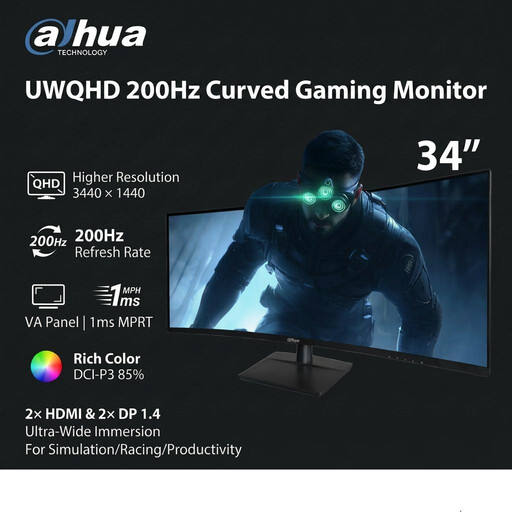
Consider the wide format if your log-reading workflow calls for windows arranged side by side, and measure the desk before choosing it.
The product name specifies a VA panel, 200 Hz refresh rate, two HDMI inputs and two DisplayPort 1.4 inputs. If laptop docking matters, check how you would connect the laptop and any peripherals.
 No image available
Consider this if you want a larger 4K desktop display for logs and have room to position it comfortably.
The product name specifies a 4K UHD IPS display, Nano Glossy finish and height-adjustable stand. Check the desk fit and the intended laptop’s USB-C video and charging requirements.
 No image available
Consider this 27-inch option if detailed text and a conventional desktop display matter more than a wide multi-pane layout.
The product name specifies 60 Hz, built-in speakers, HDMI and DisplayPort. If your laptop setup depends on USB-C docking, check the connections you need before buying.
 No image available
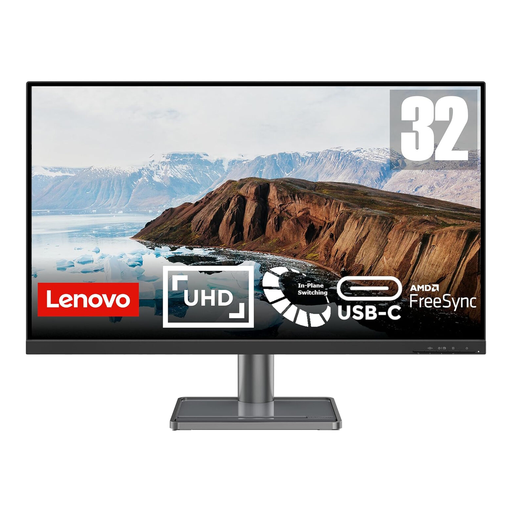
Consider this for log reading on a larger desktop screen if your desk can accommodate it.
The product name specifies a 31.5-inch 4K UHD IPS display and USB-C connectivity. Check the USB-C video and charging capabilities against your laptop before relying on one connection.
No: choose by how you arrange and read the logs, not by the 4K label alone. Dell UK’s 27-inch P2725QE specifies 3840 × 2160 resolution, BenQ UK’s taller RD280U specifies 3840 × 2560, and LG UK’s 34-inch 34WR55QK-B specifies 3440 × 1440 for a wider layout.
It can if the laptop supports video through that USB-C connection and the monitor’s power delivery meets the laptop’s needs. Dell UK specifies up to 90 W for the P2725QE and LG UK up to 65 W for the 34WR55QK-B; check the laptop documentation before relying on either connection as its charger.
Yes, if you use a screen for work, its position and the wider workstation deserve attention. The Health and Safety Executive includes home workers in its display-screen-equipment guidance; employees should ask their employer about the applicable workstation-assessment process rather than treating a monitor feature as a substitute.
Choose the adjustment that lets you position the screen within your desk and seating setup; an arm is not automatically necessary. Check the monitor’s stand movements and its mounting specification if you plan to use an arm. The Health and Safety Executive treats screen position and lighting as parts of the wider workstation setup.