What matters when choosing
Decide how you will get live updates, then balance screen space against how easily you can carry and retrieve the tablet. Heathrow Airport’s connection guide illustrates the value of having both flight numbers ready, but an airport update should not replace instructions from the operating airline.
| Concern |
What to check |
Who this matters to |
| Fast access to flight information |
Check that the airline and airport services you intend to use work on the tablet, and that its screen is practical to read on the move. |
When a gate or connection instruction changes, I need to bring up the right flight details without searching through several devices. Around 45% of consumers put prompt access to connection information first. |
| Connection without airport Wi-Fi |
Identify the exact Wi-Fi or cellular variant; if choosing cellular, check its SIM or eSIM requirements and your intended data service. |
If airport Wi-Fi is unavailable or unsuitable, I want another way to retrieve live updates. For around 33% of consumers, an alternative connection is the primary need. |
| Easy carrying and readable maps |
Compare screen size, tablet dimensions and listed weight, including the case you plan to carry. |
I want enough room to read a map, but I also need to hold and stow the tablet comfortably between gates. That balance comes first for around 22% of consumers. |
Joybuy tablets for flight connections
These tablets offer a choice of compact and larger screens for viewing travel information. Their connectivity differs, so match the exact model to whether you expect to use Wi-Fi, phone tethering or a compatible mobile-data service.
 No image available
Apple iPad Mini 7 (A17 Pro), 256GB, Space Grey
Consider this compact model if keeping a tablet accessible between gates matters more than a large viewing area.
Check the exact connectivity variant before buying if you need mobile data without Wi-Fi or phone tethering.
View on Joybuy
 No image available
Samsung Galaxy Tab A11+, 11-inch, 128GB Wi-Fi, Grey
Consider this 11-inch model if you want more screen room for flight details and maps and plan to connect by Wi-Fi or phone tethering.
The title identifies a Wi-Fi version, so do not choose it on the assumption that it has its own mobile-data connection.
View on Joybuy
 No image available
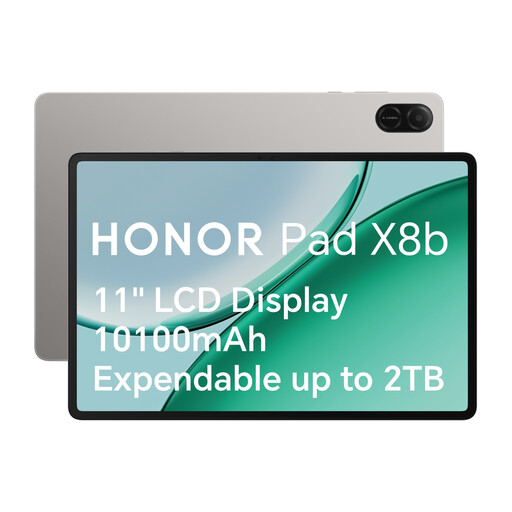
HONOR Pad X8b, 128GB, Space Grey
Consider this tablet if you want a separate screen for travel pages and documents.
If independent mobile data is essential, confirm the exact connectivity variant before purchase.
View on Joybuy
 No image available
TECLAST T65 Plus, 13.4-inch, Dual SIM 4G LTE
Consider this larger tablet if viewing maps and documents takes priority over compact carrying.
Its title specifies a 13.4-inch 120 Hz display, Android 15 and Dual SIM 4G LTE; check network compatibility and arrange a suitable data service before relying on mobile access.
View on Joybuy
 No image available
TECLAST ArtPad Pro 2025 Edition, 12.7-inch, Dual SIM 4G LTE with stylus
Consider this larger-screen model if you expect to read maps and travel documents on the tablet rather than keep it in hand throughout a connection.
The title specifies a 12.7-inch 2K display, 256GB storage and an included stylus. Check its carrying dimensions and your carrier’s compatibility before depending on its stated 4G LTE capability.
View on Joybuy
Questions about tablets for connections
Can a tablet tell me whether I will make my connection?
A tablet can help you check updates, but it cannot guarantee whether you will make the connection. Heathrow Airport says airlines update its flight information while cautioning that the information may be inaccurate or incomplete, so check the operating airline’s instructions too.
Do I need a cellular tablet at the airport?
Not necessarily: a Wi-Fi tablet can use an available airport network or phone hotspot. Cellular gives you another connection option if the exact tablet variant supports it and you have a suitable data service; Samsung’s Galaxy Tab A9+ 5G and Apple’s iPad mini Wi-Fi + Cellular are distinct from their Wi-Fi versions.
Can I carry a tablet in hand luggage on a flight to the UK?
Yes. GOV.UK lists tablets as permitted in hand luggage on flights to the UK, although you should also check any additional requirements set by your airline.
Should I charge my tablet before going to the airport?
Yes. For flights to the UK, GOV.UK says a device that cannot be switched on when requested will not be allowed onto the aircraft. Check your airline’s instructions if you also carry a power bank or spare battery.
What should I set up before a flight connection?
Make sure you can access your booking reference and the operating airline’s updates before you travel. If connecting through Heathrow, its airport app lets you add both flight numbers for a personalised connection guide; save essential documents for offline access where your app permits it.


