
24/7 Customer Support

Free returns

Same-day & Next-day Delivery

Quality Guaranteed

Unlock Your Welcome Offers: FREE Delivery | Up to 80% OFF | Free 30-day JoyPlus trial
Download the APP
Are you tired of juggling windows on a cramped screen? Constantly alt-tabbing between spreadsheets, documents and communication apps can disrupt your flow and hinder productivity. For gamers and film enthusiasts, a standard 16:9 display can feel restrictive, cropping the immersive, cinematic experience you crave. An ultrawide monitor offers a solution, expanding your digital workspace and pulling you deeper into your entertainment.
Navigating the market for the right display can be a challenge. With terms like aspect ratio, refresh rate and connectivity options to consider, it’s easy to feel overwhelmed. This guide is designed to simplify your search. We will walk you through the key features to look for and present our top recommendations to help you find a monitor that fits your specific needs, whether for work, play or creative pursuits.
Before diving into specific models, let’s clarify a few key considerations. Understanding these will help you identify which features matter most for your setup.
The defining feature of an ultrawide is its 21:9 aspect ratio, which is significantly wider than the standard 16:9 of most monitors and TVs. This extra horizontal space is a game-changer for multitasking. A popular size is the 34-inch ultrawide monitor, which provides ample room to view multiple application windows side-by-side without the interruption of a bezel from a dual-monitor setup.
For those who need the maximum possible screen real estate, a 49-inch super ultrawide monitor with a 32:9 aspect ratio is the next step up. These displays are equivalent to two 27-inch QHD monitors placed together, offering an unparalleled canvas for complex data analysis, video editing timelines or incredibly immersive gaming.
Your primary use case will determine which specifications to prioritise.
For Productivity: An ultrawide productivity monitor should focus on comfort and connectivity. Look for features like a high resolution (WQHD or higher) for sharp text, an ergonomic stand with height and tilt adjustments and modern connection options. A monitor with USB-C is particularly valuable, as it can transmit video, data and power to charge your laptop through a single cable, creating a clean and efficient workspace.
For Gaming: If you’re a gamer, your focus should be on performance. A high refresh rate (measured in Hz) and a low response time (ms) are critical for smooth, blur-free motion. A curved gaming monitor enhances immersion by wrapping the display around your field of view, making it ideal for racing simulators and first-person titles.
Here are our recommendations for ultrawide monitors that cater to different needs, from professional multitasking to high-performance gaming.
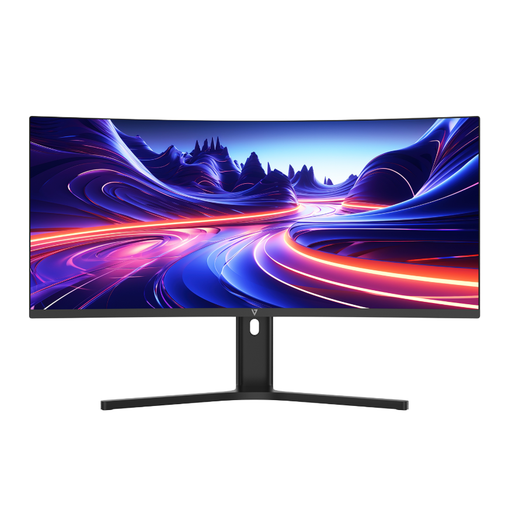
Why It Stands Out: The V7 L340WQ-HAS is a versatile workhorse designed for the modern professional. Its 34-inch curved screen and 3440 x 1440 WQHD resolution provide a vast and detailed workspace, eliminating the need for a second monitor. The standout feature is its single-cable solution: the USB-C port with 65W Power Delivery allows you to connect and charge a compatible laptop simultaneously, decluttering your desk. It also includes Picture-by-Picture (PBP) mode, enabling you to display content from two different sources at once.
Pros:
Who is it for? This monitor is an excellent choice for home office professionals, content creators and anyone looking to create a streamlined and productive desk setup.
View Details for the V7 34" Ultrawide Monitor
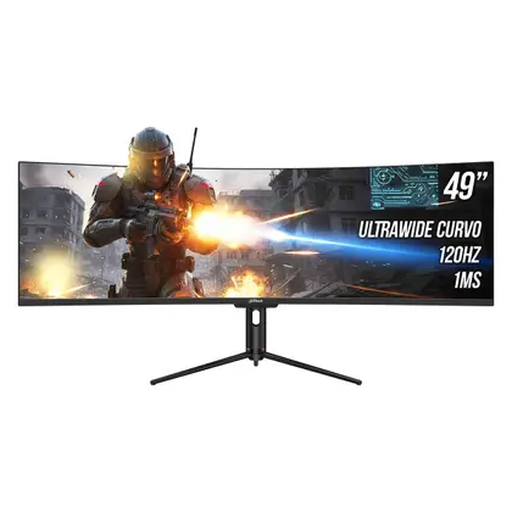
Why It Stands Out: For those who believe bigger is better, this 49-inch super ultrawide from Dahua delivers an epic field of view. With a 32:9 aspect ratio and a 5120 x 1440 resolution, it’s the equivalent of having two 27-inch QHD monitors side-by-side, but without the distracting bezel in the middle. The smooth 120Hz refresh rate makes it highly capable for both fluid productivity and immersive gaming. It also includes a USB-C port with 65W Power Delivery and a built-in USB hub, making it a powerful centrepiece for any advanced setup.
Pros:
Who is it for? This monitor is aimed at power users such as financial traders, software developers, video editors and gamers who demand the most screen real estate possible.
View Details for the Dahua 49" Super Ultrawide Monitor
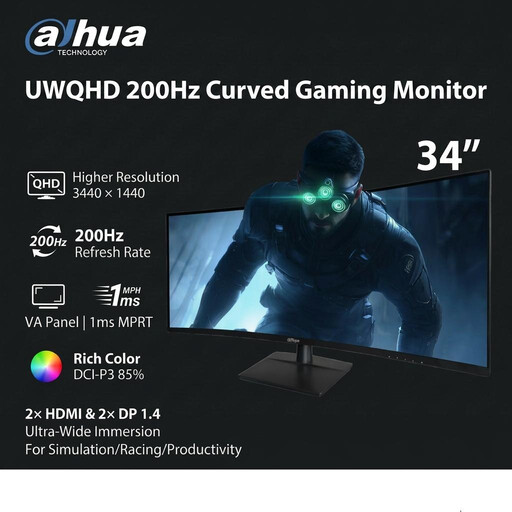
Why It Stands Out: This Dahua 34-inch ultrawide monitor is built from the ground up for competitive gaming. Its main attraction is the lightning-fast 200Hz refresh rate combined with a 1ms MPRT (Motion Picture Response Time), which ensures exceptionally smooth and responsive gameplay with minimal motion blur. The 21:9 aspect ratio provides a wider field of view in many games, giving you a tactical advantage. The deep 1500R curve pulls you into the action, making it perfect for racing, flight simulators and atmospheric adventure games.
Pros:
Who is it for? This is the ideal curved gaming monitor for serious PC gamers who prioritise speed, responsiveness and immersion in fast-paced and simulation titles.
View Details for the Dahua 34" 200Hz Gaming Monitor
While ultrawide monitors offer a fantastic experience, they may not be the right fit for every desk or budget. If you're interested in exploring a wider variety of displays, including traditional 16:9 models and other specialised screens, we have a broad selection to choose from.
Explore our full range of flat screen computer monitors to find the perfect match for your needs.
1. Is an ultrawide monitor worth it for work? For many professionals, an ultrawide monitor is a significant productivity booster. The extra horizontal space allows you to have multiple full-sized windows open simultaneously, reducing the need to switch between applications. This is particularly useful for tasks involving spreadsheets, coding, research and comparing documents.
2. Can you game on a 21:9 ultrawide monitor? Yes, gaming is one of the most popular uses for ultrawide monitors. Most modern games support the 21:9 aspect ratio, which provides a wider field of view and a more immersive experience. However, it's worth checking if your favourite competitive titles fully support the format, as some may add black bars on the sides to maintain a level playing field.
3. What is the difference between an ultrawide and a super ultrawide monitor? The main difference is the aspect ratio and physical size. An ultrawide monitor typically has a 21:9 aspect ratio. A super ultrawide monitor is even wider, with a 32:9 aspect ratio. Think of it as two standard 16:9 monitors fused together into one seamless display. Super ultrawides offer the most screen space but require a significant amount of desk depth.