Families choosing a schoolwork device
If the child writes longer assignments or uses school websites and files, establish those requirements before deciding whether a tablet will do or a laptop or Chromebook is needed.


Start with the child’s schoolwork: a laptop or Chromebook is a sensible first route when regular typing, files or browser-based lessons matter, provided it meets the school’s requirements. A tablet may suit portable, touch-led use if the required learning services work on it; a phone serves different on-the-go needs, while a console is a separate gaming decision rather than a schoolwork replacement. Check child-account and household-sharing settings before buying.
If the child writes longer assignments or uses school websites and files, establish those requirements before deciding whether a tablet will do or a laptop or Chromebook is needed.
Video and online games may be part of the same household routine, but a device chosen for those activities still needs to handle the child’s actual school tasks. A console can remain a separate choice for gaming.
Separate accounts and platform-specific controls matter when a child uses a shared device or starts using apps, games and online communication more independently.
Confirm the school’s requirements, then choose the device form and account setup around the activities the child will actually use.
| Priority | What to check | Your needs |
|---|---|---|
| Schoolwork access | Ask the school about required apps, websites, browsers, sign-in methods and any managed-device policy. Check whether assignments involve sustained typing or particular file formats. | I need the child to complete the school’s actual tasks, not just get online. In Ofcom’s 2025–26 research, 69% of UK parents of children aged 8–17 said being online helps their child with schoolwork; that view does not establish which device their school requires. |
| Tablet use | Check the required learning services on the chosen operating system and screen size. Consider how the child will type and handle files when work goes beyond short, touch-led tasks. | A portable device for reading, video and use around the home appeals to me, but it still has to work with the child’s school platform. |
| Phone use | Check whether on-the-go communication is needed and what school tasks, if any, must be done on the phone. Review account and app settings for that device. | Staying in touch away from home matters more to us than doing long written assignments on this device. |
| Console gaming | Check the games’ PEGI content ratings, account permissions, multiplayer settings and any service requirements. Keep schoolwork access as a separate question. | We want a dedicated way to play games, possibly on a shared TV, after arranging a device for learning. |
| Child accounts | Set up an individual child account and inspect content, communication, screen-time and purchase controls on the chosen platform. Check what happens with gift cards or an existing account balance. | I want settings that apply to the child without handing over an adult’s account, purchases or messages. |
| Household setup | Check who will use the device, where it will be stored and charged, and whether a case or other accessory fits the chosen model. | Our device may move between rooms or carers, so charging and sharing need to work in everyday use. |
A device that handles video or games may not handle the school’s sign-in, browser tools, files or required software. The Department for Education advises assessing educational devices against their intended use and technical needs.
Ask the school for its app, website, browser and account requirements before settling on a device category.
A console addresses a gaming need, not regular keyboard-led coursework or school-platform access.
Arrange schoolwork access first, then consider a console if gaming is a separate, recurring household activity.
For PS5 Digital Edition online multiplayer, PlayStation says a separately sold PlayStation Plus subscription is required.
An adult account does not provide the same separation of purchases, messages and settings as an individual child account.
Create the child account in the relevant family group and review its purchase, content, communication and screen-time settings before independent use.
PEGI says its ratings concern a game’s age suitability, not its difficulty. Game ratings and platform settings address different parts of the decision.
Review the rating and content descriptors, then test the child account’s game, communication and purchase permissions.
Xbox Support says gift cards or money already in a child’s Microsoft account can still be used for purchases.
Account tools differ by platform and device; check the settings available for the particular child account and hardware you plan to use.
Relevant to families considering an iPad or iPhone with separate Apple Accounts in a Family Sharing group.
Relevant to households considering Android devices or a Chromebook alongside Google account supervision.
Relevant to Windows family devices and Xbox households setting up child-specific permissions.
Relevant when a family is considering PS5 Digital Edition for gaming after arranging schoolwork access.
These options cover laptop and Chromebook routes for schoolwork, plus a tablet for portable use. Check each device against the child’s school requirements and intended account setup.
 No image available
A Chromebook option to consider for schoolwork that uses a compatible browser and apps. The listed configuration has a 14-inch WUXGA (1920 x 1200) display; confirm the school’s software and sign-in requirements before choosing it.
 No image available
A 14-inch laptop route for written schoolwork and mixed household use. Because this configuration uses Snapdragon X, check the child’s required school apps, browser and sign-in method for compatibility before buying.
 No image available
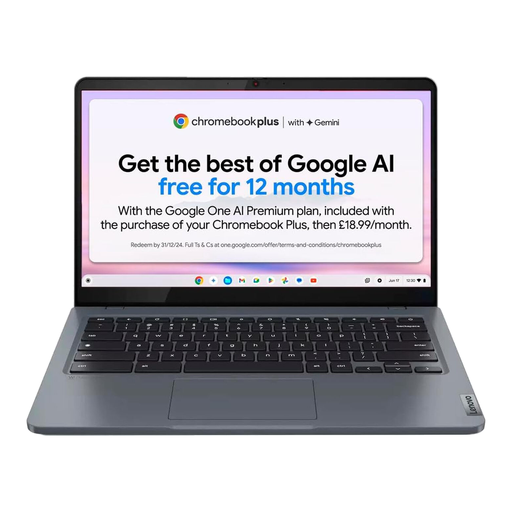
Another Chromebook route for schoolwork and video use, with a listed 14-inch display and Intel Core i3 N305. Check school-platform compatibility and whether 256GB eMMC storage suits the child’s expected apps and files.
 No image available
A tablet option for portable video and app use, with Child Lock listed in its name. Confirm the school’s app and account requirements and the precise Child Lock settings. A blue protective case is listed, but no adapter is included.
Ask about required learning platforms, apps, browsers, sign-in methods, keyboard use and file formats, as well as any managed-device rules. The Department for Education advises assessing devices against their intended educational use and technical and support needs, rather than assuming one specification suits every child.
Do not rely on a console alone if the child needs to type assignments, manage files or use school-specific services. Arrange a device that meets those learning requirements first, then consider a console for gaming.
Google says a parent can create and manage an account for a child under 13, or under the applicable age in their country, using Family Link. Check the child’s country, device compatibility and school-account policy during setup.
Apple’s Family Sharing guidance uses separate Apple Accounts for each person and offers features including Ask to Buy and Screen Time. Set up the child’s own account if you want child-specific controls without sharing the adult account.
No. Xbox Support says a child account can still make purchases using gift cards or money already in its Microsoft account. Check both the approval setting and any stored balance.