What should you check?
Choose the recovery method before the device: decide what must survive a deletion or device loss, then check capacity, connection and the steps needed to restore it.
| Concern |
What to check |
Who this matters to |
| A separate recovery copy |
Check that a local drive holds the files you need and can be stored separately after copying. The National Cyber Security Centre advises against leaving removable backup media connected. |
If my photos or documents cannot be recreated, I want another copy I can reach even when the original device or synchronised library is affected; roughly 33% of consumers put that separate recovery copy first. |
| Automatic phone recovery |
Check what iCloud Backup or Google Account backup includes, how photo synchronisation differs, and the available account storage. |
When I replace or lose my phone, I want recent data ready to restore without relying on manual transfers; around 27% of consumers prioritise automatic phone recovery. |
| Computer-library backup |
Match the destination to Windows File History or Mac Time Machine. Apple recommends a Time Machine disk with at least twice the Mac's storage capacity. |
My documents and imported photos also live on a computer, so protecting the phone alone would leave files behind; roughly 27% of consumers make the computer library their primary concern. |
| Portable file transfer |
Match the drive connector and file-copy method to both devices. Files by Google requires Android 7.0 or later for USB-storage access; an iPhone may need an adapter. |
If I mainly need to carry selected photos or documents between a phone and computer, a straightforward connection matters most; about 13% of consumers put portable transfer first. |
Local storage choices on Joybuy
These SSDs, hard drives and USB flash drives are options for keeping or transferring local copies of photos and files. Pair a suitable drive with a copying and restore routine; choosing physical storage does not set up automatic phone or cloud backup.
 No image available
SanDisk Portable SSD 2TB
Consider this portable SSD for a local copy of a sizeable photo or file collection. It has a stated capacity of 2TB; check your phone's connection and file-copy method if you intend to copy directly from it.
View on Joybuy
 No image available
Lexar ES4 Portable SSD Magnetic Set 1TB
Consider this 1TB SSD for portable copies when its connection and copying method suit your devices. Its name specifies USB 3.2 Gen 2, advertised read speeds up to 1,050 MB/s and write speeds up to 1,000 MB/s, and iPhone 15/16 compatibility; confirm the exact phone, case arrangement and file-transfer workflow before buying.
View on Joybuy
No image available
Western Digital My Passport Ultra Portable Hard Drive 4TB, Silver
Consider this 4TB portable hard drive for a computer-based copy of photos and documents. If you use a Mac or backup software, check the required file format, setup and restore process for your intended workflow.
View on Joybuy
 No image available
MOVESPEED YSUSP05-512GSR USB Flash Drive 512GB
Consider this drive for carrying a copy of selected files between compatible devices. Its name specifies USB-A and Type-C connectors and USB 3.2 Gen 1; check your phone's USB-storage support and file-copy process rather than assuming it will make a complete phone backup.
View on Joybuy
 No image available
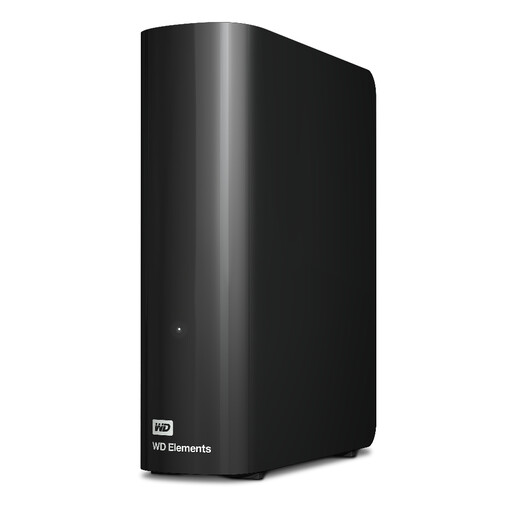
Western Digital WD Elements 12TB USB 3.2 Gen 1 Desktop Hard Drive
Consider this desktop drive for a large, computer-based photo and document archive rather than direct phone transfer. It has a stated capacity of 12TB; for Mac backup, check the required formatting and compare the drive's capacity with Apple's Time Machine sizing guidance for your Mac.
View on Joybuy
Common questions
Is iCloud Photos the same as an iPhone backup?
No. Apple says iCloud Photos synchronises the library across devices, while iCloud Backup covers information not already synchronised to iCloud. Photos held in iCloud Photos are not duplicated in iCloud Backup, and deletions synchronise too, so keep another independently managed copy of important photos.
Can an Android phone copy files directly to a USB drive?
Yes, if the phone and drive can connect and the file-copy app supports the task. Files by Google says USB-storage access requires Android 7.0 or later; check the phone's port, any adapter and the files you intend to copy before choosing a drive.
How large should a drive be for Mac Time Machine?
Apple recommends a backup disk with at least twice the Mac's storage capacity and advises using that disk only for Time Machine. That recommendation applies to a Mac Time Machine backup, not every separate copy of phone photos.
What happens when Google Account storage is full?
New photos and videos cannot be backed up to Google Photos once the account reaches its storage limit, according to Google. Because Drive, Gmail and Google Photos share the allowance, review usage across all three before relying on continuing photo backup.


