What should you check first?
Start with the account warning, then decide whether you need continued syncing, a separate backup, a planned transfer or a combination.
| Priority | What to check | Your needs |
|---|
| Account usage |
Open the provider’s storage view. Check which photos, files, messages or attachments count towards the affected account. |
I want to know what caused the warning before removing photos or changing my plan. |
| Cloud access |
Check that the plan expands the account you use across devices. Review its capacity, billing frequency, renewal and the effect of cancellation. |
My files need to remain accessible and synchronised through the same account, and an ongoing subscription suits me. |
| Recoverable copy |
Keep important files in a separate safe location. Check folder coverage and open sample files from the destination before deleting originals. |
I need to make room without losing the only usable copy of my photos or documents. |
| External-drive fit |
Check capacity, computer ports, cable, power and file-system support. Treat stated transfer speeds as conditional on the host and connection. |
A computer-led copy would let me retain a large collection outside my cloud account. |
| Portable transfers |
For a USB drive or memory card, confirm the exact device, connector or reader, supported format and file-access method. |
I mainly want to carry selected files between compatible devices, not use one removable device as my only archive. |
| Combined approach |
Keep cloud syncing for access and maintain a separate local copy that you can restore. Review both as your collection changes. |
Convenient access matters, but so does having another way to recover important files. |
Joybuy storage options
These external drives suit a planned local copy, while the USB flash drive is an option for carrying selected files between compatible devices. Check your transfer setup and keep a recoverable copy before removing cloud originals.
 No image available
Samsung MU-PG4T0B 4 TB portable SSD
A 4 TB USB-C storage option for making a computer-led copy of a large collection. Its listed interface is USB 3.2 Gen 2x2; check your computer’s port, cable and file-system compatibility before relying on a particular transfer speed.
View on Joybuy
 No image available
Samsung MU-PE1T0S 1 TB T7 Shield SSD
A 1 TB USB-C external SSD for a local copy or planned file transfer. Samsung says the MU-PE1T0S/EU model’s stated maximum speeds require a compatible USB 3.2 Gen 2 host, cable and UASP; also check the file system and your intended device.
View on Joybuy
 No image available
Lexar ES4 Portable SSD with Magnetic Set, 1 TB
A 1 TB USB 3.2 Gen 2 portable SSD for a local copy or transfers. The product name identifies an iPhone 15/16 magnetic-use variant; check your exact phone, case arrangement, connection and file-access method before choosing it for mobile transfers.
View on Joybuy
 No image available
Western Digital My Passport 2 TB portable hard drive
A 2 TB external hard drive for a computer-based local copy. Check its connection, file system and compatibility with the computer you will use; confirm mobile-device support separately if direct phone or tablet access matters.
View on Joybuy
 No image available
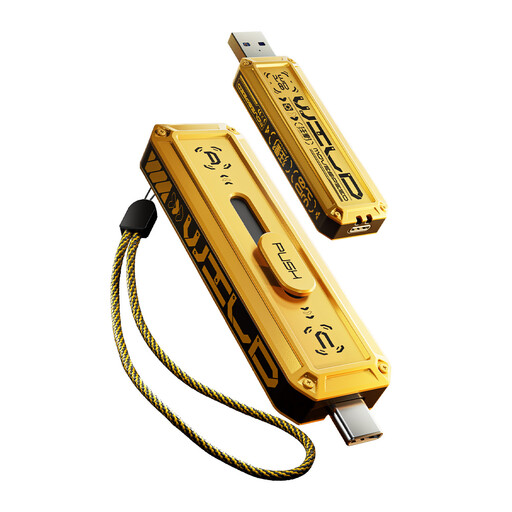
MOVESPEED YSUWD10-1TSY 1 TB USB flash drive
A dual-interface USB-A and USB-C drive for carrying selected files between compatible devices. Check your phone or tablet’s file-access support and the stated interface before relying on the speed figure in the product name; keep another copy of important files.
View on Joybuy
Common questions
What should I do before deleting files after a storage warning?
Identify what uses the affected account’s allowance, then make a separate copy of anything you intend to remove. Check that the necessary folders and originals are present and open sample files from the destination before deleting the cloud copies.
Can I transfer iPhone or iPad photos to a computer instead of upgrading iCloud?
Yes. Apple Support says photos and videos can be transferred to a Mac or Windows PC by USB. If iCloud Photos is enabled, download the full-resolution originals to the iPhone or iPad before importing to a Windows PC; the transfer still needs a separate backup plan.
Will an iPad read a USB drive or SD card?
It can access compatible external storage through Files and supported apps. Apple says the device needs one data partition and a supported format; check the connector or reader and whether the storage needs additional power.
Can I install OneDrive on a removable USB drive?
No. Microsoft Support says OneDrive can use an external drive only when it is non-ejectable; removable USB drives are not supported for that setup. You can still assess a removable drive as a separate local-copy destination rather than a place to run OneDrive.
What should I check before paying for more cloud storage?
Check which account needs capacity, the plan size, the displayed billing terms, renewal and what happens if you later reduce the allowance. Google says Google One renews automatically unless cancelled, Apple bills iCloud+ monthly, and Microsoft warns that an account left over its reduced allowance can lose upload, edit and sync functions.


