What to check before choosing
Start with recovery: decide what must be restored after loss or replacement, then check where the copy lives, how much space it needs and how you will regain access.
| Priority |
What to check |
Your needs |
| Recoverable copy |
Check the latest successful backup date, what folders or device data are included, and how restoration works on a replacement device. |
I want a recent separate copy that I can restore if a phone, computer or original files become inaccessible. |
| Syncing and backup coverage |
Check whether files are synchronised, included in a device backup, protected by version history, or covered by deleted-file recovery. |
I need to know whether a deletion or unwanted change could be copied across instead of leaving an independent recovery copy. |
| Capacity and renewal |
Measure your current library, allow for future photos and videos, and check whether email, documents and other services share the same quota. |
I need enough room for the household library without a full account stopping new uploads or backups. |
| Privacy and account access |
Use a unique strong password and 2-step verification for cloud accounts; check recovery methods and encryption options for removable media. |
I want personal files to remain private if a drive is lost, while keeping recovery details available if I cannot sign in. |
Joybuy product options
These Joybuy options cover portable SSDs for moving files and carrying a local copy, plus external hard drives for larger household archives.
 No image available
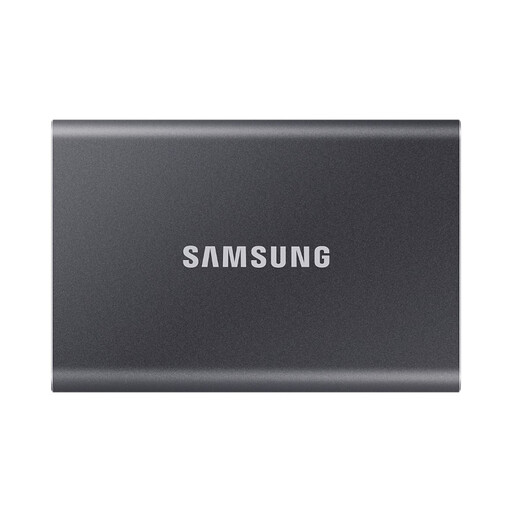
Samsung Portable SSD T7 1 TB Grey
A compact local copy for households that regularly transfer photo libraries between compatible phones and computers.
Stated 1 TB capacity, USB 3.2 Gen 2 connection, USB-C-to-C and USB-C-to-A cables, Windows/macOS/Android compatibility and AES-256 password protection. Check device ports and cable use before expecting stated transfer speeds; this is not an off-site backup.
Joybuy
 No image available
Western Digital My Passport Ultra 5 TB Blue
A larger local archive option for household photos, videos and documents.
Stated 5 TB capacity, USB 3.2 Gen 1 Type-C connection, USB-C-to-USB-A adapter and AES-256 password protection. macOS use is stated to require reformatting; copy existing files elsewhere before changing the file system. Store it separately from the computer after backup.
Joybuy
 No image available
Samsung MU-PE1T0S 1 TB Portable SSD Black
A portable local copy for travel, device changes and regular media transfers.
Stated 1 TB capacity, USB 3.2 Gen 2 connection, IP65 rating and up-to-3-metre drop resistance. IP65 is stated for temporary water exposure only; check password protection, device compatibility and actual transfer conditions before use.
Joybuy
 No image available
Lexar ES4 Magnetic Set 1 TB Portable SSD
A transfer-focused local copy for iPhone 15/16 households that also use computers or Android devices.
Stated 1 TB capacity, USB 3.2 Gen 2 connection, USB-C and USB-A cables, magnetic accessories and Lexar DataShield AES-256 encryption software. The magnetic arrangement is stated for iPhone 15/16 series devices and does not support MagSafe wireless charging.
Joybuy
 No image available
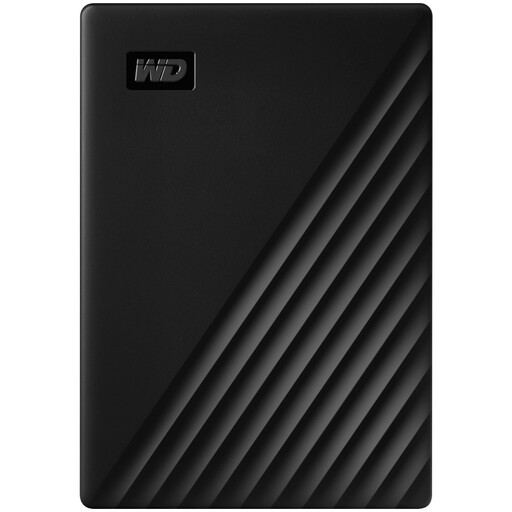
Western Digital My Passport 1 TB Black
A local archive option for documents and photo folders needing regular connected backups.
Stated 1 TB capacity, USB 3.2 Gen 1 Type-A connection, Acronis True Image for Western Digital software and AES-256 hardware encryption with password protection. macOS 11+ use is stated to require a downloadable driver, while USB-C-only computers may need an adapter.
Joybuy
Frequently asked questions
Is cloud synchronisation the same as a backup?
Not always. Synchronisation copies current changes across devices, while a backup is a recoverable copy stored separately. Apple Support distinguishes iCloud syncing from iCloud Backup, so check both the data category and the restoration method before relying on a service.
What should I test after setting up a household backup?
Check the most recent successful backup date, confirm that intended photo folders, documents and device data are included, and try a small restore to another folder or replacement device where practical. National Cyber Security Centre guidance defines a backup by whether it can restore a copy when the original data is inaccessible.
Can a full cloud-storage account stop my backup?
Yes. Google states that reaching its shared storage limit can prevent Drive uploads, Gmail activity and Google Photos photo and video backups. Review total use across email and existing files, not only the camera roll.
How should I protect a cloud backup account and removable drive?
Use a unique strong password and turn on 2-step verification for the cloud account, then keep recovery information current. For a removable drive or USB device holding sensitive files, use encryption where available and keep recovery credentials separately from the device.
Is an external drive enough on its own for family photos?
It can hold a recoverable separate copy, but a drive kept near the computer can still be affected by the same theft, loss or home incident. For irreplaceable material, add an off-site cloud copy or maintain another securely stored copy elsewhere.


