What to check before choosing
Start with the copies you need to recover, then check how each route fits your household devices, accounts and the time available for copying or restoring files.
| Priority |
What to check |
Your needs |
| Recovery copies |
Keep a copy separate from the original device; check that new files are included automatically or through a regular routine; restore a small sample before an emergency. |
I want photos and documents to remain recoverable if a phone, computer or local file is lost, deleted, damaged or affected by malware. |
| Capacity and access |
Compare the household’s total files with the storage allowance; check whether family storage is shared or allocated per person; confirm device, port and file-format compatibility. |
Our household needs enough room for everyone’s files, while each person can still use the devices and accounts they already have. |
| Account continuity |
Read the provider’s quota, cancellation, renewal and inactivity rules; confirm family-group eligibility; keep account-recovery details current. |
I need to know how a plan change, missed payment, inactive account or household member leaving the group could affect access to the archive. |
| Copying and recovery time |
Consider internet access for cloud uploads and downloads; check USB ports, cables and host support for removable drives; allow time for a first full copy. |
We need a backup method that remains practical for our connection, file volume and the time available to copy or recover a large library. |
Joybuy product options
Joybuy portable SSD and external-drive options for keeping a separate local copy of household photos, videos and documents.
 No image available
Samsung MU-PE1T0S 1TB USB Type-C SSD
A removable local copy for households moving photo and video libraries between compatible Macs, PCs and Android devices.
1TB; USB Type-C USB 3.2 Gen 2; stated read speed 1,050 MB/s and write speed 1,000 MB/s; IP65 protection and stated drop resistance up to 3 metres. Check the file format, included cable and host configuration before relying on it across all household devices. Keep another independently managed copy for irreplaceable files.
Joybuy
 No image available
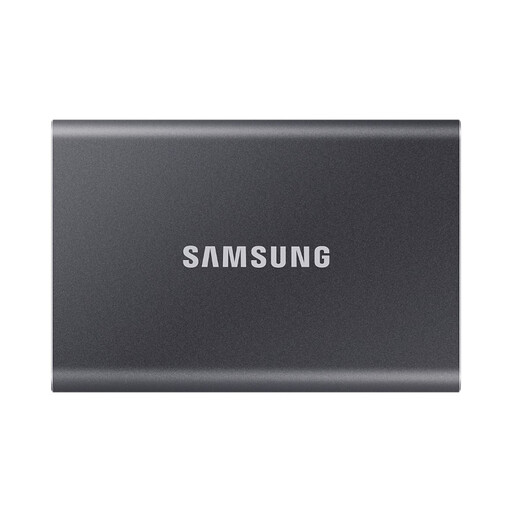
Samsung Portable SSD T7 1TB
Designed for a fast local copy when compatible Windows, macOS or Android devices share substantial photo and video libraries.
1TB; USB Type-C USB 3.2 Gen 2; stated read speed up to 1,050 MB/s and write speed up to 1,000 MB/s; Type-C-to-C and Type-C-to-A cables supplied. Maximum performance requires compatible host hardware, cable and UASP mode. Check the supplied format and password workflow for intended devices.
Joybuy
 No image available
Lexar ES4 Portable SSD with Magnetic Set 1TB
A local-copy option for compatible phone-first households transferring files from iPhone 15/16, Android, PC and Mac devices.
1TB; USB 3.2 Gen 2; stated read speed up to 1,050 MB/s and write speed up to 1,000 MB/s; USB-C and USB-A cables supplied. The magnetic attachment is stated for iPhone 15/16 and does not support MagSafe wireless charging while attached. Check file-system and encryption-software suitability before use.
Joybuy
 No image available
Western Digital My Passport Ultra 5TB Blue
A higher-capacity local-copy option for growing household photo and video archives and regular computer backups.
5TB portable external hard drive; USB-C with USB-C-to-A adapter; stated configurable daily, weekly or monthly backup schedule; AES 256-bit hardware encryption. The listing states it is pre-formatted for Windows and requires reformatting for macOS. Avoid drops, liquid exposure and moving it during transfers.
Joybuy
 No image available
SanDisk Portable SSD 2TB
A compact removable second copy for a growing media library that may need to travel between locations.
2TB portable external SSD; stated read speed up to 800 MB/s; stated drop protection up to 2 metres; compact 40 g design with rubber hook. Confirm operating-system support, ports, cable type and file format for every device. Only read speed is stated.
Joybuy
Frequently asked questions
Is cloud storage alone enough for irreplaceable family photos?
Cloud storage can be a backup when it holds a recoverable copy separate from the original device, but it does not remove account, quota, cancellation or access risks. For irreplaceable files, keep another independently managed copy on removable storage or at another destination, and test restoration before an emergency.
What should a household check before choosing a family cloud-storage plan?
Check whether storage is shared or allocated individually, how many people can join, whether members must meet country or family-group conditions, what counts towards the quota and how private files remain from other members. Apple, Google and Microsoft use different sharing conditions, so similarly named family plans may work differently.
What happens if a paid storage plan is cancelled or the household exceeds its quota?
Read the provider’s current policy before cancelling. Apple advises downloading or removing content above the new storage limit before downgrading or cancelling; Google and Microsoft also set out restrictions that can apply when an account remains over quota, including limits on uploads, syncing or editing.
Do inactive cloud accounts create a recovery risk?
Yes. Google states that a personal Google Account unused across Google for at least two years may be deleted, subject to its stated exceptions and notices. Keep recovery email and payment details current, use accounts holding backup data and document access for the person responsible for household backups.
Does UK law guarantee a new 14-day cancellation right after every cloud-storage renewal?
Do not assume that it does. The Consumer Contracts Regulations provide a 14-day cancellation period for service contracts and non-tangible digital content contracts in the circumstances specified by the Regulations. legislation.gov.uk identifies the Digital Markets, Competition and Consumers Act 2024 provisions on subscription-contract renewal cooling-off rights as prospective in the cited version, so check the provider’s current terms and current official UK guidance for the transaction.


