
24/7 Customer Support

Free returns

Same-day & Next-day Delivery

Quality Guaranteed

Unlock Your Welcome Offers: FREE Delivery | Up to 80% OFF | Free 30-day JoyPlus trial
Download the APP
Choosing between computer monitors can be difficult when product listings lead with impressive numbers but leave out the details that affect daily use. A high refresh rate may not matter if your graphics card cannot deliver the required frame rate, while a sharp 4K monitor can create scaling issues on a smaller screen.
This guide from the Joybuy Product Recommendation Officer explains which specifications deserve attention, which marketing traps to avoid and which monitor types suit different UK households, workstations and gaming setups.
A 240Hz monitor or 165Hz monitor can make fast movement appear smoother, but the benefit depends on the game, graphics card and connection standard. A budget PC may struggle to produce enough frames at the monitor’s native resolution.
Check the full combination of:
For example, a monitor may offer 240Hz at FHD but a lower rate at QHD or 4K. Always read the resolution-specific refresh-rate information.
Response time can be listed as GtG or MPRT, and these measurements are not directly interchangeable. A very low quoted number may describe a particular mode rather than typical performance.
For general use, look for a clearly stated response-time measurement and consider the panel type, refresh rate and user reviews together. OLED panels can offer extremely fast pixel response, while IPS and VA monitors may prioritise colour, contrast or price.
A monitor with excellent image quality can still be inconvenient if it only tilts or lacks the ports your computer needs. For a home office or multi-device setup, check for:
A VESA mount monitor can work with a monitor arm or wall bracket, but confirm the stand’s weight limit and use suitable screws.
FHD monitors use 1920 × 1080 pixels and remain practical for 24-inch office monitors, schoolwork and entry-level gaming. They generally place less demand on a graphics card.
A QHD monitor uses 2560 × 1440 pixels. At 27 inches, it offers more desktop space and sharper text than FHD without demanding as much graphics performance as 4K.
A 4K monitor displays 3840 × 2160 pixels. It suits large screens, detailed creative work, high-resolution video and productivity, but text scaling may be necessary on smaller displays. Your PC or laptop must also support the required output resolution and refresh rate.
For a colour-accurate monitor, check the stated colour gamut, such as sRGB or DCI-P3, and whether calibration is mentioned. Gamut coverage alone does not guarantee perfect colour accuracy.
For long study or office sessions, look for flicker-free operation, low blue light modes, a matte surface and an adjustable stand. These features do not eliminate eye fatigue. Screen distance, room lighting, brightness and regular breaks still matter.
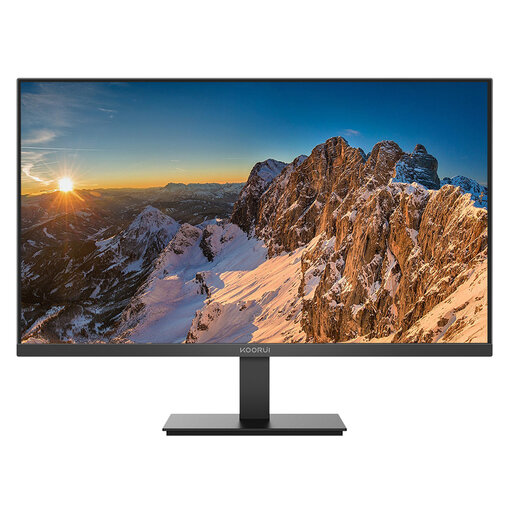
Why This Fits Their Persona: Its 24-inch FHD format is suitable for small-footprint desks, study areas and everyday office tasks where sensible size and straightforward connectivity matter.
The listing specifies 60Hz, 5ms response time, IPS viewing angles and low-blue-light and flicker-free features rather than relying on an unexplained speed claim.
HDMI and DisplayPort inputs; tilt adjustment and VESA compatibility for flexible desk arrangements.
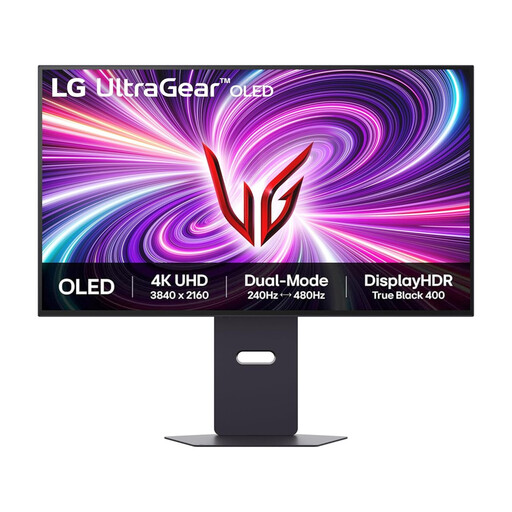
Why This Fits Their Persona: This 31.5-inch OLED gaming monitor combines 4K UHD detail with a dual-mode option for users who move between immersive games and competitive play.
The specifications distinguish 240Hz at 4K UHD from 480Hz at FHD, helping buyers match the mode to their hardware and game type.
0.03ms GtG response time; HDMI 2.1, DisplayPort 1.4 and adjustable height, swivel, tilt and pivot stand.
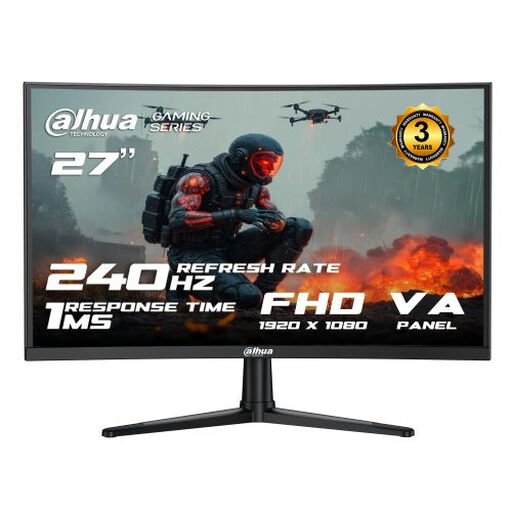
Why This Fits Their Persona: The FHD resolution and 240Hz refresh rate are aimed at esports players who prioritise fast motion and high frame rates over maximum pixel density.
The listing states the 240Hz capability for both HDMI 2.0 and DP 1.4 at 1920 × 1080, making the connection requirement clearer.
1500R VA panel; Adaptive Sync, HDMI, DisplayPort and audio output.
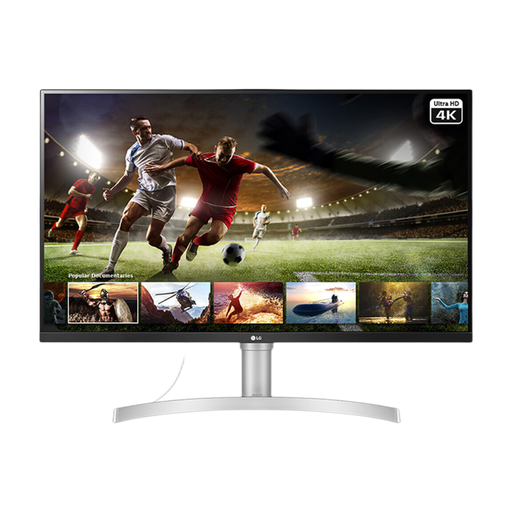
Why This Fits Their Persona: Its large 4K IPS display provides room for timelines, documents and creative applications, while built-in speakers support video calls and streaming.
The product details state 60Hz, 5ms, 95% sRGB and HDR10, giving a more balanced picture of its creative and entertainment positioning.
Two HDMI ports, DisplayPort, built-in stereo speakers and VESA compatibility.
We have compiled a complete, real-time list of products that fully satisfy these strict selection criteria and UK safety regulations.
Before ordering, confirm that your computer supports the chosen resolution and refresh rate. Use DisplayPort where the monitor or graphics card requires it, particularly for high-refresh QHD or 4K gaming. You can also browse compatible DisplayPort products when replacing or upgrading cables.
Position the top of the screen near eye level, reduce glare from windows and avoid placing the display beside a heat source. For wall or arm installation, verify the VESA pattern and tighten fixings without over-torquing them. Check the supplied power adapter and plug arrangement for UK use, and retain the documentation for warranty or after-sales support.
It can be useful for large spreadsheets, detailed documents, photo work and multi-window layouts. However, a QHD monitor may offer a more straightforward balance at 27 inches, particularly if your computer has limited graphics capability.
Scrolling and supported games can appear smoother at 165Hz, but the visible difference depends on frame rate, content and viewing habits. For documents and email, panel quality and ergonomic adjustment may matter more than refresh rate.
Running cost depends on wattage, brightness, usage hours and your electricity tariff. Compare the stated typical power consumption, use automatic sleep settings and switch the monitor off when it will not be used for an extended period.