
24/7 Customer Support

Free returns

Same-day & Next-day Delivery

Quality Guaranteed

Unlock Your Welcome Offers: FREE Delivery | Up to 80% OFF | Free 30-day JoyPlus trial
Download the APP
Choosing between computer monitors can be more complicated than it first appears. A low price may hide limited connectivity, while a long list of gaming features may be unnecessary for office work. Some displays also require a larger desk, a stronger monitor arm or a newer graphics card than buyers expect.
Before purchasing, look beyond headline claims such as “fast response” or “HDR”. Check the complete specification and match it to how you use your PC, laptop or console.
A 165Hz gaming monitor or 240Hz gaming monitor can show more frames per second than a 60Hz screen, but your computer must produce those frames. A basic laptop or older graphics card may not benefit fully from a high refresh rate. Check the required resolution, graphics output and supported refresh rate before paying extra.
Also check which connection supports the advertised performance. For example, the CRUA 32-inch QHD model notes that DisplayPort may be needed to reach its maximum 165Hz and 2K resolution, while HDMI performance can vary by cable and graphics hardware.
Manufacturers may quote different measurements, including GtG, MPRT or “1ms” modes. These figures are not directly interchangeable. MPRT often relates to a motion-blur reduction mode, which may affect brightness or introduce flicker. For everyday work, a stable image, suitable refresh rate and good ergonomics can matter more than the smallest number on the specification sheet.
Curved monitors and ultrawide monitors are physically wide and may need a deeper desk. A 49-inch 32:9 display can replace two screens, but it is not suitable for every workstation. Check the monitor’s dimensions with its stand, the weight of the panel and whether your desk can support it.
A larger screen also benefits from a higher resolution. Full HD is practical on smaller displays, while QHD monitors offer more workspace on 27-inch screens. 4K monitors provide greater detail but place more demand on your graphics hardware.
The pixel density matters as much as the resolution. Full HD can look less sharp when stretched across a large panel, whereas QHD or 4K is generally more suitable for larger displays.
IPS monitors typically offer wide viewing angles and consistent colour appearance, which can suit graphic design, photo editing and shared workspaces. VA monitors generally provide higher static contrast, helping dark scenes appear deeper in films and games. OLED monitors can offer strong contrast and fast pixel response, but buyers should read the manufacturer’s guidance on static images, brightness and panel care.
Colour coverage also needs context. A stated percentage such as 99% sRGB describes colour gamut coverage, not automatic professional colour accuracy. For a monitor for content creation, look for a suitable colour mode, calibration information and the connections required by your workflow.
Check the number and type of inputs before ordering:
Height adjustment, tilt, swivel and pivot functions can be more valuable than decorative lighting. Flicker-free backlights and low-blue-light modes are useful comfort features, but they do not remove the need for sensible screen positioning and regular breaks.
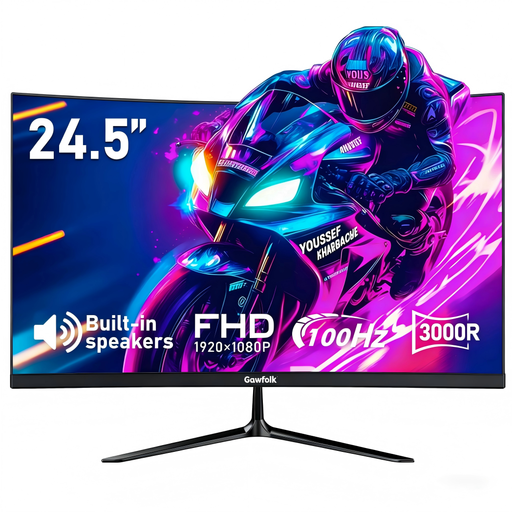
Why This Fits Their Persona: A compact option for a student bedroom, first gaming setup or home office where desk space and spending need to stay controlled.
Its specification identifies Full HD resolution, 100Hz via HDMI and built-in speakers, rather than relying only on an inflated response-time headline.
24.5-inch curved VA panel, 1920 × 1080 resolution, 100Hz refresh rate, HDMI and VGA inputs, plus VESA 75 × 75mm support.
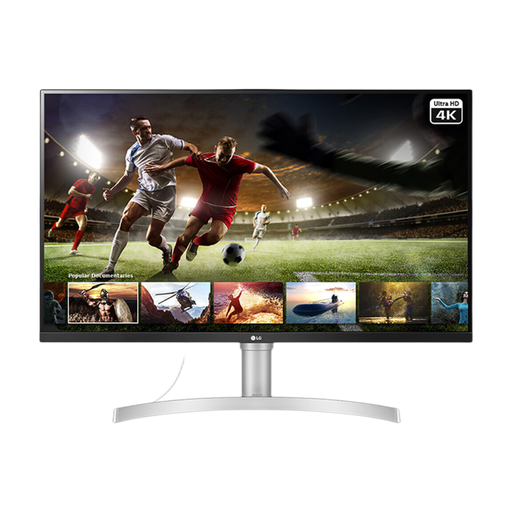
Why This Fits Their Persona: A larger display for professionals, home-office users and entertainment where fine detail and integrated audio are priorities.
Its 4K IPS specification suits a 32-inch format more appropriately than simply increasing screen size while retaining Full HD resolution.
3840 × 2160 resolution, 95% sRGB, HDR10 support, built-in stereo speakers, HDMI and DisplayPort, and VESA 100 × 100mm compatibility.
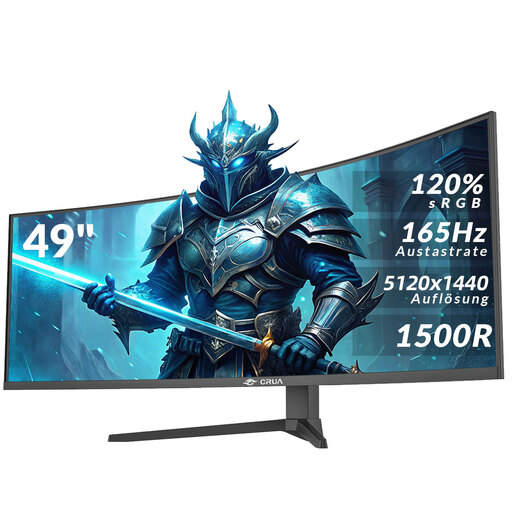
Why This Fits Their Persona: Designed for users who need extensive horizontal workspace for simulation gaming, video timelines, spreadsheets or multiple windows.
The listing clearly states the 49-inch width, 32:9 format, DQHD resolution and the need for a suitably deep, stable desk.
5120 × 1440 resolution, 165Hz refresh rate, 1500R VA panel, AMD FreeSync, HDMI 2.1, DisplayPort 1.4 and VESA 75 × 75mm support.

Why This Fits Their Persona: Useful for laptop users who move between a home office, university, shared accommodation or travel workspace.
The 14-inch Full HD format is portable, while the listing explains USB-C connection requirements and its adjustable stand rather than implying universal one-cable compatibility.
Full HD IPS touchscreen, 10-point touch, 100% sRGB, 60Hz refresh rate, 180° adjustable stand and VESA compatibility.
We have compiled a complete, real-time list of products that fully satisfy these strict selection criteria and UK safety regulations.
Running cost depends on power consumption, brightness, usage hours and electricity tariff. A monitor rated at 30W uses less electricity per hour than one rated at 100W, although the actual figure varies with settings. Use sleep mode when away from the desk and avoid maximum brightness unless needed.
It can be, provided the laptop supports the required resolution and refresh rate through HDMI, DisplayPort or USB-C. Check whether USB-C supports video output and whether the laptop can provide enough power if using a one-cable connection. For office work, 4K can provide sharp text; for gaming, confirm that the laptop’s graphics hardware can drive the chosen games at 4K.
There is no fixed lifespan because usage, panel type, heat, power conditions and handling all matter. Keep ventilation clear, use the supplied or approved power accessories, avoid pressing the panel and follow the manufacturer’s care instructions. Before ordering, check the warranty, returns terms and availability of replacement cables or mounting accessories.