
24/7 Customer Support

Free returns

Same-day & Next-day Delivery

Quality Guaranteed

Unlock Your Welcome Offers: FREE Delivery | Up to 80% OFF | Free 30-day JoyPlus trial
Download the APP
Choosing computer monitors for a UK home office, study space or gaming setup involves more than comparing prices and screen sizes. A monitor can look impressive on a product page yet prove inconvenient because of unsuitable connections, insufficient resolution or a stand that offers little adjustment.
This guide explains the specifications that matter, highlights common buying pitfalls and matches a selection of monitors to different usage profiles.
A 100Hz monitor can make scrolling, video playback and general desktop movement appear smoother than a standard 60Hz display. However, refresh rate is only useful when your computer or console can output the relevant frame rate. The connection type, graphics hardware and game settings also affect the result.
For competitive gaming, a 165Hz gaming monitor or 240Hz gaming monitor may be appropriate, but these higher refresh rates are less important for document work and most streaming content.
Response time may be listed as MPRT, GtG or an overdrive figure. These measurements are not directly interchangeable. A 1ms MPRT claim does not necessarily mean the panel will perform like a 1ms GtG display in every situation. Look at the complete specification, including panel type and refresh rate, rather than relying on one headline number.
A monitor may not connect directly to your laptop, desktop or console if its ports do not match your equipment. Check whether you need HDMI, DisplayPort, VGA or USB-C. Also confirm the VESA pattern before buying a monitor arm or wall bracket. Common sizes include 75 × 75mm and 100 × 100mm.
A built-in speaker can reduce desk clutter, but it may offer only basic audio. Check whether the monitor includes speakers, a headphone output or neither.
A 24 inch monitor or 23.8-inch model is practical where space is limited, in study rooms and for dual-screen arrangements. Full HD resolution remains suitable at this size for office work, browsing and casual gaming.
A 27 inch monitor provides more working area, but Full HD can appear less refined at close viewing distances. A 27-inch QHD monitor with 2560 × 1440 resolution offers sharper text and more desktop space, provided your computer supports the resolution.
A 32 inch monitor is useful for spreadsheets, creative applications and entertainment. At this size, a QHD or 4K monitor can provide a clearer image than Full HD. Make sure your desk is deep enough to maintain a comfortable viewing distance.
An IPS monitor generally offers wide viewing angles and consistent colour across the screen. This can suit office collaboration, design and content creation. A VA monitor commonly provides stronger contrast and darker blacks, which can be useful for films and games in darker scenes. The choice depends on your priorities rather than a universal ranking.
For general productivity, a 100Hz monitor can provide smoother cursor movement and scrolling than 60Hz. Casual gamers may also appreciate the additional fluidity.
Gaming monitors with Adaptive Sync or AMD FreeSync can help coordinate the display refresh rate with compatible graphics output, reducing visible tearing in supported situations. Check the supported range and make sure the correct cable and settings are used.
Look for flicker-free operation, a low blue light mode, an anti-glare surface and a stand with suitable tilt adjustment. These features can make long sessions more comfortable, although they do not replace sensible breaks, suitable lighting or correct screen positioning.
A VESA monitor mount can improve desk organisation and allow greater height, angle and distance adjustment. The bracket is normally purchased separately, so check the product specification and mounting load before installation.
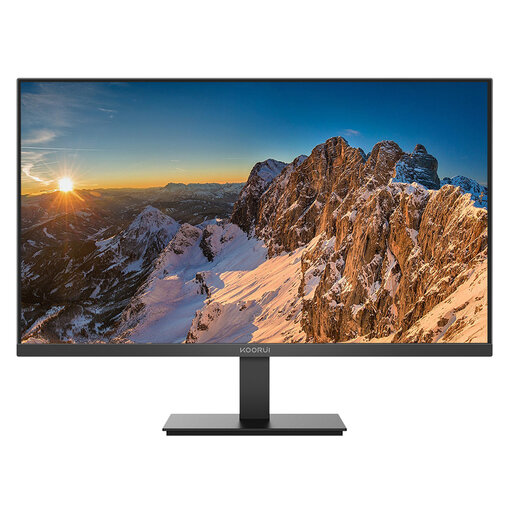
Why This Fits Their Persona: Its 24-inch Full HD format suits students, first home-office setups and smaller UK workspaces, with HDMI and DisplayPort for common devices.
It clearly specifies its 1920 × 1080 resolution, IPS panel, 60Hz refresh rate and connection options, avoiding unclear performance claims.
IPS viewing angles, low blue light and flicker-free features; VESA 100 × 100mm support is included.
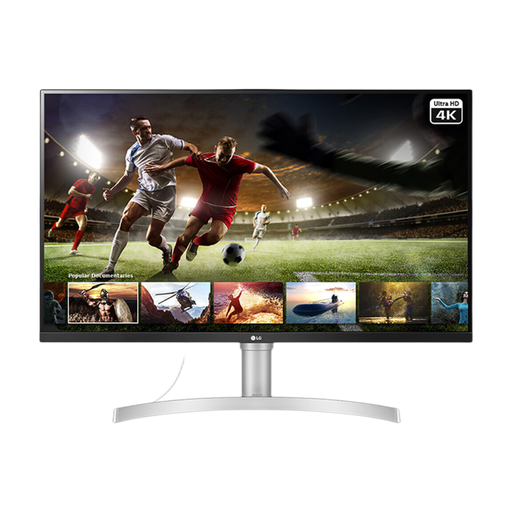
Why This Fits Their Persona: The large 4K screen suits content creators, professionals and entertainment-focused users who value detail and built-in audio.
The specification states the 3840 × 2160 resolution, 60Hz refresh rate, 95% sRGB coverage and available HDMI and DisplayPort inputs.
4K IPS display, HDR10 support, built-in stereo speakers and VESA 100 × 100mm compatibility.
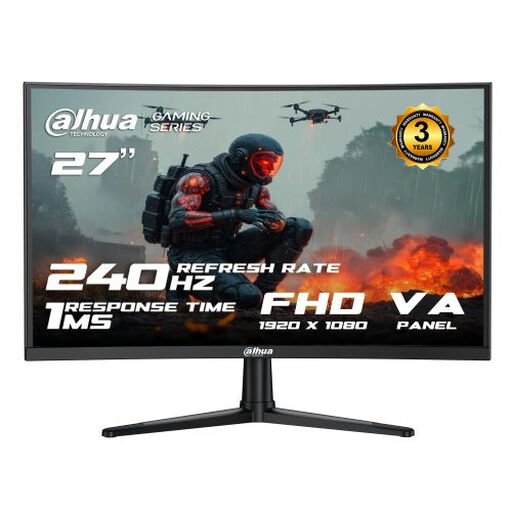
Why This Fits Their Persona: Competitive gamers and streamers with compatible hardware can use the 240Hz refresh rate for fast-paced gameplay.
It identifies the panel, refresh rate, MPRT measurement, Adaptive Sync support and the HDMI 2.0 and DP 1.4 inputs.
240Hz support at 1920 × 1080, 1500R curvature, VA contrast and VESA 100 × 100mm mounting.
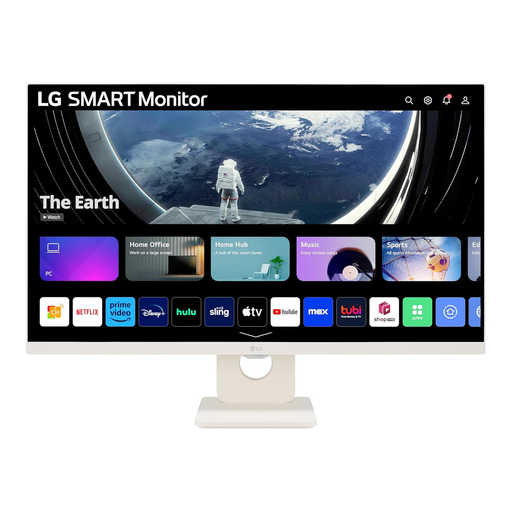
Why This Fits Their Persona: It suits households wanting one screen for work, streaming, video calls and wireless audio without relying on a separate television.
Its product information separates monitor features from smart functions, listing webOS, Wi-Fi, Bluetooth and two HDMI ports.
27-inch IPS Full HD display, 100Hz refresh rate, built-in 5W × 2 speakers and smart streaming functions.
We have compiled a complete, real-time list of products that fully satisfy these strict selection criteria and UK safety regulations.
Running cost depends on screen size, brightness and usage time. Larger 4K monitors generally have greater power requirements than compact Full HD models, although the exact figure varies. Use the manufacturer’s typical power-consumption information and enable standby or sleep settings when the display is not needed.
It can be, but measure the desk depth first. A 27-inch display may require more viewing distance than a 24-inch model. A monitor arm can help position the screen, provided the VESA pattern and weight are compatible.
Lifespan varies according to usage, heat, power conditions and build quality. Keep ventilation clear, avoid direct sunlight, use the supplied power accessories and clean the screen with a soft, dry cloth. Check the retailer’s returns policy and the manufacturer’s warranty before purchase.