Choose a monitor when the console will mainly be used at a desk and you can confirm that its HDMI input supports the output mode you want. A TV may make more sense for shared viewing or playing from a sofa; whichever display you choose, screen size, sound and the console’s detected output matter more than a monitor’s advertised maximum refresh rate alone.
Who is this setup for?
PS5 or Xbox Series X players aiming for 4K at 120 Hz
Check the display’s console-facing HDMI input and the cable as well as the panel refresh rate. Xbox Support specifies HDMI 2.1 display support and an Ultra High Speed HDMI cable for Xbox Series X 4K gaming at 120 Hz. PlayStation lets PS5 owners inspect the connected display’s reported resolution, VRR and HDR capabilities.
Players making room on a bedroom desk
A 27-inch screen and a roughly 32-inch screen place different demands on desk space and viewing position. UK listings show examples of both 4K HDMI 2.1 sizes; check the exact model’s stand adjustments and audio features rather than assuming they come with either size.
Nintendo Switch 2 players using TV mode
If 4K docked output is the reason for choosing a display, account for Nintendo UK’s stated maximum of 60 fps at 4K. Check the output supported by the display and the game instead of buying on a 4K/120 claim for Switch 2 alone.
What should you check before choosing?
Start with the console output you intend to use, then decide whether the display belongs at a desk or needs to serve viewers farther away.
| Priority |
What to check |
Your needs |
| Console output |
Check the intended resolution and refresh combination on the actual HDMI input. For Xbox Series X 4K at 120 Hz, Xbox Support specifies HDMI 2.1 display support and an Ultra High Speed HDMI cable; check the game’s supported mode too. |
I want to know whether my console can use the display mode I am buying it for, rather than relying on a 144 Hz or higher panel rating. |
| Space and viewing |
Measure desk depth, screen position and seating distance. Check the exact model’s stand adjustments or mounting options if its position needs to change. |
A smaller screen may fit my desk more comfortably, while a larger display needs enough room. If several people will watch from farther away, I may prefer a TV. |
| Sound and controls |
Check for built-in speakers, an audio output and any sound-system connection you plan to use. Verify remote-control features on the exact model rather than assuming a monitor has them. |
I would like to play without immediately arranging separate sound, or I need a clear connection plan for my headset or speakers. |
Buying mistakes to avoid
-
Choosing by maximum refresh rate alone
A monitor’s panel rating does not establish which resolution and refresh combination a console can send through its HDMI input. Nintendo UK also caps Switch 2 output at 60 fps when using 4K.
Check the exact input specification against the intended console mode, then inspect the console’s detected output after connection.
-
Treating every HDMI 2.1 label as the same feature set
The label alone does not describe every resolution, refresh and VRR combination available on a particular input. PlayStation provides connected-display information on PS5 to help identify reported capabilities.
Read the exact model’s port specifications and check the reported mode in your console’s video settings.
-
Overlooking the cable route and console position
A desk layout still needs a cable that reaches the display without forcing the console into a cramped position. Xbox Support states that Xbox Series X includes a 2-metre Ultra High Speed HDMI cable.
Measure the route before ordering and keep the console’s ventilation openings clear.
A longer cable may be needed if the supplied one cannot reach the chosen display position.
-
Assuming a monitor includes the sound you need
Audio provisions differ by model: The Samsung Odyssey G7 LS32DG702EUXXU has two speakers and 10 W audio power, while BenQ describes built-in speakers for its EX3210U.
Decide whether you will use monitor speakers, a headset or a separate sound system, then check the required connections on the display you choose.
A separate audio device or connection cable may be needed for your intended setup.
Relevant brand and model references
Samsung
The Odyssey G7 LS32DG702EUXXU is a reference for a roughly 32-inch personal-room display with integrated audio.
- This model has 4K resolution, an HDMI 2.1 input, two speakers and 10 W audio power.
- Check its console-detected output and available desk space; these specifications do not describe every Odyssey monitor.
MSI
The MAG 272URDF E16 is a 27-inch option to examine for a compact 4K desk setup.
- The named model has 4K resolution and HDMI 2.1.
- Check the exact port’s console modes and the model’s audio provision before deciding whether it fits your setup.
BenQ
The EX321UX and EX3210U illustrate different model-specific features to check in a roughly 32-inch display.
- BenQ states that the EX321UX supports 4K at 120 Hz through HDMI 2.1 and describes built-in speakers on the separate EX3210U.
- Do not transfer one model’s audio features to the other or assume that a stated HDMI mode covers every console and game combination.
ASUS
The ROG Strix XG43UQ is a large-monitor reference for someone considering a screen closer in scale to a TV.
- This 43-inch model has two HDMI 2.1 ports and supports 4K at 120 Hz on advanced consoles.
- Measure the intended position carefully; the listing describes this particular model, not ASUS monitors generally.
Joybuy display options
These options include console-oriented gaming monitors and general-purpose monitors for a personal desk or bedroom. Compare each one with your console’s intended output and your space and audio needs.
 No image available
Dahua 32-inch 4K 165Hz curved OLED gaming monitor
Consider its curved screen if you have room for a larger desk display. The stated 165 Hz panel refresh rate does not establish the output mode available from your console; check the console-facing HDMI input and the mode your console detects.
View on Joybuy
 No image available
iiyama ProLite XUB2792UHSU-B6 27-inch 4K monitor
A 27-inch general-purpose display is worth considering when desk space matters. Confirm the HDMI input, refresh mode and sound arrangement against your console before choosing it for gaming.
View on Joybuy
 No image available
LG UltraGear G8 27G850A 27-inch 4K gaming monitor
This 27-inch model lists HDMI 2.1 and dual-mode 240Hz/480Hz refresh figures. Those panel figures are not a promise of a particular console mode: check 4K/120 and VRR support on the relevant input if either matters to you, and confirm your audio plan.
View on Joybuy
 No image available
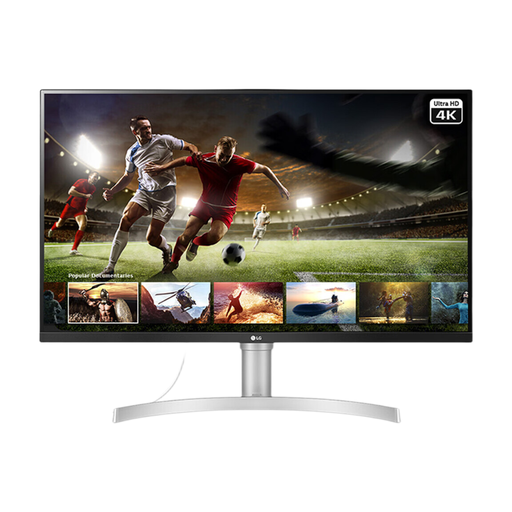
LG UHD 32UN650K 32-inch 4K IPS monitor
Its listed 60Hz refresh rate and built-in speakers make it an option to examine for a larger personal-room screen where 4K/120 is not the aim. Check the HDMI input and console-detected output, and measure the desk for a 32-inch display.
View on Joybuy
 No image available
AOC Q32V4 31.5-inch IPS monitor
This larger general-purpose display lists built-in speakers. Check its stated resolution and HDMI input against the output you intend to use, and allow enough desk space for the 31.5-inch screen.
View on Joybuy
Frequently asked questions
Do I need HDMI 2.1 for a PS5 or Xbox Series X monitor?
For Xbox Series X gaming at 4K and 120 Hz, Xbox Support specifies HDMI 2.1 display support and an Ultra High Speed HDMI cable. For a PS5 display, check the intended mode on the exact HDMI input and inspect the connected-device capabilities reported in the console’s video settings; a 120 Hz panel rating alone does not answer that question.
Should Switch 2 owners buy a 4K/120 display?
Not solely for Switch 2 output at 4K: Nintendo UK states that 4K output is capped at 60 fps. A 4K/120 display may still serve another device, but check the modes you will actually use before making that feature a priority.
Can I rely on a monitor’s built-in speakers?
Only after checking the exact model. The Samsung Odyssey G7 LS32DG702EUXXU has two speakers and 10 W audio power, and BenQ describes built-in speakers on the EX3210U; neither example establishes what another monitor includes. If you plan to use a headset or separate speakers, check their required connection too.


