Students working across personal devices
If you revise coursework on a laptop, tablet or phone, access to the current file matters—but you also need a separate copy you can restore if the working file disappears.


For coursework moving between personal devices, choose a backup that leaves a separate copy you can restore—not just a larger drive or a synchronised working file. Cloud storage can make files accessible across devices, while a disconnected portable drive gives you a local copy if the account or connection is unavailable. Using both can address different risks, provided your university permits each storage route for the files involved.
If you revise coursework on a laptop, tablet or phone, access to the current file matters—but you also need a separate copy you can restore if the working file disappears.
A portable drive can carry a local coursework copy between study spaces. The National Cyber Security Centre advises disconnecting backup storage when it is not in use, so keep the drive apart from your working device after copying files.
Research or coursework containing personal or confidential information may be subject to university storage rules. Check which cloud accounts, removable drives and safeguards your institution allows before choosing a route.
Start with a copy you can restore, then decide how you need to reach it. Cloud access and a disconnected local drive address different situations; neither replaces the need to check rules for sensitive work.
Consider it when: You regularly copy substantial coursework folders and want a compact local drive to disconnect afterwards.
Trade-off: You must connect it to make each copy and store it separately; advertised maximum speeds depend on compatible hardware.
Consider it when: You need space for a larger local archive or backups from several devices.
Trade-off: A drive left connected or kept beside your laptop can be affected by the same malware, loss or damage.
Consider it when: You need to carry a smaller set of files and your university permits protected removable media.
Trade-off: Encryption does not create another copy, and lost access credentials can prevent recovery.
Consider it when: You need coursework available across devices and the account is permitted for those files.
Trade-off: Access depends on the account and connection; check version history and deleted-file recovery rather than relying on synchronisation alone.
Consider it when: You back up several devices at home and are willing to manage the storage device yourself.
Trade-off: Network-attached storage remains vulnerable to problems at its location and does not automatically provide an off-site copy.
| Concern | What to check | Who this matters to |
|---|---|---|
| A recoverable copy | Check that a copy remains separate from the working device and restore a test file. | If my laptop or current file is lost, I need to retrieve my coursework from somewhere else. A recoverable second copy is the primary concern for around 36% of consumers. |
| Access across devices | Check device compatibility and whether files remain accessible when one device or the internet is unavailable. | When I switch between my laptop, tablet and phone, I need to reach the current file without treating synchronisation as my only backup. Around 29% of consumers put cross-device access first. |
| Storage rules and privacy | Check your university’s rules for the relevant files, including permitted accounts and removable-media protection. | If my work contains restricted research or personal data, I need an allowed place to store it before convenience enters the decision. For roughly 21% of consumers, permitted and protected storage is the primary concern. |
| Space for large files | Allow room for coursework folders and previous copies; confirm that your devices can use the storage. | With large media or project folders, I need enough space to keep more than the current files. Capacity is the leading concern for about 14% of consumers. |
More space on the working laptop does not leave a copy to restore if that device fails or disappears.
Keep coursework on separate storage or a permitted cloud service, and open or restore a test file to check the copy.
Rules differ by institution and type of data. The University of Dundee directs research data to its secure IT facilities, while the University of Glasgow restricts where medium- and high-risk data may be stored.
Check your own university and course guidance before uploading assessed work, research data or personal information.
The National Cyber Security Centre warns that malware can also affect storage connected to a computer.
After checking a new copy, disconnect the drive and keep another permitted copy elsewhere.
Encryption helps protect files if a drive is lost, but forgotten credentials or a missing drive can leave coursework inaccessible.
Manage the password or PIN securely and retain a second permitted copy. Check the drive’s capacity and connector against the files and devices you use.
The T7 Shield is a portable SSD option for a local copy that travels between study spaces.
The Expansion portable hard-drive line is relevant when a larger local coursework archive is the priority.
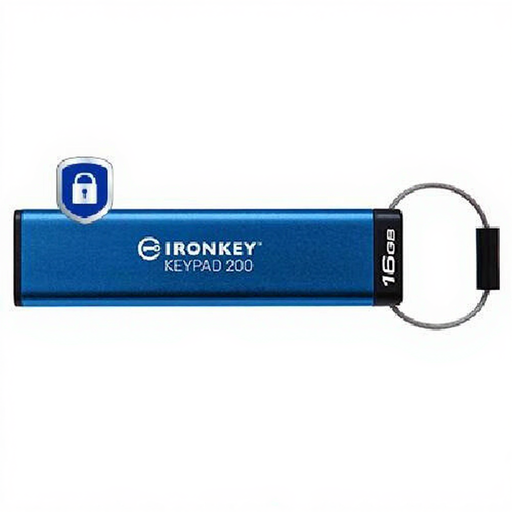
The Vault Privacy 50 line is an encrypted USB option for a smaller set of files when protected removable storage is permitted.
These removable SSDs and encrypted USB storage options can hold a local coursework copy. Choose by file size, device connection and any university rules; keep the drive separate from the working device when it is not in use.
 No image available
A portable local-copy option for coursework carried between study spaces.
1TB SSD with USB Type-C and USB 3.2 Gen 2. Check your device’s connection before buying, and disconnect the drive after checking each backup.
 No image available
Consider this local-copy route if your coursework folders need more storage space.
4TB SSD with USB Type-C and USB 3.2 Gen 2. Keep a separate permitted copy rather than relying on this drive alone.
 No image available
This local-copy option is relevant if you move files between a laptop and a compatible phone or tablet.
The product name specifies USB 3.2 Gen 2 and iPhone 15/16, PC, Mac and Type-C laptop compatibility. Check the required connection and magnetic attachment conditions for your devices; the magnetic feature does not provide wireless charging.
 No image available
Consider this for a smaller set of files if your university permits encrypted removable storage.
The product name specifies a 16GB keypad drive with AES-256 encryption. Check that your files fit, plan how to retain access credentials and keep another permitted copy.
 No image available
A portable local-copy option if you need room for larger coursework folders.
The product name specifies 2TB. Before buying, confirm the connector and compatibility with your devices, and check whether its protection features meet any rules applying to your files.
Not necessarily: you need a separate copy you can restore if the current file or device becomes unavailable. Check whether your cloud service retains earlier versions and deleted files, and consider a disconnected local copy so a problem with synchronised files does not affect every copy.
Check your university and course rules before using a personal account for those files. The University of Dundee directs research data to secure university IT facilities, and the University of Glasgow restricts cloud services for medium- and high-risk data; neither policy determines what another institution permits.
If removable storage is permitted and the files contain personal or other sensitive information, encryption can protect against unauthorised access if the drive is lost. The Information Commissioner’s Office advises encryption when storing personal information; check your university’s requirements as well, and keep access credentials and another permitted copy safe.
Copy files regularly, open or restore a test file, then disconnect the drive and store it separately from the working device. The National Cyber Security Centre warns that malware can affect connected backup storage, so a drive left plugged in should not be your only fallback.