
24/7 Customer Support

Free returns

Same-day & Next-day Delivery

Quality Guaranteed

Unlock Your Welcome Offers: FREE Delivery | Up to 80% OFF | Free 30-day JoyPlus trial
Download the APP
Choosing a new display can feel like navigating a minefield of technical specifications. With terms like refresh rate, response time and resolution being thrown around, it’s easy to feel overwhelmed. A curved gaming monitor promises a more immersive experience, but which one is right for your setup?
This guide is designed to cut through the jargon. We will break down the essential features to look for when upgrading your display and provide clear, practical advice. Whether you're a competitive esports player, a console gamer or someone who loves getting lost in cinematic worlds, we'll help you find a monitor that fits your needs.
Before diving into specific models, understanding a few key concepts will help you make an informed decision.
The two most talked-about specifications are resolution (clarity) and refresh rate (smoothness). Finding the right balance for your gaming style and hardware is crucial.
The panel is the core of the display, and its technology affects everything from colour to speed.
The physical dimensions of your monitor define your field of view and overall experience.
Here are a few standout options that cater to different types of gamers, based on their specifications and intended use.
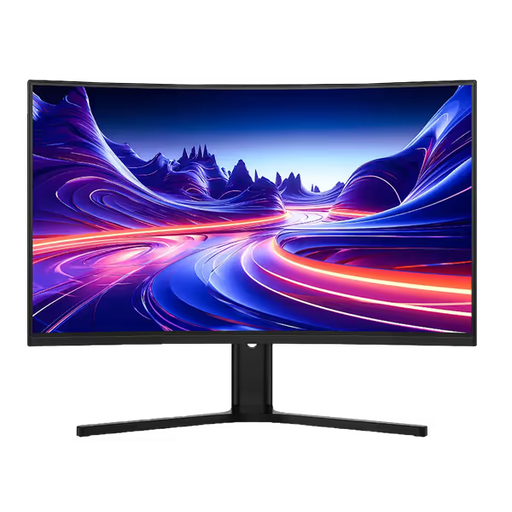
Why It Stands Out: This monitor strikes an excellent balance between size, resolution and speed. The large 32-inch screen combined with a sharp 1440p resolution and a 1500R curve pulls you right into the action. Its 180Hz refresh rate ensures that gameplay remains fluid and responsive, whether on PC or a next-gen console.
Pros:
Who is it for?: Gamers who play a wide variety of genres, from visually stunning AAA adventures to fast-paced multiplayer titles. It’s a strong choice for anyone wanting a large, immersive display for both PC and console gaming.
View the Dahua 32" QHD Monitor on Joybuy
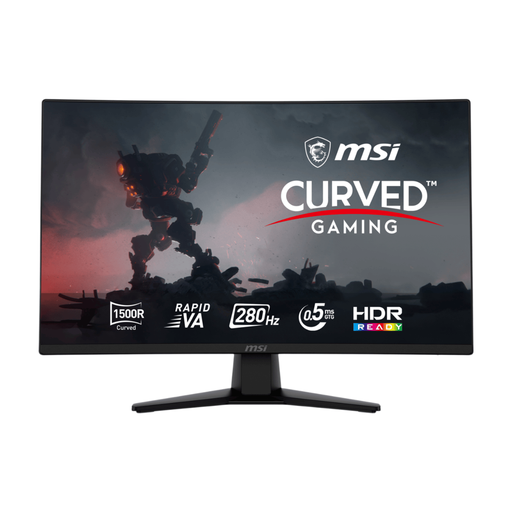
Why It Stands Out: This monitor is built for one thing: competitive performance. With a staggering 280Hz refresh rate and a rapid 0.5ms (GtG) response time, it’s designed to give esports players every possible advantage. The 27-inch FHD screen ensures your graphics card can push out the ultra-high frame rates needed to make the most of its speed.
Pros:
Who is it for?: Serious competitive players who need the fastest display possible. If you play titles like Valorant, Apex Legends or Counter-Strike 2, this esports monitor is engineered to help you react faster.
View the MSI MAG 27" Monitor on Joybuy
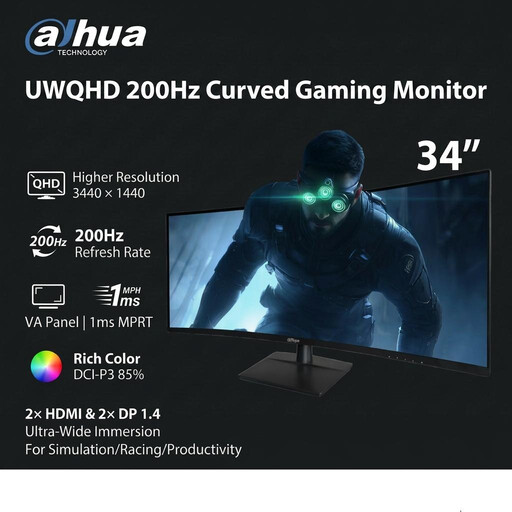
Why It Stands Out: For those who crave ultimate immersion, this ultrawide gaming monitor delivers. The 34-inch, 21:9 aspect ratio screen fills your peripheral vision, making it ideal for racing and flight simulators. It doesn't compromise on speed either, boasting a 200Hz refresh rate and 1ms (MPRT) response time for a smooth and expansive view.
Pros:
Who is it for?: Simulation fans, strategy gamers and players of cinematic single-player games who want the most immersive experience possible. It's also a fantastic tool for professionals who need more screen real estate for their work.
View the Dahua 34" UWQHD Monitor on Joybuy
While these three monitors cover a range of gaming needs, the world of displays is vast. If you're particularly drawn to the deep contrast and rich colours offered by the panels featured here, there are many other models to consider.
Explore our full collection of curved VA panel monitors to find the perfect fit for your setup and budget.
This often comes down to personal preference. Curved monitors aim to enhance immersion by wrapping the image around your field of view, which can feel more natural and reduce eye strain on larger screens. Flat monitors remain a solid choice, especially for creative work where geometric accuracy is essential. For gaming, particularly on screens 27 inches or larger, many find the curve adds to the experience.
A refresh rate of 144Hz is widely considered a great standard for smooth PC gaming. For competitive players, 240Hz or higher offers a tangible advantage in reaction time. If you're primarily a console gamer, a monitor that supports 120Hz will allow you to get the most out of the performance modes on the PlayStation 5 and Xbox Series X.
Yes, absolutely. An ultrawide gaming monitor, in particular, is an excellent tool for productivity. The 21:9 aspect ratio allows you to comfortably place multiple application windows side-by-side, effectively replacing a dual-monitor setup and reducing clutter on your desk.