Deep-reading annotators
If you plan to spend the flight working through dense essays and writing in the margins, a large E Ink reader is worth considering. Check your PDF files against its import and annotation rules before choosing one.


Choose a large E Ink writing reader when focused, low-glare reading and handwritten notes matter more than general-purpose apps; choose a conventional tablet when you also need reference apps, typed notes or entertainment. Before buying, check how your particular PDFs can be imported and annotated, then download your reading material before the flight.
If you plan to spend the flight working through dense essays and writing in the margins, a large E Ink reader is worth considering. Check your PDF files against its import and annotation rules before choosing one.
If you need to move between essays, saved references, document apps and typed notes, a conventional tablet offers a broader app environment. An approximately 11-inch screen is one option to assess against the space in your bag and at your seat.
If charging opportunities are uncertain, download your files and charge the device before departure. The UK Civil Aviation Authority says power banks must remain in the cabin; check your airline's requirements for the equipment you plan to carry.
Start with how you will read and mark up the essays, then consider whether you need other apps and how the device will fit into your carry-on setup.
| Concern | What to check | Who this matters to |
|---|---|---|
| Sustained reading | Compare screen size and glare characteristics; check reading endurance for your intended settings rather than relying on battery capacity alone. | If I will spend most of the flight on dense essays, I want a comfortable view without planning every reading session around charging; around 29% of consumers put sustained reading first. |
| PDF annotation | Try a representative PDF with the intended import method, and check whether handwriting and note export work for that file. | When marginal notes are central to my reading, I need them to work on the actual essay files I carry; reliable PDF annotation comes first for roughly 29% of consumers. |
| Apps and files | Check access to your reading and reference apps offline, along with the storage needed for downloaded documents. | If I switch between an essay, saved references and other tasks, a dedicated reader may be too restrictive; approximately 24% of consumers prioritise a flexible app workflow. |
| Carry-on setup | Consider device size and weight, and check your airline's rules if you intend to bring a power bank. | I may hold the device or use a small tray table, so it needs to be manageable throughout the journey; carry-on comfort is the primary concern for around 18% of consumers. |
Amazon says Kindle Scribe's direct-on-page PDF writing requires import through Send to Kindle; PDFs loaded by USB-C do not qualify. Kobo says its stylus cannot mark up DRM-protected PDFs or files that disable annotation.
Before buying, check one representative essay using the import method you intend to use, including how you will keep or export its notes.
Apple Pencil is a separate accessory for iPad Air. Samsung says Galaxy Tab S10 FE includes an S Pen and USB-C cable but no travel adaptor.
Check the exact model's box contents and whether you already have a suitable charger before settling on a note-taking setup.
A larger screen may help with a fixed-layout PDF, but it also takes up more room when held or placed on a tray table.
Consider whether you will hold the device, prop it in a case or use the tray table while reading full pages.
The UK Civil Aviation Authority says power banks must remain in the cabin and limits passengers to two per person under its guidance.
Charge the reading device before departure, keep any power bank in cabin baggage and check your airline's current battery rules.
Kindle Scribe is a dedicated E Ink reading and writing option for essays that fit its document workflow.
Kobo Elipsa 2E is a large E Ink option for readers who want to write on compatible eBooks and PDFs.
The 11-inch iPad Air is a conventional-tablet option when essays are part of a wider app and reference workflow.
Galaxy Tab S10 FE is an Android tablet to consider for an approximately 11-inch screen, pen-based notes and local file storage.
These choices include an E Ink note-taking device and conventional tablets for reading downloaded essays. Check PDF annotation on the exact model if handwritten marginal notes are essential.
 No image available
Consider this for reading essays on an E Ink screen and keeping separate handwritten notes.
The title identifies a 10.65-inch E Ink tablet. Confirm whether you can write directly on your PDFs, and plan for suitable cabin lighting: the listing says it has no reading light.
No image available
Consider this conventional Android tablet if you want a larger display for document pages and a pen in the same package.
The product name specifies a 12.7-inch 2K display, 256GB storage, Android 15 and an included stylus. Check PDF annotation compatibility and whether its size suits your seat.
 No image available
Consider this conventional tablet if you want to keep essay files locally and use other Android apps during the journey.
The product name specifies 6GB memory and 128GB storage. If handwritten PDF notes matter, check compatible input methods and the accessories you will need.
 No image available
Consider this conventional tablet if cellular connectivity before boarding and space for downloaded essays suit your plans.
The product name identifies an LTE model with 6GB memory and 128GB storage. Download files before flying, and check stylus and PDF annotation compatibility if you intend to write on them.
 No image available
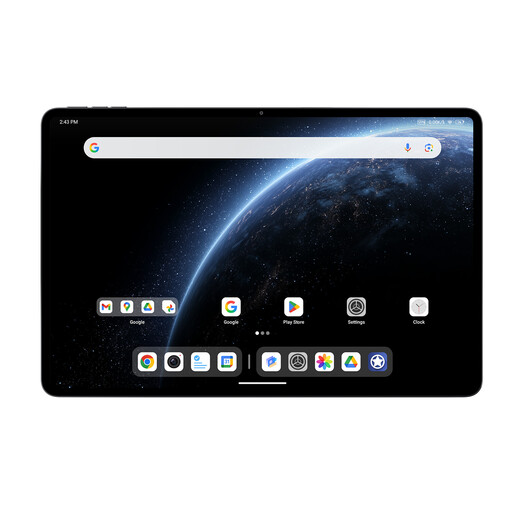
Consider this tablet if viewing larger essay pages matters more to you than minimising the space the device takes up.
The product name specifies a 12.95-inch display, 256GB storage and a 15,000mAh battery; battery capacity does not establish reading time. The title says no charger is included, so check your charging setup and PDF annotation needs.
Yes, if the PDF is imported through Send to Kindle. Amazon says direct-on-page writing does not apply to PDFs loaded by USB-C or sent to the library before 11 November 2022, so check how your essay entered the library.
No. Kobo says its stylus cannot write on DRM-protected PDFs or files that disable annotation and markup; check a representative essay before relying on handwritten notes for the flight.
It depends on the tablet. Apple Pencil is a separate accessory for iPad Air, while Samsung says Galaxy Tab S10 FE includes an S Pen and USB-C cable but no travel adaptor. Check the box contents of the exact model you choose.
Plan to carry the tablet in the cabin and keep any power bank there. The UK Civil Aviation Authority says power banks must not go in checked luggage and limits passengers to two per person under its guidance; check your airline's current requirements before departure.