Music-library movers
If you are changing computers, copying a few albums may not move the media and library arrangement you expect. Apple Support advises consolidating Music or iTunes files to make a library easier to move.


For a large, mostly one-off music-library move, start by checking how much space the complete library needs; a portable hard drive is a capacity-led option. A portable SSD is worth considering if you will move files repeatedly, although its rated speed depends on both computers’ connections. Whichever drive you choose, check that you can transfer the media and library organisation, and that both computers can write to the drive when needed.
If you are changing computers, copying a few albums may not move the media and library arrangement you expect. Apple Support advises consolidating Music or iTunes files to make a library easier to move.
If the drive must work with both systems, its file system and your filenames matter. Apple Support says a Mac treats an NTFS drive as read-only and notes that Windows does not permit certain filename characters.
A large collection puts capacity first; carrying and reusing the drive makes connection and transfer-speed checks more relevant. The choice depends on the size of your complete library and how often you expect to move it.
Consider it when: a large library needs space for a one-off move or a retained local copy. Seagate describes Backup Plus Portable variants with capacities up to 5 TB; check the capacity of the particular drive you choose.
Accept that: capacity alone tells you nothing about how long your transfer will take.
Consider it when: you expect to carry the drive or repeat the transfer and want to assess models with higher stated speed ratings.
Accept that: a maximum rating is conditional. Samsung says its T7 Shield’s stated speeds require a USB 3.2 Gen 2 host and cable, with UASP enabled.
Before comparing capacities or speed ratings, establish which files must move and measure the complete transfer set. If a Mac and a Windows PC will both write to the drive, plan its format before copying.
| Concern | What to check | Who this matters to |
|---|---|---|
| Complete library | Locate the media and library folder; consolidate in Music or iTunes where applicable before measuring and copying. | If I have tracks in several locations, I need the move to preserve more than the albums I can see in one folder. Roughly 36% of consumers put a complete library move first. |
| Capacity | Compare the complete transfer set with the selected drive’s free space, not just its stated capacity. | With a large collection to move and possibly keep as a local copy, I need enough room for the whole set; capacity comes first for roughly 29% of consumers. |
| Mac and Windows access | Check the drive’s format and whether both computers can write to it; check Mac filenames before a move to Windows. | If I will copy files using both operating systems, a drive I can read but cannot write to would interrupt the move. Around 21% of consumers prioritise cross-platform write access. |
| Repeat transfers | Check both computers’ USB ports and the cable against an SSD’s conditional speed rating. | When I expect to carry the drive and reuse it, the connection matters more to my routine; roughly 14% of consumers put transfer speed and portability first. |
Files stored outside the apparent library folder can be left behind, and an incomplete folder can make the required capacity look smaller.
Apple Support recommends consolidating Music or iTunes files where applicable. Identify the complete transfer set before choosing a capacity.
Apple Support says NTFS drives are read-only on Mac, even though the drive may be visible.
If both Mac and Windows need write access, check the current format and consider exFAT. Back up anything already on the drive before reformatting it.
A maximum sequential speed is not a promise for every port, cable or mix of library files.
Check the connections on both computers. Samsung says its T7 Shield’s maximum ratings require a USB 3.2 Gen 2 host and cable, with UASP enabled.
A synchronised library is not itself a backup. Apple Support advises backing up the music library before making changes.
Keep the original and the external-drive copy while you check that expected tracks and library organisation are available on the new computer.
The T7 Shield line offers a portable SSD route in 1 TB, 2 TB and 4 TB variants.
Backup Plus Portable is a capacity-led hard-drive line for a large transfer set or retained local copy.
The Extreme PRO Portable SSD is another portable solid-state option to assess for repeated moves.
These portable SSD and hard-drive options cover repeat-transfer and capacity-led approaches. Measure the complete library first, then check the selected drive’s format and both computers’ connections.
 No image available
A portable SSD to consider for moving a library between computers. The title specifies USB 3.2 Gen 2 and maximum read and write ratings of 1,050 and 1,000 MB/s; check both computers’ connections before relying on those figures.
PC and Mac compatibility is listed, but check the drive’s format if both systems must write to it.
 No image available
A 4 TB portable SSD to consider when the measured library needs substantial space and the drive may be reused. Its title specifies USB Type-C and USB 3.2 Gen 2x2; check the ports on both computers and the drive’s format before transferring.
 No image available
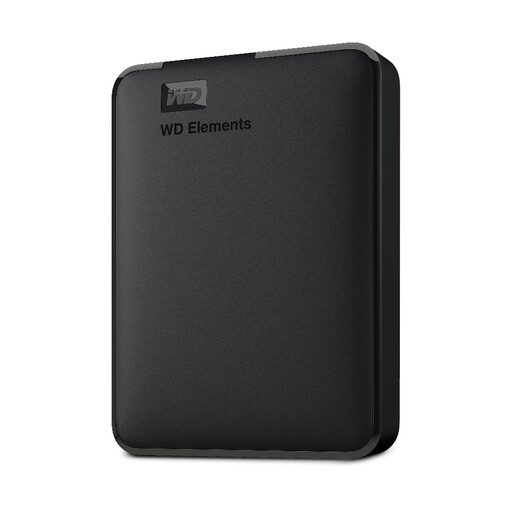
A capacity-led option for a one-off move or retained copy if the complete library fits. The title specifies USB 3.0 and describes PC and Mac use; confirm the drive’s format and write access on the computers involved.
 No image available
A 5TB portable hard drive to consider when the measured library makes capacity a priority. For a move involving Windows as well as Mac, check the file system, whether a compatible driver is needed and whether both computers can write to the drive.
 No image available
A 2 TB portable SSD to consider for repeat library transfers if that capacity fits the complete copy. Its title specifies USB Type-C and USB 3.2 Gen 2x2; check both computers’ connections and confirm a writable format for the planned move.
For a library move, consolidate where applicable and copy the relevant library folder and media rather than selecting only visible albums. Apple Support says consolidation places copies of files in the default folder to make the library easier to move; the originals remain in their previous locations.
If both computers need to write to the transfer drive, exFAT is a format to consider. Apple Support lists it as Mac-writable for use with Windows and says NTFS is read-only on Mac. Check the drive’s current format and back up its contents before reformatting.
No. Apple Support says Sync Library is not a backup service and advises backing up your music library before making changes. Keep a separate copy while you check the move.
Not necessarily. For Samsung’s T7 Shield, the stated maximum read and write ratings of 1,050 and 1,000 MB/s require a USB 3.2 Gen 2 host and suitable cable, with UASP enabled. Check both computers’ ports rather than judging speed by the connector shape alone.