Presenters using known USB-A computers
If both your own computer and the destination have USB-A ports, a compact USB-A flash drive can carry slide decks, PDFs and supporting documents without an adapter.


Choose a compact USB flash drive for ordinary slide decks and documents when you know which ports the computers have. A dual USB-A/USB-C drive helps when the ports differ; consider a portable SSD for large media folders or repeated transfers, but check the computer and cable before relying on its advertised speed. Whichever drive you choose, keep another copy of an important presentation separately.
If both your own computer and the destination have USB-A ports, a compact USB-A flash drive can carry slide decks, PDFs and supporting documents without an adapter.
If you use a USB-C laptop and a USB-A venue computer, a drive with both connectors lets you plug in at either end. Kingston Technology lists both connectors for its DataTraveler Duo.
If your decks contain substantial video or you copy large folders repeatedly, a portable SSD is worth considering. Check its connection requirements and any stated physical-protection limits before choosing one for travel.
Check the ports at both ends of the transfer first, then the size of your complete presentation folder; assess SSD speed only if larger or repeated transfers make it relevant.
| Concern | What to check | Who this matters to |
|---|---|---|
| Connector compatibility | Identify the ports on your computer and the destination; if they differ, check for both connectors or a data-capable adapter. | I may need to copy a deck between a USB-C laptop and a USB-A meeting-room PC without depending on the wrong connector. Around 45% of consumers put direct port compatibility first. |
| Portable capacity | Measure your complete folder, including supporting media, and choose sufficient capacity in the exact drive variant. | When I carry several decks and their supporting files, I want enough room in a drive that is easy to pack. Compact capacity comes first for around 33% of consumers. |
| Large-file transfers and resilience | Check the computer and cable against the drive’s USB specification; retain a separate copy of important files. | Large video assets or repeated copies make transfer time important to me, while travelling makes a separate backup valuable. Around 22% of consumers prioritise large-file handling and resilience. |
A USB-A-only drive cannot plug directly into a USB-C-only port, even when the presentation files themselves are suitable.
Check both computers’ ports before buying. If you regularly encounter both types, consider a dual-connector drive or a tested data-capable adapter.
Formatting erases files already on the drive. Apple Support identifies ExFAT as a Disk Utility choice for a disk over 32GB intended for Windows use.
Copy existing files somewhere else before formatting, then check that the newly copied presentation opens on the computer you intend to use.
Maximum transfer figures depend on the connection. Samsung says its T7 Shield speed figures require compatible USB 3.2 Gen 2 host hardware and cable, with UASP enabled.
Compare the drive’s interface requirements with your computer and cable if transfer speed is a reason for choosing an SSD.
A removable drive can be lost or become inaccessible. The National Cyber Security Centre defines a backup as a copy kept in a separate safe location.
Keep another accessible copy and confirm that the transferred deck opens before travelling. Follow the National Cyber Security Centre’s storage-media sanitisation guidance before disposing of a drive containing sensitive files.
Kingston Technology offers flash-drive examples for known USB-A setups and for transfers between USB-A and USB-C ports.
Samsung’s T7 Shield is a portable-SSD example for large presentation-media folders and regular travel.
The Extreme PRO Portable SSD is a model to examine when comparing connections for large offline file folders.
These drives cover portable SSDs for larger presentation folders, a dual-connector flash drive for mixed ports and a USB-A flash drive for known USB-A setups. Choose by the connection and capacity your transfer requires, and keep a separate backup.
 No image available
Consider this portable SSD when a presentation folder includes substantial media and you need 1 TB of offline storage.
The named variant uses USB Type-C and USB 3.2 Gen 2x2. Check the connection available on each computer before buying.
 No image available
This portable SSD suits a presenter carrying larger media folders between venues.
The named variant has 1 TB of storage and USB 3.2 Gen 2. Samsung says maximum T7 Shield speeds require compatible host hardware and cable, with UASP enabled; its stated physical resistance can vary in use.
 No image available
Choose this flash-drive format if presentation files need to move directly between USB-A and USB-C ports.
The named 512GB variant has dual USB-A and USB-C interfaces. Check the ports on both devices before setting off.
 No image available
This 1TB portable SSD is an option when you need to carry larger presentation folders offline.
The named variant uses USB 3.2 Gen 2. If its magnetic mounting matters to your setup, check the required accessories for the device you will use.
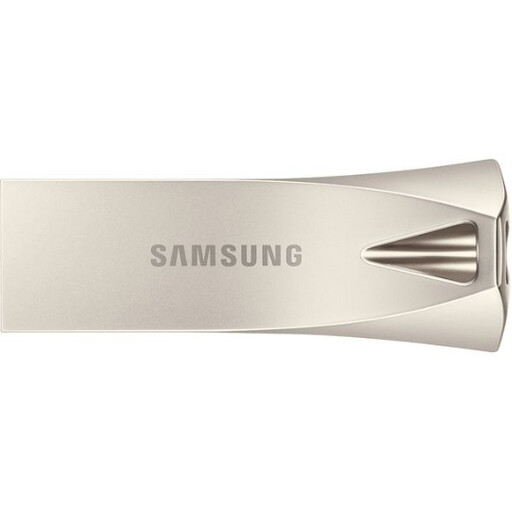 No image available
This flash drive suits presentation transfers when the computers you expect to use have USB-A ports.
The named 512 GB variant uses USB Type-A and USB 3.2 Gen 1. For a USB-C-only computer, check that you have another suitable data connection.
A compact flash drive is generally the simpler choice for moving ordinary slide decks, PDFs and documents between computers with suitable ports. Consider a portable SSD if you repeatedly transfer large media folders, and check the computer and cable before expecting its advertised maximum speed.
For a disk over 32GB intended for Windows use, Apple Support identifies ExFAT as a choice in Mac Disk Utility. Formatting erases the drive’s existing files, so copy them elsewhere first and check the finished presentation on a destination-compatible computer.
No: keep another accessible copy in a separate safe location. The National Cyber Security Centre describes a backup as a copy stored separately; test that the transferred presentation opens before the event.
Take an unwanted electrical drive to an appropriate collection point rather than putting it in household rubbish, in line with GOV.UK guidance on electrical waste. If it held sensitive files, follow the National Cyber Security Centre’s storage-media sanitisation guidance before disposal rather than relying on ordinary file deletion.