Pupils moving recordings between school and home
A compact drive can make frequent copying practical, but the connections on both computers need checking before purchase. Samsung and Crucial describe portable SSD options for this kind of use.


For a school language-recording project, consider a portable SSD if you will copy files frequently and carry the drive between school and home. A portable hard drive is another option when the main purpose is keeping a larger archive. Whichever you choose, check both computers’ ports and file-format requirements, keep another copy of the recordings, and consider access protection if they contain identifiable voices.
A compact drive can make frequent copying practical, but the connections on both computers need checking before purchase. Samsung and Crucial describe portable SSD options for this kind of use.
Keep an original copy elsewhere and decide how to restrict access if the portable drive is misplaced. Crucial’s guidance discusses encryption as a way to protect files from unauthorised access.
If recordings will sit alongside photos, videos and documents, capacity may matter more than frequent transfers. Seagate offers its Backup Plus Portable hard-drive line in capacities up to 5 TB.
Consider it when: You will carry the project between locations and copy recordings often.
Bear in mind: Advertised maximum speeds depend on compatible computer ports and cables; a rugged rating is not a guarantee against damage.
Consider it when: The recordings are part of a larger collection you mainly intend to store.
Bear in mind: Check the cable against your computers’ ports and carry the drive carefully.
| Concern | What to check | Who this matters to |
|---|---|---|
| Frequent copying and carrying | Check the ports and cable on both computers, then assess whether the drive’s connection suits repeated transfers. | If I move recording folders between school and home, I want a drive I can connect and carry regularly without choosing it solely for a headline speed. Around 44% of consumers put frequent portable copying first. |
| Compatibility and access | Check the file format on every device involved and follow school rules for protecting recordings with identifiable voices. | When a group needs to open the same files on different computers, I need the recordings to remain accessible to authorised users and protected if the drive is lost. For around 33% of consumers, compatibility and access protection are the primary concern. |
| Room for an archive | Measure your existing folders and allow for the other files you plan to keep; retain a separate copy of important work. | If the project recordings will join photos, videos and later schoolwork, I need room for that collection rather than just the current folder. A larger archive comes first for around 23% of consumers. |
Samsung says the T7 Shield’s stated maximum speeds require a compatible USB 3.2 Gen 2 connection, cable and UASP support. Crucial also ties the X9 Pro’s highest stated speeds to a USB 3.2 Gen 2 USB-C connection.
Identify the school and home computer ports before deciding whether a faster interface would be useful.
Changing the file system can erase existing recordings; Crucial explicitly warns that reformatting its X9 Pro results in data loss.
Check the required format before copying files. If you must reformat later, make and check a separate copy first.
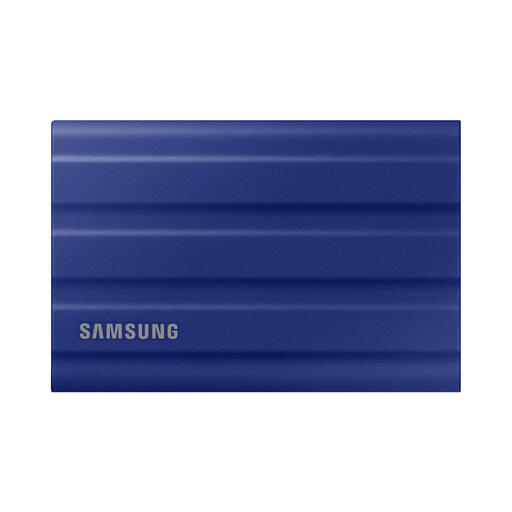
Samsung says the T7 Shield’s dust, water and drop claims are based on controlled tests and can vary in actual use.
Carry the drive carefully and keep it dry rather than treating its rating as permission to expose it to water or drops.
Samsung states that liquid, dust and drop damage are not covered under its warranty for this model.
A portable drive can be misplaced, and recordings may contain identifiable voices. Crucial’s guidance describes encryption as a way to protect files from unauthorised access.
Follow the school’s data-handling rules, use an appropriate approved protection method and keep recovery information somewhere secure other than the drive.
The T7 Shield portable SSD line is relevant to recordings carried between locations.
The X9 Pro is worth considering when recordings need to move between compatible devices.
The Backup Plus Portable hard-drive line is relevant when recordings will become part of a larger archive.
These Joybuy portable SSD options relate to carrying and copying school recordings. Check each drive against the school and home computers before choosing; the hard-drive archive route remains a separate consideration.
 No image available
Consider this portable SSD for recordings carried between school and home. The named variant has 1 TB capacity and a USB 3.2 Gen 2 connection; check both computers’ ports and the required file format before use.
 No image available
Consider this model if you also want the named Magnetic Set variant. Its title specifies USB 3.2 Gen 2 and maximum read and write speeds of 1,050 and 1,000 MB/s; check the computers’ connections and file format rather than assuming those speeds in use.
 No image available
This 4 TB USB Type-C portable SSD is a capacity option if the recordings will join a larger collection. Check whether you need that much room, and confirm the school computer’s connection and file-format requirements.
 No image available
Consider this portable model if you can establish which connection the project computers support. Its title claims up to 2,000 MB/s read and write and an IP65 rating; neither figure guarantees everyday transfer speed or protection from damage. Check the cable and file format needed for your setup.
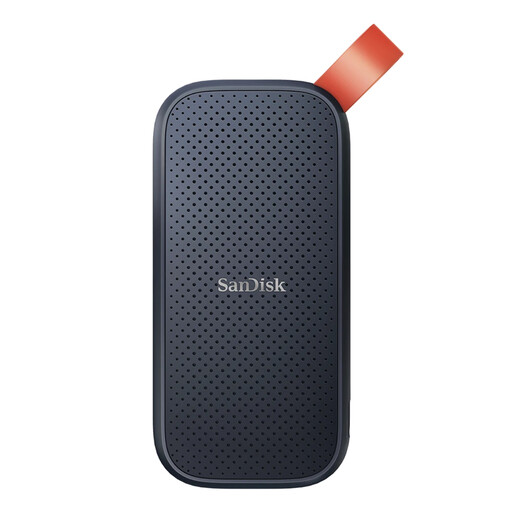 No image available
This 2 TB portable SSD is an option when you want room beyond the current recordings. Confirm its connector, the cable you will use and file-format compatibility with both computers before buying.
Not necessarily: a portable hard drive can suit a project that is part of a larger archive, while a portable SSD is worth considering for frequent copying and carrying. Check the actual computer ports before choosing on the basis of advertised speed.
It may, provided both devices can connect to it and read its file format. Check the exact computers and any school restrictions; Crucial says its X9 Pro ships formatted as exFAT, but compatibility depends on the host and formatting.
Reformatting may be an option, but copy every needed recording elsewhere first. Crucial states that reformatting the X9 Pro erases its contents, so confirm the format required by the devices before making the change.
Follow the school’s rules and consider an approved password-protection or encryption method if the drive could be lost. Keep recovery information secure and check that authorised users can still open the files on the devices they need.