Who needs an offline invoice backup?

Offline-first invoice keeper

You want a local copy that is disconnected after backup rather than left accessible through a cloud account or a permanently attached drive. The National Cyber Security Centre advises connecting an offline backup to a live system only when necessary.

Sensitive-record carrier

You move invoice files between locations and want to limit access if the drive is lost or stolen. The Information Commissioner’s Office identifies encryption as a way to protect stored personal information against unauthorised access.

Fixed-office archive builder

You keep a growing collection of business records at one workstation and care more about capacity and retrieval than carrying the drive. Check the retention rules that apply to your records before deciding how much space to allow.

What matters when choosing a drive?

Portable external SSD

Consider it when: You need to move the backup between locations or store a compact drive after each session.

Trade-off: Check capacity against the records you must retain; quoted transfer speeds depend on the computer and connection.

Desktop external HDD

Consider it when: A growing archive stays at one workstation and you need more capacity. Seagate lists its Expansion desktop range in capacities from 4 TB to 30 TB.

Trade-off: It is a fixed-location choice rather than a pocketable one; confirm the exact model and connection before buying.

ConcernWhat to checkWho this matters to
Offline recovery Choose a connection you can safely disconnect after each backup, and plan a restore test. I want my invoice copy out of reach when the computer is in use, even though connecting and putting away the drive adds a step. Around 36% of consumers put an offline recovery copy first.
File protection Check the encryption method for the exact drive and how you will retain access to its password or recovery details. If I carry invoices containing personal information, losing the drive should not also expose the files. For around 29% of consumers, protecting those records is the primary concern.
Repeatable backups Check your computer’s ports and cable connectors; test both copying and restoring files. I need a setup I can use regularly, not just a quoted peak speed that my connection may not reach. Ease of maintaining that routine comes first for around 21% of consumers.
Archive capacity Measure your existing records and allow room for the retention period and other files you intend to store. My fixed-location archive must remain readable as years of records accumulate. Around 14% of consumers make capacity for retained records their main concern.

Backup mistakes to avoid

  • Leaving the backup drive permanently connected

    A connected backup can be affected during the same ransomware incident as the computer, as the National Cyber Security Centre warns.

    Connect the drive to make or check a backup, then safely disconnect and store it separately. Periodically restore a sample invoice folder.

  • Assuming a drive password guarantees recovery

    Western Digital says technical support cannot recover a forgotten password for a supported drive using WD Security; the drive must be erased before reuse.

    Check the exact model’s security and recovery process. Keep the password or recovery details securely apart from the drive and maintain another tested copy of critical records.

    For that WD Security setup, forgetting the password can mean losing the archive stored on the drive.

  • Choosing an SSD by its maximum speed alone

    Samsung says the T7 Shield’s stated maximum speeds require a compatible USB 3.2 Gen 2 and UASP host and suitable cable.

    Check your computer’s port and cable before relying on a transfer-rate claim. For invoice PDFs, a backup you perform and test consistently may matter more than peak speed.

  • Using a backup drive in place of VAT record software

    For businesses subject to Making Tax Digital for VAT, HM Revenue & Customs requires certain records to be kept digitally using compatible software or connected software, unless an exemption applies.

    Use the drive as a backup or archive layer, and check separately which digital-record requirements apply to your business.

Relevant brands to consider

Samsung

The portable T7 Shield line is relevant if you carry a backup drive and disconnect it after use.

  • Samsung lists password protection and rates its UK 1 TB T7 Shield MU-PE1T0S/EU at up to 1,050 MB/s read and 1,000 MB/s write.
  • Those maximum speeds require a compatible USB 3.2 Gen 2 and UASP host and cable. Samsung’s IP65 and 3 m drop-test claims do not mean water, dust or drop damage is covered by warranty.

Seagate

Its One Touch SSD and Expansion desktop lines illustrate portable storage and a fixed-location archive respectively.

  • Seagate lists One Touch SSD options up to 2 TB and Expansion desktop capacities from 4 TB to 30 TB.
  • Check the exact model, connection and current retailer availability before choosing either line.

Western Digital

Relevant if you are considering a drive specifically supported by WD Security for password protection.

  • Western Digital says WD Security can provide password protection with 256-bit AES hardware encryption on supported listed drives.
  • Confirm that the exact drive is supported: Western Digital says a forgotten WD Security password cannot be recovered by technical support and requires erasing the drive.

Joybuy drives for local backups

These portable SSD and portable HDD choices can be disconnected and stored after an invoice backup. If your archive will remain at one workstation and needs substantially more capacity, compare desktop drives separately rather than treating these portable models as the only route.

Samsung MU-PE1T0S 1 TB external drive in black

Samsung MU-PE1T0S 1 TB, black

Consider this portable drive if you want to disconnect and store a local invoice copy after each backup.

1 TB; USB Type-C 3.2 Gen 2. Check your computer and cable before relying on the model’s stated maximum transfer speeds.

For sensitive files, confirm the password and encryption setup you intend to use; disconnect the drive and test a restore after backing up.

View on Joybuy

Samsung Portable SSD T7 2 TB in blue

Samsung Portable SSD T7 2 TB, blue

Consider this portable SSD if a growing invoice archive calls for 2 TB in a drive you can put away between backups.

USB Type-C 3.2 Gen 2. Check your computer’s connection before choosing it for transfer speed.

If you enable password protection, retain the password securely and separately; test that you can restore backed-up files.

View on Joybuy

Lexar ES4 Portable SSD with Magnetic Set, 1 TB

Lexar ES4 Portable SSD with Magnetic Set, 1 TB

This portable SSD is an option if you move invoice backups between locations and store the drive separately afterwards.

USB 3.2 Gen 2; stated speeds up to 1,050 MB/s read and 1,000 MB/s write. Actual speed depends on the connection.

If you plan to protect files with Lexar DataShield, check its compatibility with your computer and complete the required setup before relying on it.

View on Joybuy
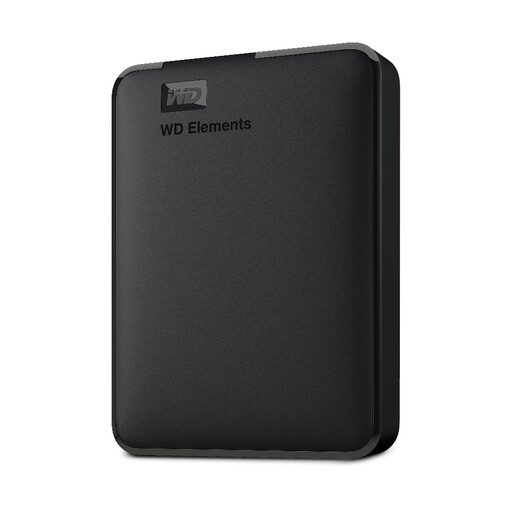
WD Elements 2 TB portable external hard drive in black

WD Elements 2 TB portable external hard drive, black

Consider this portable HDD for a local document archive you can disconnect after backing up.

2 TB; USB 3.0. Check the format needed by each computer you will use, particularly if moving between PC and Mac.

For invoices containing sensitive information, confirm an appropriate encryption method before relying on the drive as a protected copy.

View on Joybuy

Lexar ES5 Portable SSD, 1 TB

Lexar ES5 Portable SSD, 1 TB

This portable SSD can be put away between invoice backups if 1 TB meets your archive needs.

USB 3.2 Gen 2x2; stated speeds up to 2,000 MB/s read and write; IP65 rating. Check for Gen 2x2 support before choosing it for the quoted speed.

Confirm how you will encrypt sensitive files, then disconnect the backup and test that you can restore it.

View on Joybuy

Questions about invoice backups

Is one external drive enough if I do not use cloud storage?

One drive can hold an offline copy, but it cannot remove the risk of loss, damage or an unusable backup. The National Cyber Security Centre advises keeping at least one backup disconnected when it is not needed; make backups regularly, test restoration and consider another separately stored copy for records you cannot afford to lose.

Must an invoice backup drive have hardware encryption?

Choose protection according to the information on the drive and the risk of unauthorised access, rather than assuming a particular drive feature is always required. The Information Commissioner’s Office identifies encryption as a way to protect stored personal information if a device is lost or stolen; check whether an appropriate drive feature or operating-system encryption meets your needs.

How long do I need to keep invoice backups?

The applicable period depends on the record and your tax position. HM Revenue & Customs says VAT invoices should be retained for six years from their date of issue; its guidance for self-employed Self Assessment records specifies at least five years after the 31 January submission deadline for the relevant tax year. Check which rules apply to your records before sizing an archive.

Can an external drive replace Making Tax Digital-compatible software?

No: a backup drive can store copies but does not by itself fulfil the working-record requirements for a business subject to Making Tax Digital for VAT. HM Revenue & Customs says certain VAT records must be kept digitally using compatible or connected software unless an exemption applies. Check whether those requirements apply to your business.

What happens if I forget a drive’s security password?

Recovery depends on the exact security setup, so check it before enabling a password. Western Digital says technical support cannot recover a forgotten password for a supported drive using WD Security and that the drive must be erased before reuse. Keep recovery details securely apart from the drive and maintain another tested copy of critical invoices.