Students copying documents occasionally
If you mainly carry handouts, presentations and saved project files, consider the space you need before focusing on transfer speed. A portable HDD may suit occasional copying, but protect it from knocks.


For occasional copies of PDFs and presentations, a portable HDD can be enough if storage capacity matters more than transfer speed. A portable SSD is more relevant when you regularly move files between school and home or carry the drive often; whichever you choose, check both computers’ connections and keep another copy of important work.
If you mainly carry handouts, presentations and saved project files, consider the space you need before focusing on transfer speed. A portable HDD may suit occasional copying, but protect it from knocks.
If you transfer folders regularly and carry the drive in a bag, a portable SSD is worth considering. SanDisk notes that SSDs have no moving parts and are generally more resistant to physical shock than HDDs; check that both computers can connect to the drive.
If the drive may hold personal or group-project information, check the exact model for password protection or encryption. Those features do not replace a separate backup: the National Cyber Security Centre advises keeping a recoverable copy in a separate safe location.
For workshop handouts, start with how often you will copy files and carry the drive, then check the ports and operating systems on the computers you will use.
Consider it when: Copies are occasional and you want room for handouts and a wider project archive.
Trade-off: SanDisk describes portable HDDs as generally less resistant to physical shock than SSDs, so handle the drive carefully.
Consider it when: You transfer files frequently or carry the drive between school and home.
Trade-off: A quoted maximum speed does not tell you how quickly files will copy through your computer’s port and cable.
Consider it when: Frequent carrying or sensitive files make particular physical-protection or access-control features important.
Trade-off: Ratings and encryption are specific to the model; they do not make an SSD immune to loss or remove the need for a backup.
| Concern | What to check | Who this matters to |
|---|---|---|
| Capacity for documents | Estimate the space needed for handouts and any other project files you plan to retain; check the capacity of the specific variant. | If I mainly save handouts and an expanding project archive, I want enough space without choosing a drive for speed alone. Around 44% of consumers put capacity for routine copies first. |
| Frequent transfers | Match the supplied connector and stated USB interface to the ports on both computers. | When I move project folders between school and home regularly, connection and copying time matter more to me. Around 33% of consumers prioritise frequent, portable transfers. |
| File protection | Keep a separate backup, and check the exact model if you need password protection, encryption or a stated physical-protection rating. | If losing the drive could expose personal files or leave me without finished work, I need a way to protect access and recover the files. Around 23% of consumers make protection and privacy their primary concern. |
The computer port, cable and files being copied can limit the transfer speed you experience.
Check whether the school and home computers have USB-A or USB-C ports, then compare their connections with the drive’s requirements and supplied cable.
A lost or failed drive, or an accidentally deleted file, could leave the project inaccessible. The National Cyber Security Centre recommends a backup in a separate safe location.
Keep the original work and a separate recoverable copy, using a school-approved location where required.
SanDisk states IP65 dust and water resistance, up to 3-metre drop protection and encryption for its cited 1 TB Extreme Portable SSD; these are not features of every SSD.
Check the exact model’s documentation for the rating or access-control feature you need, and continue to handle and store the drive carefully.
The Basic portable HDD range is relevant if you want to store handouts alongside a larger collection of project files. Seagate lists 1 TB to 5 TB variants and USB 3.0 connectivity.
The Portable SSD T7 range is relevant to students who copy files regularly. Samsung UK lists 500 GB, 1 TB, 2 TB and 4 TB variants with USB 3.2 Gen 2 connectivity.
The cited 1 TB Extreme Portable SSD is relevant when carrying conditions or access to files call for specific protection features.
These portable HDDs and SSDs offer different ways to carry school handouts and project files. Choose by your copying routine, then check the connection and setup requirements for the computers you will use.
 No image available
Consider this portable SSD if you carry project files between locations and want to check the model’s stated protection features.
Its title specifies 1 TB capacity and USB 3.2 Gen 2. Check both computers’ connections before buying; do not treat a water-resistance claim as permission to submerge the drive.
 No image available
Consider this portable SSD for regularly moving handouts and larger project folders between computers.
Its title specifies 2 TB capacity and USB 3.2 Gen 2. Check the available ports and cable; do not rely on this model for water or dust protection.
 No image available
Consider this SSD if you expect to move project files between devices and can check that its setup works on each one.
Its title specifies USB 3.2 Gen 2 and quotes up to 1,050 MB/s read and 1,000 MB/s write speeds, rather than guaranteed copying results. Check the file system before transferring files: formatting can erase existing data. DataShield software must be enabled if you intend to use its encryption feature.
 No image available
Consider this portable HDD if a larger archive of handouts and other project files is your priority.
Its title specifies 5 TB capacity and the Mac variant. Windows use calls for a downloadable HFS+ driver, so confirm that the school computer permits the required setup before choosing it.
 No image available
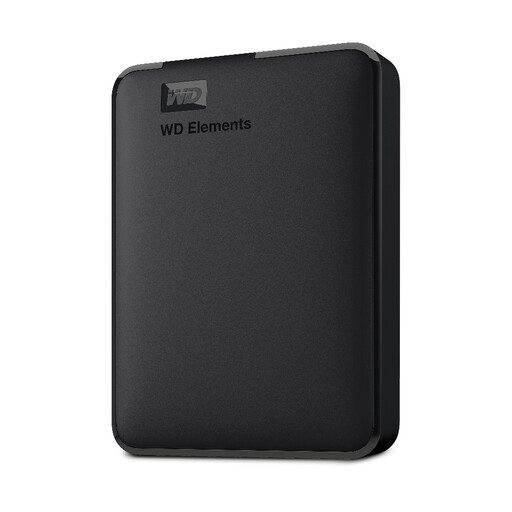
Consider this portable HDD for routine handout copies and a modest project archive, provided you can handle it carefully.
Its title specifies 1 TB capacity. Use with a Mac or another operating system may require reformatting; establish the right setup before copying files, as formatting can erase existing data.
No: a portable HDD can suit occasional copies of PDFs and presentations if storage capacity matters more to you than transfer speed. Consider an SSD for repeated transfers or frequent carrying, and check the computers’ ports and the drive’s cable before choosing.
Check the drive’s setup instructions before changing anything on the computer. Microsoft Support says Windows Disk Management can initialise a disk, create or format a volume and assign a drive letter; identify the correct disk first, because formatting can remove existing data.
No: keep a separate recoverable copy of important work. The National Cyber Security Centre describes a backup as a copy stored in a separate safe location, available if the original becomes inaccessible.