Who is the drive for?

Home-movie keepers facing a project deadline

If your priority is storing the existing footage alongside working copies and exports, measure how much space those files need before choosing a drive. A portable HDD is one route to assess for a substantial library; keep another copy separate from the project drive.

People moving video files frequently

If footage will travel between computers or editing locations, pay particular attention to the available USB ports, cable and file system. A portable SSD is worth considering for repeated transfers, but the computer connection can limit the benefit.

Families carrying identifiable footage

If the drive will carry videos of family members or classmates, consider what happens if it is lost or damaged. The Information Commissioner's Office advises using encryption to protect personal information on removable media; check the school's handling rules before transferring or sharing footage.

What matters when choosing?

Portable HDD

Consider it when: storing the movie library and project copies matters more than making repeated transfers.

Trade-off: check the particular model's connection, formatting and suitability for regular carrying.

Portable SSD

Consider it when: you expect to copy or work with large video files repeatedly.

Trade-off: a drive's stated speed does not establish the transfer rate you will get through your computer's port and cable.

Concern What to check Who this matters to
Capacity and backup Measure the movie folder and allow room for project copies and exports. Plan a separate backup. I need to keep the original movies while making edited versions for the project, without relying on one drive to preserve everything. Around 50% of consumers put capacity and backup first.
Transfers and compatibility Check the computer's USB port, the cable and the drive's file system before choosing a transfer workflow. When I move footage between computers, I need the drive to connect and the files to be usable where I edit them. Transfer workflow is the primary concern for around 30% of consumers.
Carrying and privacy Check any model-specific physical-protection features and, for personal footage, the encryption setup and school rules. If I carry videos showing identifiable people, losing the drive would raise concerns beyond replacing the device. Around 20% of consumers place carrying and privacy first.

Mistakes to avoid

  • Choosing capacity before measuring the footage

    Edited versions and exports need space alongside the original movies, so the size of the current folder alone may not cover the project.

    Measure the footage, allow working room for project files and keep a separate backup.

  • Making the portable drive the only copy

    Loss, damage or a drive failure could take the footage and project files with it. The Department for Education Cyber Security Hub describes a 3-2-1 backup approach: three copies, on two forms of storage, with one copy off-site.

    Keep copies on separate storage and disconnect an external backup drive when it is not in use, as the NI Cyber Security Centre advises.

    Losing the only copy could also mean recreating project work or losing footage that cannot be replaced.

  • Assuming a USB-C connection settles compatibility

    The connector does not, by itself, establish transfer speed or whether the file system suits your computer. Toshiba states that its cited Canvio Basics drives are formatted NTFS for Windows and require reformatting for macOS.

    Check the port, supplied cable and exact model's formatting instructions. Copy existing files elsewhere before reformatting a drive.

  • Overlooking security when carrying personal footage

    A misplaced drive can expose videos containing personal information. The Information Commissioner's Office advises encryption for personal information stored on removable media.

    Check how encryption is enabled, manage the password separately from the drive and follow the school's rules for storing and sharing footage.

Relevant brands to consider

Toshiba

Toshiba's Canvio Basics is a portable HDD range to consider for a Windows-based movie archive.

  • Toshiba lists 1 TB, 2 TB and 4 TB options, USB bus power and USB 3.2 Gen 1 connectivity for Canvio Basics.
  • Toshiba says the range is formatted NTFS for Windows and requires reformatting for macOS; check the intended computer before moving files between systems.

Seagate

Seagate's external-drive range includes portable HDDs, SSDs and desktop drives for different storage workflows.

  • Its UK range describes high-capacity choices for video projects alongside faster external-storage options.
  • Capacity, connection and security features depend on the exact model; a range description is not a specification for every drive.

LaCie

LaCie's Rugged range is relevant if the project drive will be carried regularly.

  • LaCie specifies drop, crush and rain resistance for Rugged Mini and describes Rugged Secure as self-encrypting.
  • Those features belong to particular models; check the exact drive's protection conditions and encryption setup.

Crucial

Crucial's portable SSD range is an option to examine for a project involving repeated file transfers.

  • Crucial lists external SSD capacities from 500 GB to 8 TB, with 1 TB, 2 TB and 4 TB X9 Pro variants.
  • Check the chosen model's connection and stated transfer specifications against the computer you will use.

Joybuy drives for this project

These portable HDD and SSD choices cover storing home movies, moving project files and, on particular models, carrying footage with physical-protection or encryption features. Match the capacity and setup to your files and computer; none replaces a separate backup.

Samsung Portable SSD T7 4 TB in grey

Samsung Portable SSD T7 4 TB, Grey

Consider this portable SSD if you expect to transfer movie files repeatedly and need room for project copies. Its listed configuration is 4 TB with USB Type-C 3.2 Gen 2; check your computer's connection and file-system requirements before buying. Keep another copy of the footage.

View on Joybuy

Western Digital My Passport 2 TB portable hard drive in black

Western Digital My Passport 2 TB Portable Hard Drive, Black

This portable HDD is a 2 TB option for storing movies and project versions. Its listing describes password-protected encryption, which requires setup if you intend to use it. Confirm the required macOS setup with the seller or manufacturer before relying on it with a Mac, and retain a separate backup.

View on Joybuy

Lexar ES4 1 TB portable SSD with magnetic set

Lexar ES4 1 TB Portable SSD with Magnetic Set

Consider this 1 TB portable SSD for a project involving repeated file transfers. The named variant has a USB 3.2 Gen 2 connection and a magnetic set; check that its capacity, formatting and connection suit the devices you will use. Its listing describes encryption software, which must be set up rather than assumed to protect stored footage.

View on Joybuy

Samsung MU-PE1T0S 1 TB portable drive in black

Samsung MU-PE1T0S 1 TB USB Type-C 3.2 Gen 2, Black

Consider this portable SSD if you will carry project footage and want to check a model with stated physical-protection features. The listing claims IP65 protection and drop resistance up to 3 metres; IP65 does not mean the drive can be submerged. Confirm the supplied cable and setup for your computer, and keep a separate backup.

View on Joybuy
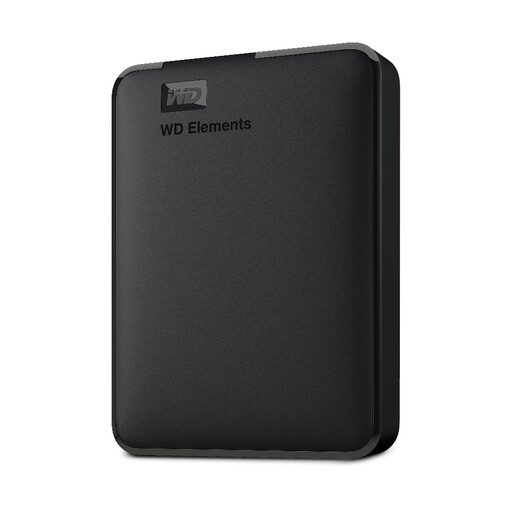
WD Elements 2 TB portable hard drive in black

WD Elements 2 TB Portable Hard Drive, USB 3.0, Black

This portable HDD is a 2 TB option for a movie library and school-project files. If you will use a Mac, confirm the drive's file system and any reformatting steps before transferring footage. Protect the drive from drops, water and dust when carrying it, and retain another copy.

View on Joybuy

Common questions

Can one external drive be the only place I keep the home movies?

No: keep the movies and project files on separate storage as well. The Department for Education Cyber Security Hub describes a 3-2-1 backup approach—three copies, on two forms of storage, with one off-site—and the NI Cyber Security Centre advises disconnecting an external backup drive when it is not in use.

Will a Windows-formatted external drive work on a Mac?

It may need preparation before you use it for the project. Toshiba says its cited Canvio Basics drives are formatted NTFS for Windows and require reformatting for macOS; check your exact model's instructions and copy any existing files elsewhere before reformatting.

Should I encrypt home movies for a school project?

Consider encryption if the drive will hold footage containing identifiable people or other personal information. The Information Commissioner's Office advises encryption for personal information on removable media while noting that it is not required in every situation; follow the school's handling rules and manage any drive password securely.

What should I do with the drive after copying the project?

Keep the project backed up separately and disconnect an external backup drive when it is not in use, as the NI Cyber Security Centre advises. Check that you can open the copied files before you depend on them for the school project.