What matters when choosing an SSD?
Start with the files you need to recover and the devices you will use, then decide whether protection of personal information or routine travel changes the model you need.
| Concern | What to check | Who this matters to |
|---|
| Offline recovery |
Allow enough capacity for the selected files; plan a separate storage location and test that you can restore a folder. |
If my teaching laptop fails, I need a usable copy that was not left connected to it. Around 36% of consumers would make offline recovery their primary concern. |
| Personal-data protection |
Check the exact model’s encryption and unlocking method against your organisation’s removable-storage policy. |
When resources include personal information, I need to protect the files if the drive is lost. Roughly 29% of consumers would put that protection first. |
| Device compatibility |
Check the USB ports, any required adapter and the file format before using the drive across devices. |
I need to open my backup on the devices I actually use, without discovering a format problem later. Around 21% of consumers would prioritise cross-device use. |
| Travel durability |
Check model-specific dust, water and drop-test conditions, alongside warranty exclusions. |
If the SSD travels in my bag, I want to understand what its physical-protection claims cover. About 14% of consumers would make durability their primary need. |
Joybuy SSDs for local backups
These portable SSDs offer different stated capacities and connection or carrying features for making a local copy of teaching resources. Check the size of the files you intend to retain, your devices and any rules for storing personal information before choosing.
 No image available
Samsung T7 Shield MU-PE1T0S 1TB SSD, black
Consider this model if the backup drive will travel regularly. Its listed connection is USB Type-C 3.2 Gen 2; Samsung specifies IP65 protection and a 3-metre drop test for the T7 Shield under controlled conditions, rather than a guarantee against damage. Check whether 1TB covers the resources you plan to keep.
View on Joybuy
 No image available
Samsung Portable SSD T7 2TB, grey
The stated 2TB capacity may suit a larger collection of teaching files, depending on what you retain and how many copies you need. This variant lists USB Type-C 3.2 Gen 2. If files contain personal information, check its encryption setup against your organisation’s policy.
View on Joybuy
 No image available
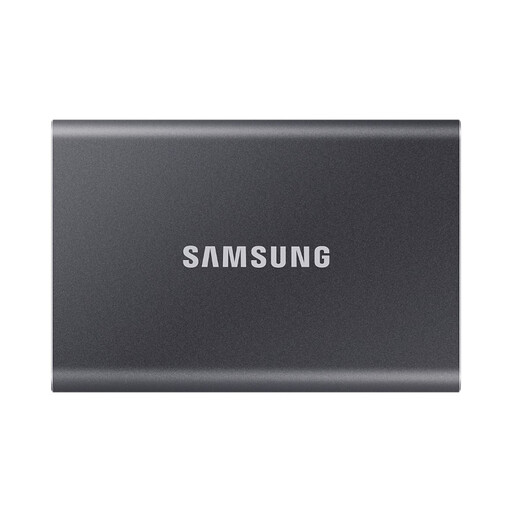
Samsung Portable SSD T7 1TB, grey
This 1TB USB Type-C 3.2 Gen 2 variant is another option for a local teaching-resource copy. Compare its capacity with the folders you intend to back up, and check encryption requirements before putting personal information on the drive.
View on Joybuy
 No image available
Lexar ES4 Portable SSD with Magnetic Set, 1TB
Consider the ES4 if its listed phone and computer connections match the devices in your backup routine. The product title specifies USB 3.2 Gen 2 and compatibility with iPhone 15/16, PC and Mac; check the magnetic accessory requirements for your particular phone and the file format your devices need.
View on Joybuy
 No image available
SANDISK Extreme 2TB Portable SSD for PlayStation 5 and PC
Although presented for PlayStation 5 and PC use, this 2TB portable SSD can be considered for a local copy made on a compatible PC. Check its connection and file format for your teaching devices, and confirm an approved encryption method if the copy will contain personal information.
View on Joybuy
Common questions
Is one external SSD enough for a no-cloud backup?
An external SSD can hold a local backup, but keep another separate copy if losing important teaching resources would be serious. The National Cyber Security Centre advises secure storage and disconnecting a backup device when it is not in use; it also suggests considering two backups in case one is lost, stolen or fails.
Should I encrypt an SSD containing teaching files?
If the files contain personal information, check and follow your organisation’s encryption requirements before using removable storage. The Information Commissioner’s Office identifies encryption as protection for stored personal information, particularly if a device is lost or stolen.
Why might a T7 SSD copy files below its advertised maximum speed?
Samsung says the cited T7 models’ maximum sequential rates require a USB 3.2 Gen 2-capable host, a compatible cable and UASP. Check the computer and connection you will actually use for backups rather than choosing by the drive’s stated maximum alone.
What should I do after copying files to an offline SSD?
Check that you can open or restore a sample of the copied files, then disconnect the SSD and store it securely. Repeat the backup often enough for the resources you would need to recover, and protect any personal information according to your organisation’s rules.
Can I use the same backup SSD with Windows and Mac?
You can use a suitable SSD across both systems if its connection and file format work with each device. Check the exact setup before making it your backup destination; Crucial notes that X9 Pro compatibility depends on formatting and host capabilities, and that reformatting erases existing files.


