What matters when choosing?
For repeated copying on a crowded desk, start with an SSD’s physical size and the connection you can actually use. If the drive will chiefly hold past handouts, compare HDD capacity and backup features instead of choosing by a headline transfer rate alone.
Portable SSD
Choose it when: Frequent copying and a compact desk setup are the priorities; Kingston Technology UK specifies its XS1000 at 69.54 × 32.58 × 13.5 mm and 28.7 g.
Allow for: A quoted transfer rate depends on the computer and USB connection, not just the drive.
Portable HDD
Choose it when: Keeping a growing archive and arranging backups matter more than the smallest drive; Seagate UK describes those uses for its One Touch HDD range.
Allow for: Check the exact model’s dimensions, connection accessories and availability before planning a small-desk setup around it.
| Concern |
What to check |
Who this matters to |
| Desk space and connection |
Compare dimensions and check whether the box contains the cable or adapter for your computer’s port. |
If handouts and a laptop already fill the desk, I need a drive I can connect without rearranging everything; around 31% of consumers put a compact, straightforward setup first. |
| Repeated copying |
Check the computer port, any hub and the cable against the drive’s USB specification. |
When I copy folders before each workshop, I want the connection to make use of the drive’s rated capability; roughly 31% of consumers prioritise repeated copying. |
| Archive and backup |
Choose capacity for current and future handouts, then check whether the backup features suit your routine. |
If I keep materials from past sessions, I need room to retain them and a routine for another copy; about 23% of consumers place archive and backup needs first. |
| Carrying and file access |
Check any model-specific protection claims and warranty exclusions; consider how access to private files will be managed. |
When the drive travels between venues or holds attendee files, I care about handling it carefully and controlling access; around 15% of consumers make protection their primary concern. |
Relevant brands to consider
These product lines illustrate different checks for the handout-copying task; a brand’s inclusion does not establish the features of every model it sells.
Kingston
The XS1000 is a compact SSD reference for a crowded desk. Kingston Technology UK specifies dimensions of 69.54 × 32.58 × 13.5 mm, a weight of 28.7 g and an included USB-C-to-USB-A cable and adapter.
- Its stated size and accessories give you concrete points to compare with the available desk space and laptop ports.
- Its quoted speeds of up to 1,050 MB/s read and 1,000 MB/s write are not assured copying rates on every connection.
Samsung
The T7 Shield is relevant when a portable SSD will be carried between workshop venues. Samsung UK specifies USB 3.2 Gen 2 performance of up to 1,050 MB/s read and 1,000 MB/s write for the referenced model.
- Samsung states that the T7 Shield underwent IP65 and 3 m drop testing.
- Samsung says resistance depends on conditions and excludes liquid, dust and drop damage from warranty coverage; keep another copy of important files.
Seagate
The One Touch range includes an HDD route for retaining handout archives. Seagate UK describes high-capacity storage and scheduled backup options for the range.
- Its HDD route is worth examining when archive capacity and a repeatable backup routine lead the decision.
- Seagate’s One Touch Portable guide says a USB-C-to-USB-A cable is not included with the setup it describes; check accessories and availability for the exact model.
SanDisk
The Extreme Portable SSD is another USB 3.2 Gen 2 line to compare when choosing a drive for handout folders. SanDisk lists sequential read performance of up to 1,050 MB/s for that line.
- Its published interface and read-rate specifications provide a basis for checking the computer connection.
- Check the capacity and accessories of the exact variant; the published read rate is not a guaranteed copying rate.
Joybuy product choices
These portable SSD and HDD choices cover both frequent handout copying and keeping an archive. Compare each exact drive’s capacity and connector requirements with the workshop computer; a rugged SSD is still a separate choice about carrying and backup precautions.
 No image available
Samsung T7 Shield Portable SSD, 1 TB, Blue
Consider this portable SSD if handouts regularly travel between venues, while keeping another copy of important files.
The Joybuy product title specifies 1 TB and USB 3.2 Gen 2. Check the computer port, cable and the exact model’s protection conditions before ordering.
View on Joybuy
 No image available
Lexar ES4 Portable SSD with Magnetic Set, 1 TB
This is an SSD option to assess for repeated copying; check its physical dimensions against the space beside your laptop.
The product title specifies USB 3.2 Gen 2 and rates of up to 1,050 MB/s read and 1,000 MB/s write. Confirm the supplied connection accessories for your computer.
View on Joybuy
 No image available
SanDisk Portable SSD, 2 TB
The 2 TB capacity makes this portable SSD a choice to compare if you retain handouts from many sessions.
Check its dimensions and the supplied cable’s connector before deciding whether it suits your desk and computer. This Portable SSD should not be confused with SanDisk’s separately described Extreme Portable SSD line.
View on Joybuy
 No image available
DigiEra LPS2000M-3 Magnetic Portable SSD, 1 TB, Pink
Consider its stated transfer specification only after checking what USB connection the workshop computer can provide.
The product title specifies USB 3.2 Gen 2×2 and rates of up to 2,000 MB/s read and 1,800 MB/s write; those rates are not assured on a lower-capability connection. Check its dimensions and included cable for a small-desk setup.
View on Joybuy
 No image available
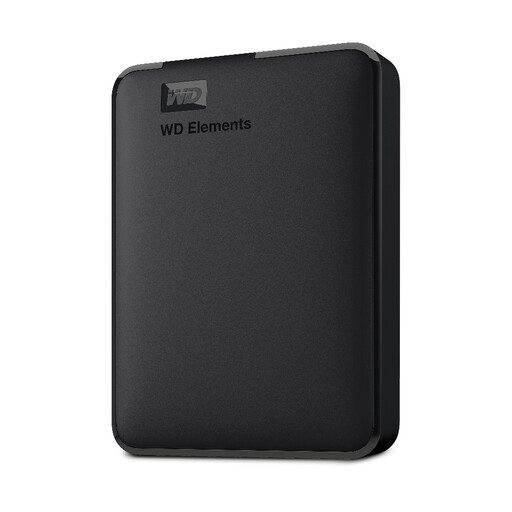
Western Digital Elements Portable External Hard Drive, 1 TB
This HDD offers an archive-oriented alternative if keeping past workshop handouts matters more to you than choosing an SSD.
Its title specifies 1 TB. Check the available desk space, the supplied connection and compatibility with the computer you will use before copying files.
View on Joybuy
Common questions
Can I use a USB-C external drive with a USB-A workshop laptop?
Yes, if you have the appropriate compatible cable or adapter for that drive and laptop. Kingston Technology UK lists a USB-C-to-USB-A cable and an adapter with the XS1000, whereas Seagate UK says that cable is not included with the One Touch Portable setup described in its guide; check the exact package before ordering.
Why might copying be slower than the drive’s quoted speed?
The computer port, hub or cable can limit the connection even when the drive has a higher quoted rate. The USB Implementers Forum says USB devices operate at the lowest common speed capability, so check the entire path rather than the drive specification alone.
Can I connect the drive through a USB hub on a small desk?
You can use a compatible hub, but its connection is part of the speed and reliability check. If copying is slow or the drive is not detected, try a direct connection to the computer and compare the hub’s specifications with the drive’s requirements.
What if an external drive bought in the UK is faulty?
A faulty drive is not simply a change-of-mind return. GOV.UK states that a trader must provide a full refund if an item is faulty, not as described or does not do what it is supposed to; contact the seller with the problem rather than assuming its voluntary returns policy replaces your statutory rights.


