What matters when choosing?
Start with the size of your archive and a repeatable backup setup. Then decide whether carrying the SSD or storing sensitive drafts calls for a different type of drive.
Compact backup SSD
Consider it: Scripts mainly stay at your home workstation and the drive only occasionally leaves the desk.
Keep in mind: A convenient local backup still needs another copy in a separate location.
Rugged portable SSD
Consider it: The archive regularly travels between home, rehearsals and venues, where knocks or dust are a concern.
Keep in mind: Ingress and drop ratings apply under stated test conditions; they do not prevent every kind of damage or replace another copy.
Password-access SSD
Consider it: Unpublished scripts or sensitive production files leave the home and you want access protection on the drive.
Keep in mind: Set up access carefully and retain the password and any recovery information securely.
| Concern |
What to check |
Who this matters to |
| Archive resilience and capacity |
Measure the full folder, including versions and related media, and allow room for growth. Plan another copy in a different location. |
I want earlier drafts to remain accessible if one drive fails, so capacity alone is not enough; around 50% of consumers would put archive resilience first. |
| Workstation and backup setup |
Confirm the computer's USB port, the supplied cable and whether the drive is for shared files or a dedicated backup tool before formatting it. |
I move scripts between devices or rely on scheduled backups, and I need the drive to fit that routine; roughly 30% of consumers would make workflow compatibility their primary concern. |
| Travel and controlled access |
For a travelling drive, check the exact model's protection conditions; for sensitive drafts, check its access method and how you will retain credentials. |
My drafts leave home, where damage or unauthorised access matters more to me than at a fixed desk; about 20% of consumers would prioritise transport protection or controlled access. |
Joybuy SSD choices for script archives
These drives offer local storage for a home script archive, with variants suited to a desk-based setup or to carrying files between locations. Measure your archive and check your computer's connection and backup format before choosing; whichever drive you use, retain another copy elsewhere.
 No image available
Samsung Portable SSD T7 2 TB, Blue
Consider this for a local copy of a growing script archive if 2 TB fits your measured files and planned additions.
The product name specifies USB Type-C 3.2 Gen 2. Check the drive's format against your backup software before copying scripts.
View on Joybuy
 No image available
Samsung T7 Shield MU-PE1T0S 1TB, Black
Consider this variant if a copy of your scripts regularly travels to rehearsals and 1TB accommodates the archive.
Samsung states that the T7 Shield has IP65 protection and a 3 m drop-test claim under stated conditions; liquid, dust and drop damage are not covered by its warranty. Check your workstation's connection and keep another copy elsewhere.
View on Joybuy
 No image available
SANDISK Extreme 2TB Portable SSD for PlayStation 5 and PC
Its stated PC use makes this gaming-positioned 2TB drive worth considering for a script copy that may leave the workstation.
Confirm its supplied format and compatibility with your chosen backup software before transferring the archive. Keep a separate copy in another location.
View on Joybuy
No image available
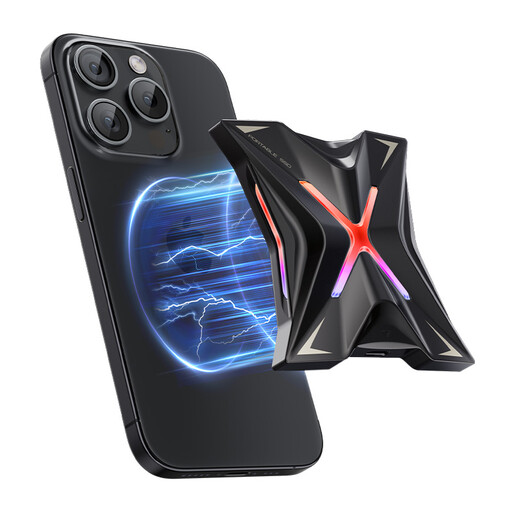
Lexar ES4 Magnetic Set 1TB Portable SSD
This 1TB model may suit a script archive used on a PC or Mac, provided its capacity covers your files and future versions.
Its product name specifies USB 3.2 Gen 2 and advertised maximum speeds of 1,050MB/s read and 1,000MB/s write. Check the connection and format for your backup routine rather than assuming those speeds on your workstation.
View on Joybuy
 No image available
MOVESPEED YSPSRX20M-1TTG 1TB Portable SSD
Consider this for a local script copy if 1TB meets your capacity needs and the workstation has a suitable connection.
The product name specifies USB 3.2 Gen 2×2 and an advertised transfer speed of up to 2,060MB/s. Check the host port before relying on that maximum, and confirm the format for your backup tool.
View on Joybuy
Common questions
How much SSD capacity do theatre scripts need?
Measure the complete archive folder, including earlier versions, PDFs, scans, notes and any production media, then allow room for additions. A larger SSD does not replace another copy: The National Archives advises keeping several copies in different locations and on different storage technologies.
Can a Windows workstation back up scripts to an external SSD regularly?
Yes. Microsoft Support says File History can make regular backups to an external drive or network location. Check that your script folder is included and that the destination is available when backups run.
Can the same SSD hold Windows files and a Mac Time Machine backup?
Plan the disk layout before copying files. Apple Support says Time Machine cannot back up to a Windows-formatted disk; making it suitable may require reformatting, which permanently removes its existing contents. If you need other files on the physical drive, check Apple's guidance on using a separate APFS volume.
Can I return an unsuitable SSD bought online in the UK?
An online purchase may qualify for a change-of-mind cancellation within a limited period: GOV.UK says customers can cancel an online order even when the item is not faulty. Check the applicable deadline and return process; a change-of-mind cancellation is separate from remedies for faulty or misdescribed goods.


