Choose an external SSD that holds the manuscript, supporting files and retained versions, and that every intended computer can use to restore them. Mixed-device handovers make connections and formatting important; regular travel makes physical protection more relevant. Keep the SSD as one part of a separated, tested backup routine, and plan access controls if it will contain personal information.
Who needs to use the backup?
Shared-manuscript coordinators
You need a local copy that authorised contributors can retrieve if a computer fails, a file is deleted or an account becomes inaccessible. The National Cyber Security Centre advises small organisations to keep backup devices disconnected when they are not in use.
Mixed-device volunteer groups
When contributors use different computers, check their ports and the drive’s format before concentrating on its rated speed. Kingston and Crucial list different connection provisions and formatting considerations for their portable SSDs.
Groups carrying backups between venues
A drive taken to meetings or homes may make tested physical protection worth considering. Samsung’s stated T7 Shield resistance has test conditions and does not replace another, separately stored copy.
What should the group check?
Set the backup and restore routine first, then check the computers that must read the drive. Assess access to personal information and travel risks against the group’s actual use.
| Concern | What to check | Who this matters to |
|---|
| Recoverable, separate copies |
Calculate space for the files and retained versions; agree where another copy will be kept and how restoration will be tested. |
If I am responsible for recovering a deleted or inaccessible manuscript, I need a copy that works even when the working computer does not; around 40% of consumers put recoverable, separate backups first. |
| Compatibility and handover |
List the computers that will write and restore files; check their ports and the drive’s format before use. |
When volunteers exchange the drive, I need each authorised contributor to be able to open the files; roughly 30% of consumers make cross-device handover their primary concern. |
| Personal information and access |
If personal information will be stored, assess encryption and agree who holds access and recovery credentials. |
If the backup contains contributor details, I need to restrict access without locking the group out; around 20% of consumers prioritise protection of personal information. |
| Protection during travel |
Compare the stated dust, water and drop-test conditions with the risks of carrying the drive. |
Taking the manuscript between venues makes accidental damage a concern for me; roughly 10% of consumers put travel durability first. |
Mistakes that can undermine a backup
-
Assuming one SSD solves the backup problem
A portable drive can be lost or affected alongside a connected computer, and an untested copy may not restore when needed.
Keep separated copies, include an off-site copy where appropriate, disconnect a backup when it is not in use and test restoration. The National Cyber Security Centre advises disconnecting unused backup devices; the Department for Education Cyber Security Hub describes a strategy with an off-site copy.
-
Treating a resistance rating as damage-proofing
Samsung says the T7 Shield’s IP65 and drop claims come from controlled tests; real conditions can differ, and its warranty does not cover liquid, dust or drop damage.
Check the conditions behind a rating and keep another copy rather than relying on a rugged drive alone.
-
Reformatting before saving existing files
Changing a drive’s file system can erase what is already on it; Crucial explicitly warns of data loss when reformatting the X9 Pro.
Agree which devices must use the backup, then copy any existing files elsewhere before reformatting.
-
Encrypting without a recovery plan
Restricting access helps only if authorised group members can still recover the backup when a volunteer leaves or a credential is unavailable.
If the drive stores personal information, assess encryption and document how authorised access and recovery credentials will be managed. The Information Commissioner’s Office advises encryption when storing or transmitting personal information.
Relevant brands to consider
Kingston
The XS1000 range is relevant to compact, mixed-connector handovers and is listed by Kingston in 1TB and 2TB capacities.
- Kingston specifies a USB-C-to-USB-A cable and USB-A-to-USB-C adapter with the XS1000.
- Check whether the selected capacity covers retained versions; do not assume the XS1000 has a dust or water resistance rating.
Samsung
The T7 Shield range is relevant when the group regularly carries its backup between locations.
- Samsung states that the T7 Shield has undergone IP65 testing and a 3-metre drop-test condition.
- Those claims depend on controlled conditions; Samsung says liquid, dust and drop damage are not covered under warranty.
Crucial
The X9 Pro is relevant when a group wants a portable SSD supplied in exFAT format for a cross-device workflow.
- Crucial states that the X9 Pro ships formatted as exFAT and can be reformatted for other workflows.
- Reformatting erases its contents, and a USB-C-to-USB-A adapter is not included; check the intended computers before setup.
Joybuy external SSD choices
These portable SSDs offer options for moving a manuscript between devices or carrying a backup between venues. Check capacity, restore-device compatibility and the group’s backup routine before choosing one.
 No image available
Lexar ES4 Magnetic Set 1TB portable SSD
Consider this 1TB drive for a handover between contributors, after checking the group’s ports and restore devices.
Its name specifies USB 3.2 Gen 2 and rated speeds of up to 1,050MB/s read and 1,000MB/s write; those figures do not establish the speed on the group’s computers.
Confirm that 1TB covers the manuscript, supporting files and retained versions, and agree the format before storing files.
View on Joybuy
 No image available
SANDISK Extreme 2TB portable SSD for PlayStation 5 and PC
Consider this portable 2TB option if the backup will travel, but check its stated protection conditions against the group’s risks.
Check that the intended computers can write to and restore from it, and that 2TB accommodates the files and retained versions.
View on Joybuy
 No image available
Samsung T7 Shield MU-PE1T0S 1TB, black
Consider this 1TB USB-C model when the backup is carried between venues, provided it also works with the group’s restore computer.
Samsung states that T7 Shield IP65 and 3-metre drop claims are based on controlled tests; its warranty does not cover liquid, dust or drop damage.
Check that 1TB holds the files and versions the group intends to retain.
View on Joybuy
 No image available
Lexar ES5 1TB USB 3.2 Gen 2x2 portable SSD
Consider this portable model for a travelling backup, after checking its connection and protection conditions.
Its name specifies 1TB capacity, IP65 and rated read and write speeds of up to 2,000MB/s; confirm the group’s host capability before relying on that speed.
Measure the files and retained versions before deciding whether 1TB is sufficient.
View on Joybuy
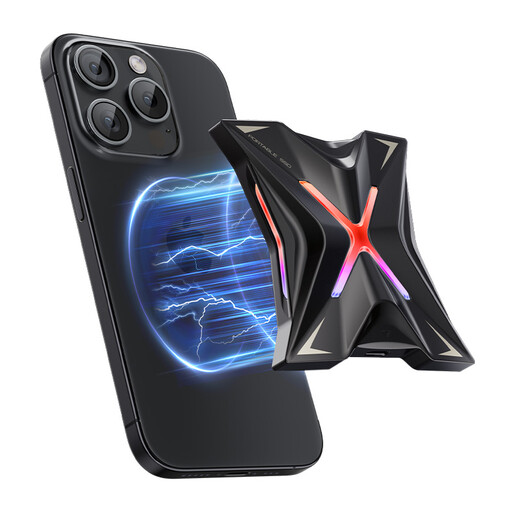 No image available
MOVESPEED YSPSRX20M-1TTG 1TB portable SSD
Consider this 1TB USB-C drive for a shared backup if contributors can connect it to the computers used for restoration.
Its name specifies USB 3.2 Gen 2x2 and a rated transfer speed of 2,060MB/s; check host capability rather than assuming that speed in use.
Confirm that 1TB covers the manuscript and retained versions, and protect the drive from moisture, heat and impact.
View on Joybuy
Common questions
Can one external SSD be our only manuscript backup?
No: use it as one copy alongside another, separately kept backup, and test that you can restore the files. The Department for Education Cyber Security Hub describes a backup strategy that includes an off-site copy.
Should we leave the SSD plugged in?
Disconnect it when it is not in use. The National Cyber Security Centre warns that some viruses can affect storage devices connected to an infected computer; reconnect the SSD for planned backups and restore tests.
Does a UK community group need to encrypt its manuscript backup?
Assess encryption against what the backup contains and who needs access, rather than treating every manuscript identically. The Information Commissioner’s Office advises encryption when storing or transmitting personal information; if the backup contains such information, plan how authorised members will manage and recover the credentials.
Will one portable SSD work with every contributor’s computer?
Not necessarily: check ports, operating systems, format and the computers that must restore the files before use. Kingston specifies both USB-C and USB-A connection provision for the XS1000, while Crucial says X9 Pro compatibility depends on formatting and host capability.


