Choose a 27-inch 4K monitor if reading fine text and scanned records is your main constraint; choose a 34-inch ultrawide if keeping a broad tree, archive and notes visible together matters more. A vertical display or two-screen arrangement can give source documents more room, provided your desk and computer support the setup. Check comfortable text scaling, connections and screen position before buying.
Who each setup suits
Source-document readers
If you spend long sessions with census returns, certificates, parish registers or scans, prioritise readable detail and a screen you can position comfortably. Check how your usual documents look with your preferred text scaling.
Wide-tree researchers
If you regularly compare a broad family tree with an archive, notes and citations, horizontal room for simultaneous windows may matter more to you than a compact screen.
Laptop-based home-office researchers
If one laptop is your research station, a monitor with suitable video, charging and peripheral connections can simplify the desk. Confirm what your laptop and cable support before choosing a USB-C setup.
What matters when choosing
For family-tree research, decide whether document detail, side-by-side width or vertical space is your main constraint; then check whether the screen fits your desk and computer.
27-inch 4K
Choose it when: Fine text and detailed record images take priority on a compact desk.
Allow for: Less room for a very wide tree alongside full-size windows; check that operating-system scaling makes text comfortable to read.
34-inch ultrawide
Choose it when: You want the tree, an archive and notes visible side by side.
Allow for: More desk width and, on the cited 3440 × 1440 format, fewer vertical pixels than a 3840 × 2160 4K screen.
Vertical or two-screen setup
Choose it when: Long source documents, timelines and notes need more space than the tree does.
Allow for: Desk and mounting requirements; two screens also require suitable computer display outputs. LG identifies the cited DualUp 28MQ780-B as discontinued, so check current alternatives rather than assuming that model is available.
| Concern |
What to check |
Who this matters to |
| Windows side by side |
Compare aspect ratio and resolution with the desk width available for the screen and stand. |
When I map a broad tree, I want the archive and my notes in view without repeatedly switching windows. Around 36% of consumers put simultaneous workspace first. |
| Record detail |
Compare native resolution, screen size and comfortable text scaling at your intended viewing distance. |
Small handwriting and record columns are difficult to inspect if I cannot see enough detail comfortably. Roughly 29% of consumers prioritise reading records and scans. |
| Laptop connections |
Check the laptop's video output and charging requirements against the monitor's USB-C features and the cable you will use. |
I use one laptop at my research desk and want a straightforward connection without relying on a port that cannot deliver the functions I need. About 21% of consumers put laptop setup first. |
| Screen position |
Check stand adjustment and desk clearance, including clamp fit if you plan to use an arm. |
During long research sessions, I need to place the screen at a workable height and distance rather than adapt to a fixed position. Around 14% of consumers prioritise adjustability. |
Mistakes to avoid
-
Choosing by diagonal size alone
A 34-inch 3440 × 1440 ultrawide creates a different workspace from a 27-inch 3840 × 2160 4K display: the former favours horizontal arrangement, while the latter fits more pixels into a smaller area.
Decide whether window width or document detail limits your work, then compare aspect ratio and resolution as well as size.
-
Assuming USB-C does everything
A USB-C connector alone does not establish laptop video output, charging or multi-display support. Lenovo says the cited ThinkVision T34WD-40's maximum 100 W power delivery depends on compatible Lenovo VDM equipment, and actual output may be lower.
Check your laptop's display output and charging specifications, the monitor's connections and the cable required for the setup.
-
Overlooking stand and desk fit
A clamp-mounted display needs a suitable desk edge, while pivoting or repositioning a screen needs clearance. Adjustment alone does not place a monitor correctly.
Measure desk depth and rear-edge clearance, including any cable tray. The Health and Safety Executive advises positioning the top of the screen around eye level and the screen about an arm's length away.
-
Treating a format example as an available model
LG identifies the DualUp 28MQ780-B as discontinued, while Lenovo's UK page listed the ThinkVision T34WD-40 as out of stock when this article was researched. Their formats can still help you decide what screen shape to seek.
Check the exact model, current availability and seller information before ordering rather than relying on a format example.
Relevant brands to consider
Dell
Dell's UltraSharp U2725QE illustrates a compact, high-resolution route for a home-office research desk.
- Dell lists a 27-inch 4K IPS Black display, an anti-glare surface and height and pivot adjustment for this model.
- Its 16:9 format offers less horizontal room than a 21:9 ultrawide when a broad tree and several windows must remain visible together.
Lenovo
Lenovo's ThinkVision T34WD-40 illustrates a 34-inch ultrawide route for a laptop-based research station.
- Lenovo lists a 3440 × 1440, 21:9 panel with USB-C, Ethernet, USB ports and an adjustable stand.
- Lenovo's UK page listed this model as out of stock when researched. Its stated maximum 100 W power delivery has a Lenovo VDM compatibility condition; check the current listing and your laptop before making plans around either feature.
BenQ
BenQ's GW2790QT illustrates a compact 27-inch QHD option for a USB-C laptop desk.
- BenQ lists USB-C with 65 W power delivery, a USB hub and height, tilt, pivot and swivel adjustment.
- Its QHD resolution has fewer pixels than a 4K display for inspecting scans. Check computer compatibility before relying on its daisy-chaining feature.
LG
LG's DualUp 28MQ780-B illustrates a taller 16:18 workspace for documents and notes rather than a conventional wide tree canvas.
- LG lists 2560 × 2880 resolution and an Ergo stand with a C-clamp for this model.
- LG marks the 28MQ780-B as discontinued. Check current models and whether a clamp will fit your desk.
Joybuy monitor choices
These monitors cover two ways to approach family-tree research: 27-inch 4K screens for document detail and 34-inch ultrawides for a broader tree alongside other windows. Check each model's connections, desk fit and comfortable viewing setup against your own equipment.
 No image available
MSI MD272UPSW 27-inch 4K Smart Monitor
A 27-inch 4K choice to consider when reading records and scans takes priority over a wide tree canvas.
The product name specifies an IPS display, Google TV, Dolby Audio and USB-C 65 W. Check your laptop's video output and charging requirements, and whether text scaling is comfortable at your viewing distance.
View on Joybuy
 No image available
BenQ MA270UP 27-inch 4K Mac Monitor
Consider this 4K format if detailed records are your priority and you want a monitor presented for a Mac desk setup.
The product name specifies a Nano Glossy IPS display, USB-C and a height-adjustable stand. Check how the glossy surface suits your lighting, whether your laptop supports the connection you need and whether its Mac-focused features matter to your setup.
View on Joybuy
 No image available
LG 27UP650K 27-inch 4K IPS Monitor
This 27-inch 4K format is relevant when you would rather inspect source images than spread a tree across an ultrawide screen.
The product name specifies HDMI and DisplayPort connections. Check which video output your computer has, what cable you will need and whether your preferred text scaling is comfortable.
View on Joybuy
 No image available
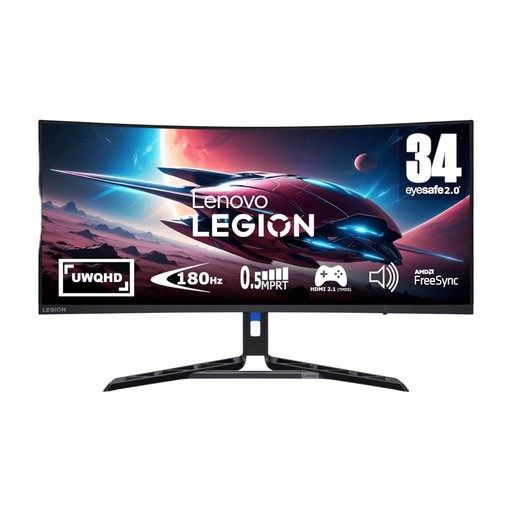
Lenovo R34w-30 34-inch UWQHD Gaming Monitor
Consider this ultrawide format if you want room to arrange a family tree beside research windows.
The product name specifies a 34-inch UWQHD display. Measure the desk space available for the screen and stand, and confirm that your computer has a suitable video output.
View on Joybuy
 No image available
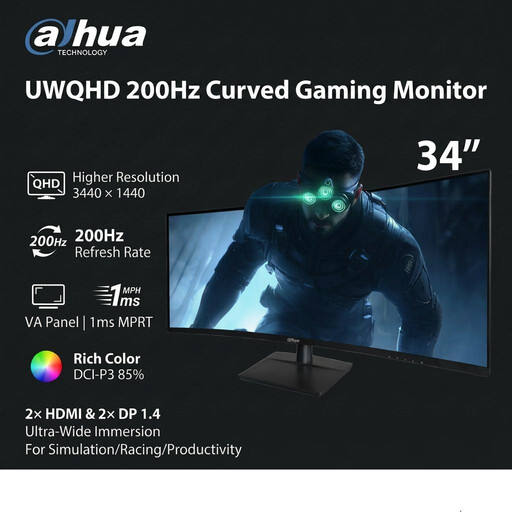
Dahua 34-inch 3440 × 1440 Curved Gaming Monitor
Its 21:9 format is worth considering when horizontal room for a tree and accompanying windows is your main need.
The product name specifies a VA panel, 200 Hz, two HDMI inputs and two DisplayPort 1.4 inputs. Check desk dimensions and your computer's video output rather than choosing by the gaming specifications alone.
View on Joybuy
Common questions
Is a 34-inch ultrawide better than a 27-inch 4K monitor for a family tree?
Not for every research task: a 34-inch ultrawide suits a broad tree beside archive and note windows, while a 27-inch 4K screen suits a more compact desk when fine text and scanned records take priority. Check the resolution and your preferred text scaling before deciding.
How should I position a monitor for long research sessions?
The Health and Safety Executive advises placing the top of the screen around eye level, with the screen about an arm's length away and the screen and keyboard in front of you. For prolonged laptop use, its guidance also recommends a separate keyboard and mouse so you can raise the screen.
What should I do with an old monitor?
Look for a suitable electrical-equipment collection or take-back route rather than putting an old monitor in ordinary household waste. UK government guidance on waste electrical and electronic equipment describes recovery, reuse and recycling as aims of the WEEE framework; check your local authority or retailer for the arrangements available to you.


